Editing Patterns
Basic Embroidery
149
4
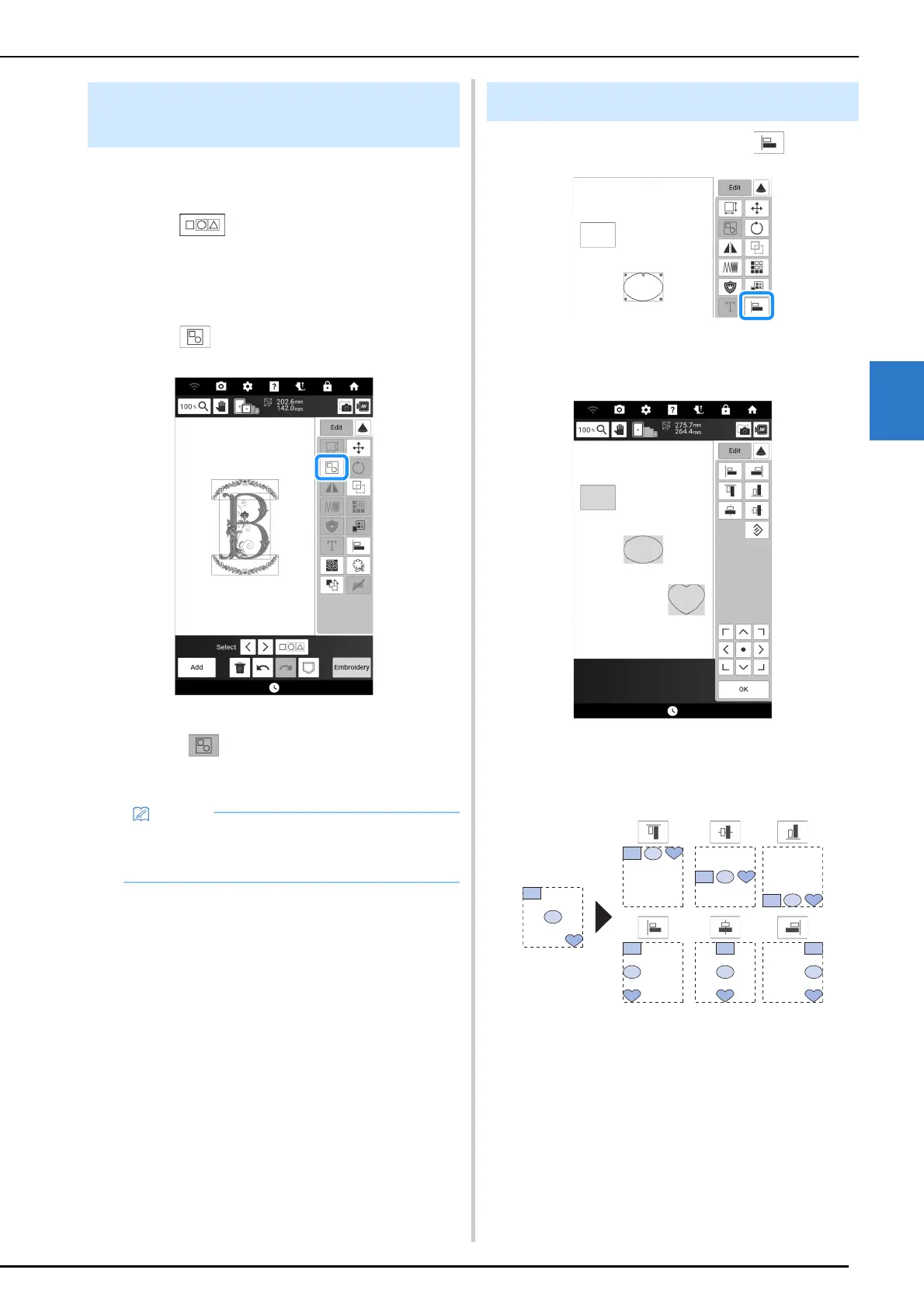
If the multiple patterns are grouped, they can be
edited as a single pattern.
1 Touch .
2 Touch each pattern to select multiple
patterns and then touch [OK]. (page 148)
3 Touch .
The selected patterns are grouped.
* Touch to ungroup the patterns. If there are
multiple grouped patterns, the selected pattern
group is ungrouped.
1 Touch [Edit] and then touch .
2 Touch each pattern that you want to
align.
3 Touch the key for the desired alignment.
Example:
Grouping Multiple Selected
Patterns
• Some editing keys appear in light gray and are
not available while multiple patterns are
grouped.
Aligning the Embroidery Patterns



 To Next Page