Various Embroidering Functions
172
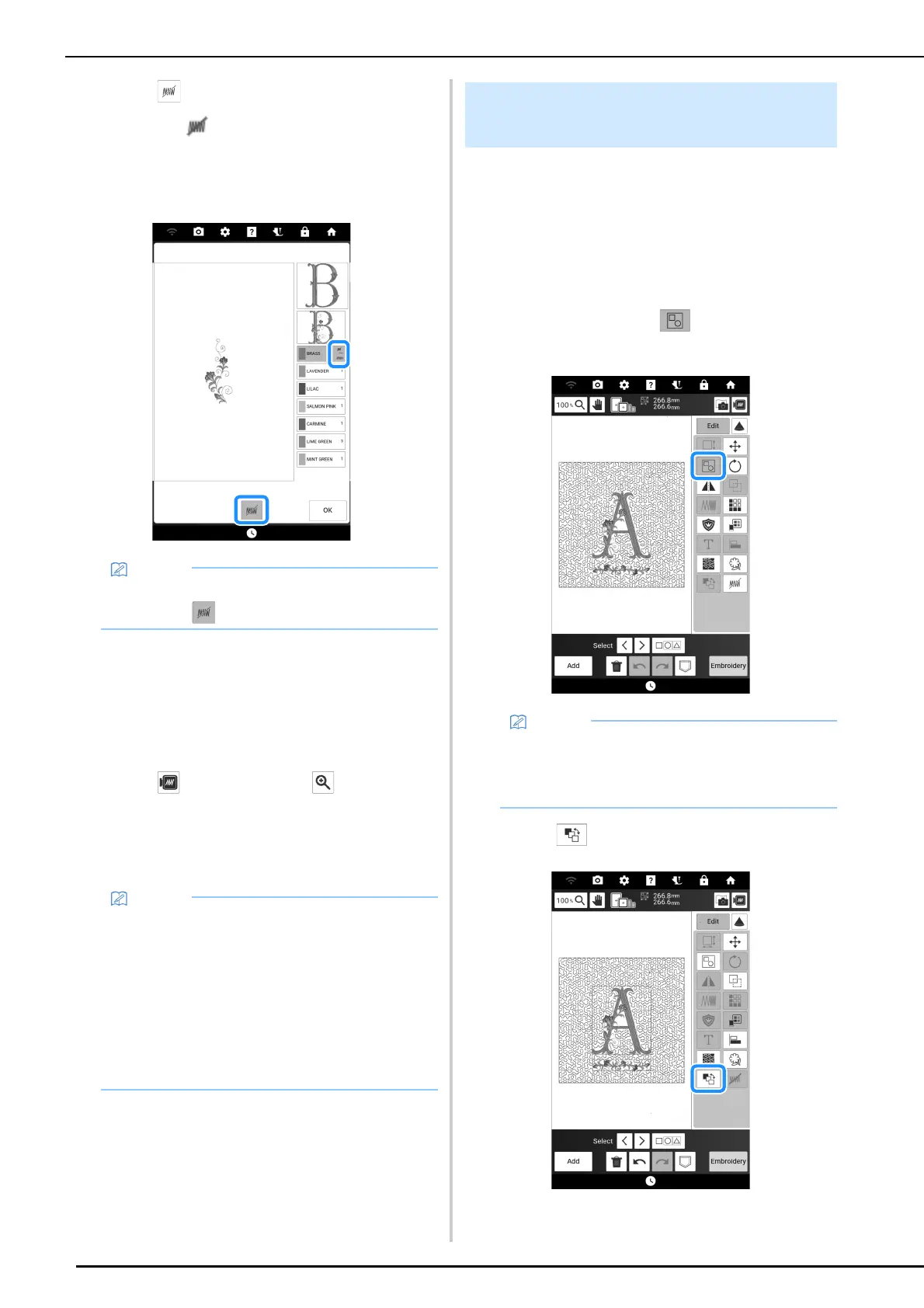
3 Touch .
The mark appears to indicate that the selected
thread color will not be embroidered.
The parts of the pattern that will not be
embroidered are hidden in the pattern preview
screen.
4 If necessary, repeat steps 2 and 3 for all
thread colors that will not be
embroidered.
5 After specifying the desired settings,
touch [OK].
6 Touch and then touch to check an
enlarged image of the finished
embroidery.
* After deselecting a region, check the image to be
sure no previously hidden stitches are visible.
The embroidering order of combined patterns
can be changed.
1 Select a pattern, add additional
pattern(s), adjust the layout of the
patterns, and then display the [Edit]
window.
2 If necessary, touch to ungroup the
pattern.
3 Touch .
• To cancel the setting, select the thread color
and touch .
• When a pattern with the deselect region
setting applied is saved, the deselect region
setting is also saved. However, the pattern
cannot be saved if the deselect region setting
is applied to all thread colors.
• The parts with the deselect region setting
applied are merely not displayed; they are not
deleted. The embroidering area required to
embroider the pattern is the same as for the
original pattern.
Changing the Embroidering Order
of Combined Patterns
• The embroidering order for grouped patterns
is changed group by group. To change the
embroidering order of a pattern within a group,
ungroup the pattern first.



 To Next Page