Using the Camera to Connect Patterns
217
Advanced Embroidery
5
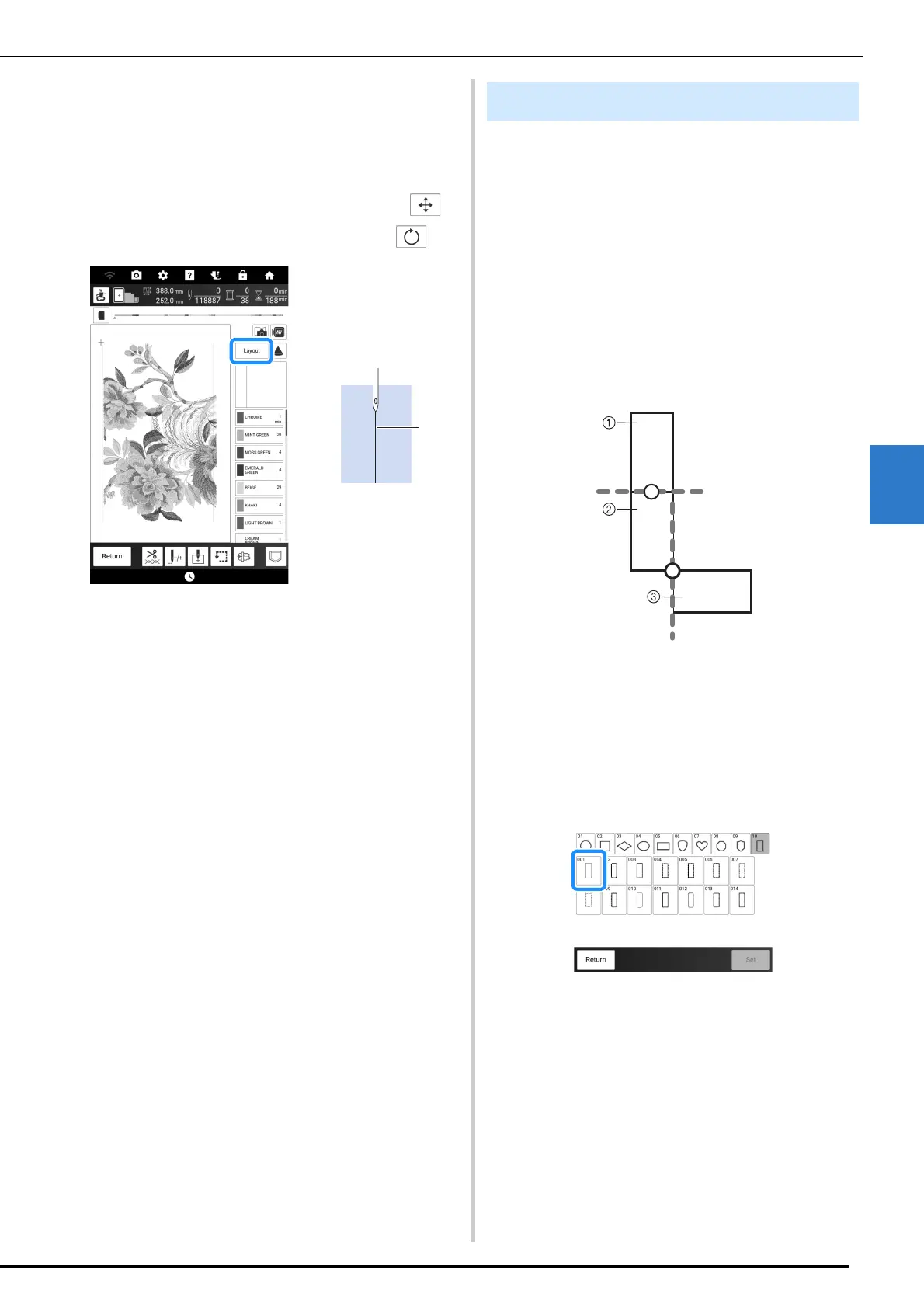
8 Touch [Layout], and then adjust the
position and angle for the next pattern so
that the needle position is aligned with
the alignment stitching embroidered with
the first pattern.
* To adjust the position of the pattern, touch .
* To adjust the angle of the pattern, touch .
a Alignment stitching
9 In the same way, select the lower-left
needle position, and then adjust the
position and angle of the next pattern so
that the needle aligns with the thread
mark embroidered with the first pattern.
10 Embroider the second pattern.
11 Embroider the remaining patterns in the
same way as with the second pattern.
12 Remove the thread marks.
Instead of using thread marks, the camera can
be used to connect patterns in the embroidery
screen.
Select the appropriate embroidery frame
depending on the size of the embroidery. The
distance between the pattern and the embroidery
area of the embroidery frame must be at least
3 cm (approx. 1-3/16 inches). The small
embroidery frame (2 cm × 6 cm (approx. 1 inch ×
2-1/2 inches)) cannot be used with the camera
function.
Example:
a Pattern A
b Pattern B
c Pattern C
1 Select the first pattern A, and then touch
[Set].
* To select the desired frame pattern, refer to
“Selecting Frame Patterns” on page 136.
2 Thread the machine with the upper
thread and the bobbin thread.
Aligning Pattern Edges



 To Next Page