About My Design Center
227
My Design Center
6
With My Design Center, you can use the
functions listed below:
• Creating embroidery patterns by drawing on
the LCD screen or by using built-in stamps or
shapes.
• Creating embroidery patterns by not only
scanning drawings /illustrations with built-in
camera, but also importing data from USB
media.
• Creating embroidery patterns by sending
images from your mobile device to your
machine
• Setting the stitch types, fill stitch types and
colors for created patterns.
• Combining patterns that you have created
with the machine’s built-in patterns.
Start My Design Center by touching [My Design
Center] in the home page screen or touching [My
Design Center] in the embroidery pattern
selection screen.
The pattern preview displays the design smaller
than the actual size. You can view the actual
pattern size by setting the [Embroidery Frame
Display].
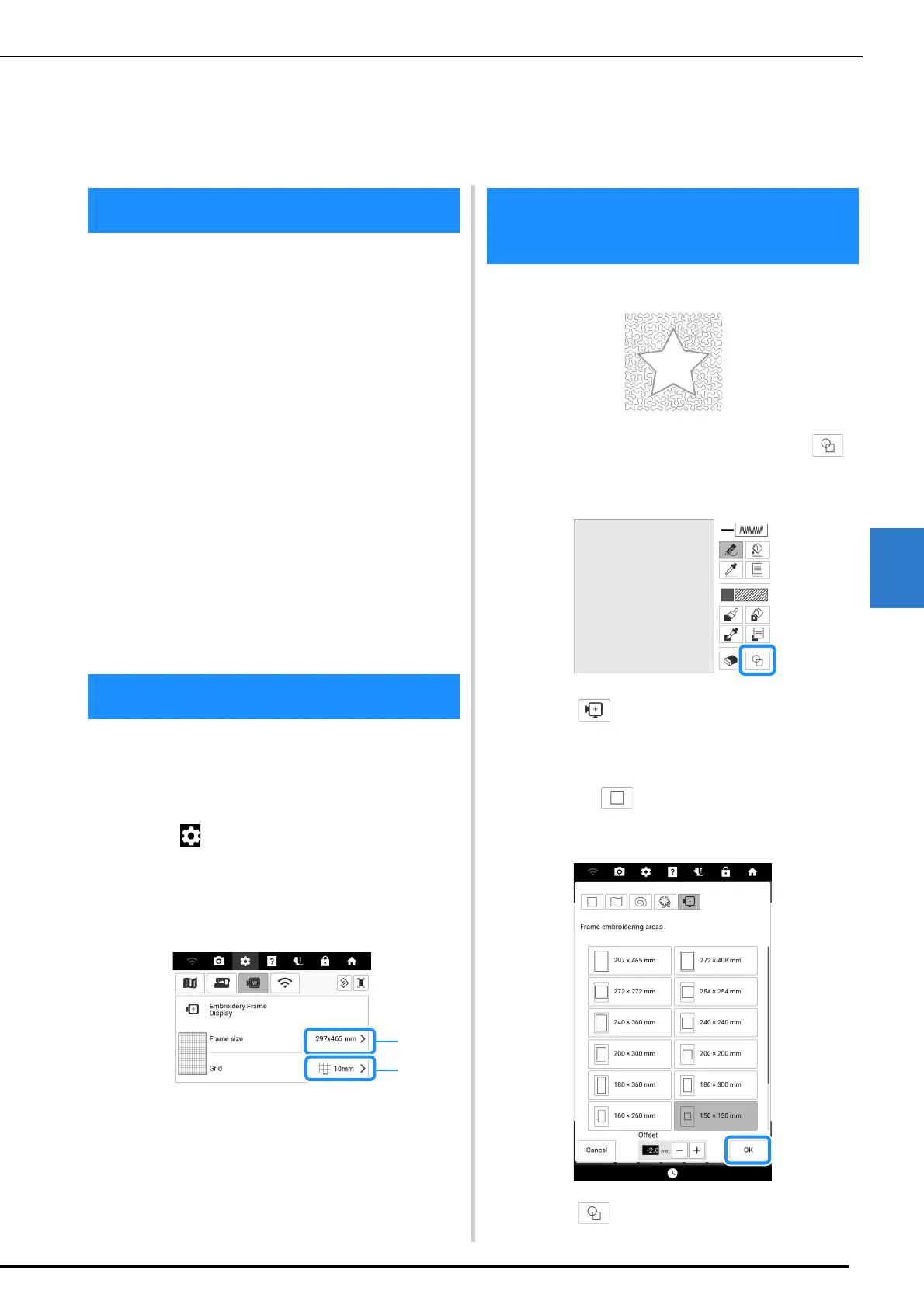
1 Touch to display [Embroidery Frame
Display] of the settings screen.
2 Select the grid line and embroidery
frame.
a Embroidery frame types
b Grid types
Example:
1 Start [My Design Center] and touch .
* For details on this screen, refer to “Pattern Drawing
Screen” on page 230.
2 Touch and select the frame
embroidering area. And then touch [OK].
* You can also select the various shapes by
touching .
* For details on this screen, refer to “Using the
Stamp Key” on page 231.
3 Touch .
Chapter 6
My Design Center
About My Design Center
Before Creating Designs
Create a Stippling Design
with the Basic Procedure



 To Next Page