Useful Functions
72
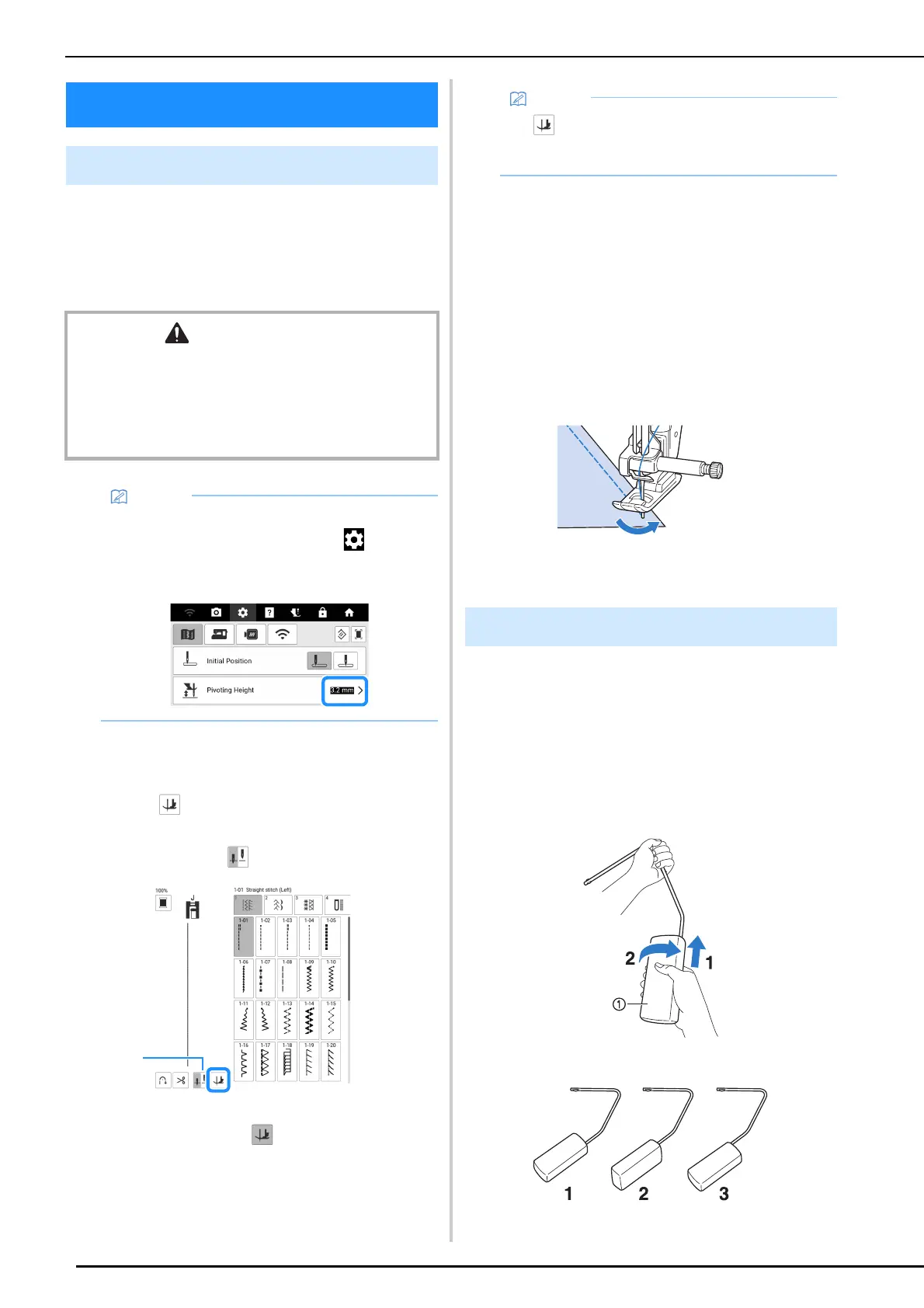
If the pivot function is selected, the machine
stops with the needle lowered and the presser
foot is automatically raised. This function is
useful for stopping the machine to rotate the
fabric.
1 Select a stitch.
2 Touch to select the pivot setting.
* To use the pivot function, the needle position
should be set to .
a Needle position setting key
The key appears as .
3 Set the needle in the start position, and
press the “Start/Stop” button.
4 Press the “Start/Stop” button to stop the
machine at the point where the sewing
direction changes.
The machine stops with the needle in the fabric,
and the presser foot is raised.
5 Rotate the fabric, and then press the
“Start/Stop” button.
The presser foot is automatically lowered, and
sewing continues.
Using the knee lifter, you can raise and lower the
presser foot with your knee, leaving both hands
free to handle the fabric.
1 Slide up the knee lifter handle slightly
and rotate knee lifter handle till it clicks
into the selected position that is most
comfortable for you.
a Knee lifter handle
Useful Functions
Pivoting
CAUTION
• When the pivot setting is selected, the machine starts
when the “Start/Stop” button is pressed or the foot
controller is pressed down even if the presser foot has
been raised. Be sure to keep your hands and other
items away from the needle, otherwise injuries may
occur.
• The height of the presser foot when sewing is
stopped can be changed. Touch to display
[Pivoting Height] of the settings screen and
select the height.
• If appears as light gray when the stitch
pattern was selected, the pivot function cannot
be used.
Using the Knee Lifter



 To Next Page