LCD Screen
Getting Ready
29
1
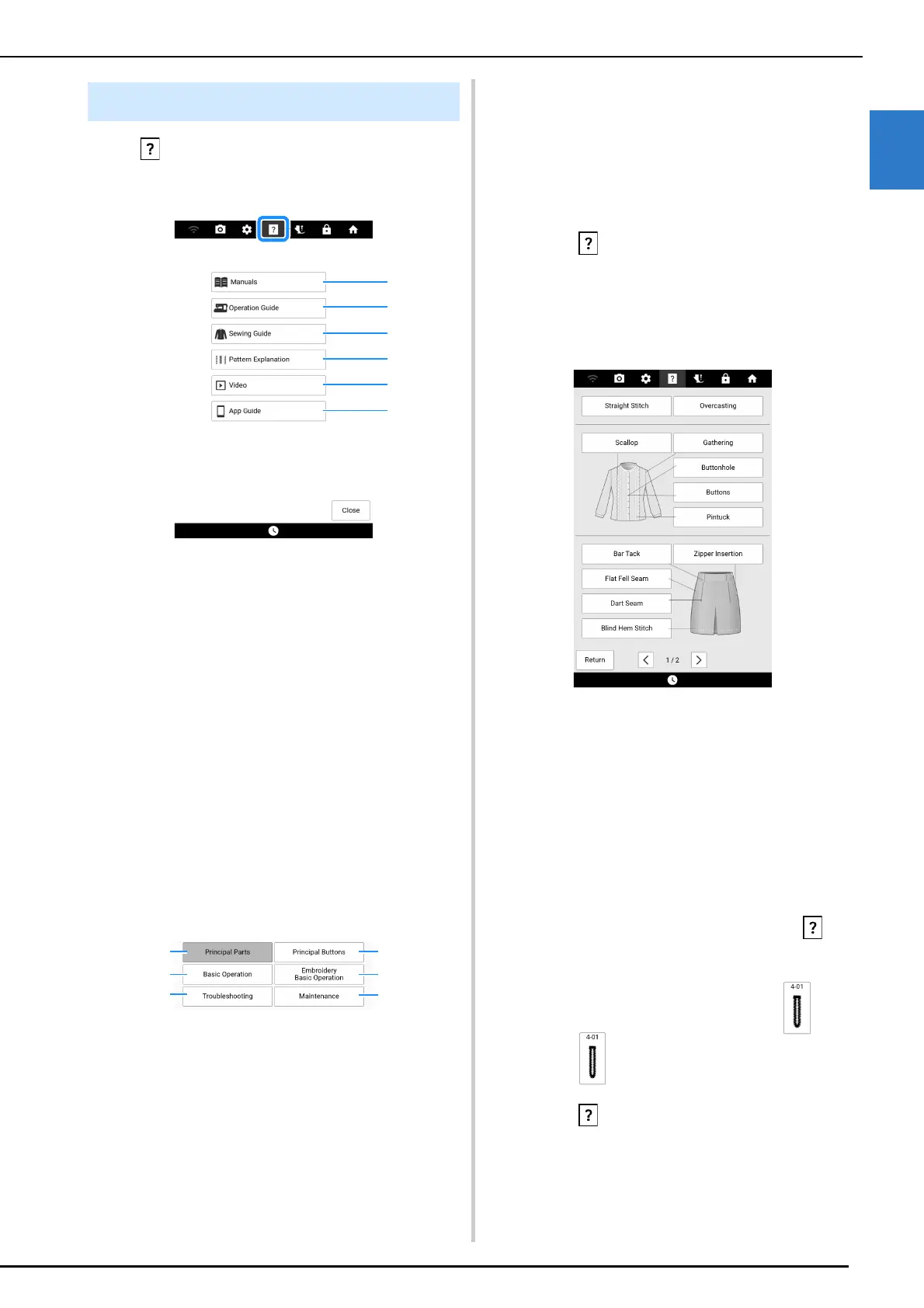
Touch to open the machine help screen.
Functions are available from the screen shown
below.
a Manuals for this machine. (page 30)
b Explanation for how to use the machine. (page 29)
c Procedures for sewing utility stitches. (page 29)
d Explanation of the stitch selected. (page 29)
e Use the QR code that appears in the screen to
access instructional videos for the machine. The
specifications shown in the video may display
different details than the actual product.
f Displays the introduction to the applications. Touch
the key of the app whose information you want to
display.
Using the Operation Guide
Function
Touch [Operation Guide] to open the screen shown
below. Categories are displayed at the top of the
screen. Touch a key to see more information about
that category.
a Information about the main parts of the machine
and their functions
b Information about the operation buttons
c Information about threading the machine, changing
presser feet, etc.
d Information about attaching the embroidery unit,
preparing fabric for embroidering, etc.
e Information about troubleshooting
f Information about cleaning the machine, etc.
Using the Sewing Guide Function
Use this function when you are not sure which
stitch to use for your application, or to get advice
about sewing particular stitches.
1 Enter Utility Stitch category from the
home page.
2 Touch .
3 Touch [Sewing Guide].
4 Touch the key of the category whose
sewing instructions you wish to view.
5 Read the explanations and select the
appropriate stitch.
The screen displays directions for sewing the
selected stitch. Follow the directions to sew the
stitch.
Using the Stitch Pattern
Explanation Function
If you want to know more about the uses of a stitch
pattern, select the stitch pattern and touch and
then [Pattern Explanation] to see an explanation of
the stitch selection.
Example: Displaying information about
1 Touch .
2 Touch .
3 Touch [Pattern Explanation].
Machine Help Screen



 To Next Page