Editing Patterns
Basic Embroidery
153
4
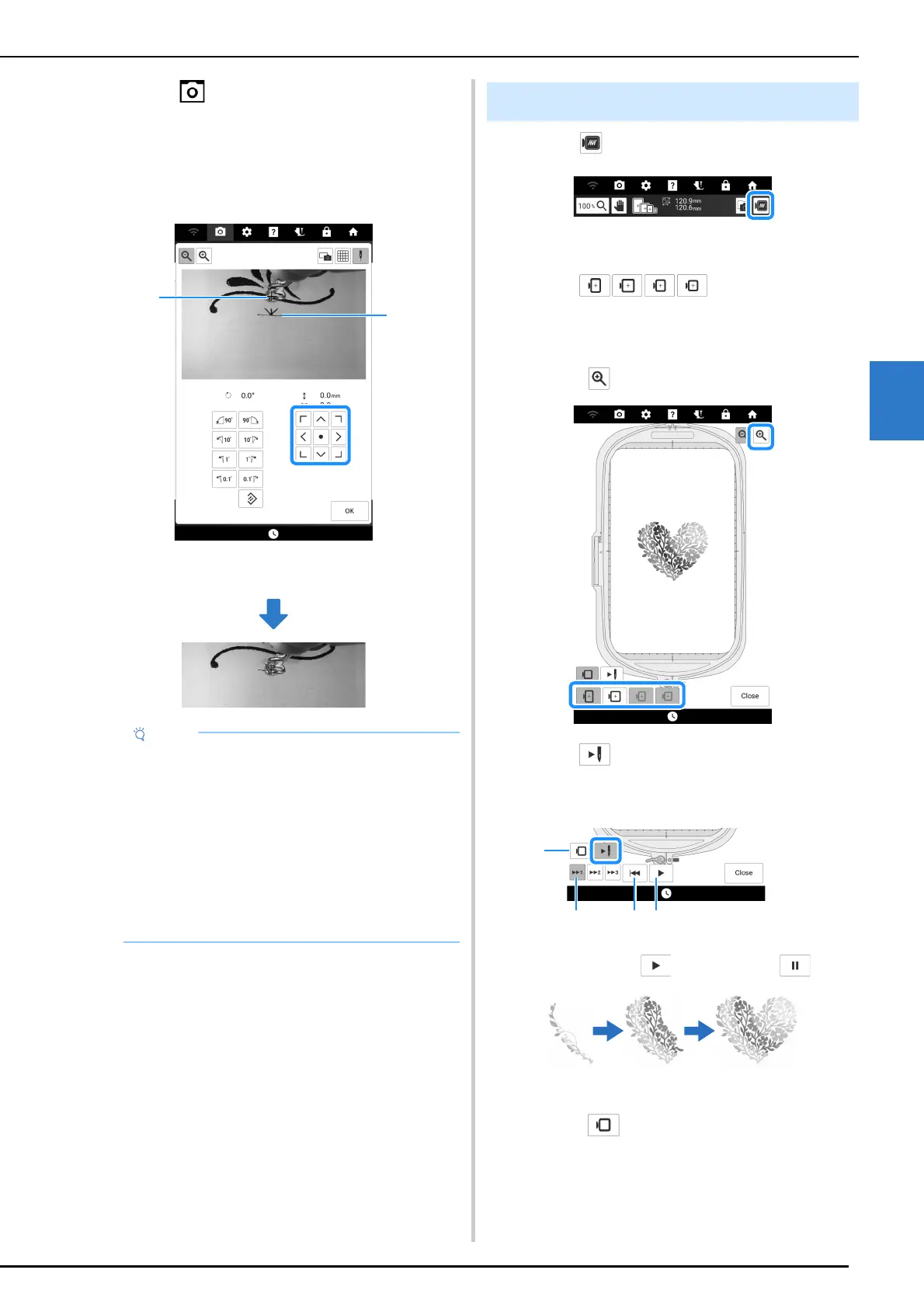
12 Touch .
13 Touch the positioning keys to move the
embroidery frame until the thread mark
on the fabric is aligned on the starting
point in the camera view window.
a Thread mark on the fabric
b Starting point
14 Touch [OK] to return to the previous
screen.
15 If necessary, remove the thread mark.
16 Press the “Start/Stop” button to begin
embroidering.
1 Touch .
An image of the pattern as it will be embroidered
appears.
2 Touch to select the
embroidery frame used in the preview.
* Embroidery frames displayed in light gray cannot
be selected.
* Touch to enlarge the image of the pattern.
3 Touch to check the embroidering
order.
The stitch simulator screen appears.
a Play/Pause
When touching , icon changes to .
b Return to beginning.
c Select the simulation speed.
d Touch to return to the embroidery frame
selection screen.
• If the pattern position cannot be aligned using
the positioning keys, rehoop the fabric, and
then try again to align the position with the
positioning keys.
• When embroidering the repeated pattern, do
not rotate the pattern in the camera view
window. If the pattern is rotated in the camera
view window, you cannot embroider the
pattern properly aligned even if the thread
mark and the starting point are aligned in the
camera view window.
Previewing the Pattern



 To Next Page