LCD Screen
30
Viewing the Operation Manual
(PDF File) on the Machine
1
Touch .
2 Touch [Manuals].
3 Select the document to be viewed.
4 Read the Operation Manual.
Swipe the screen with your finger to turn
the page.
* To change the direction that the pages are turned,
touch (7).
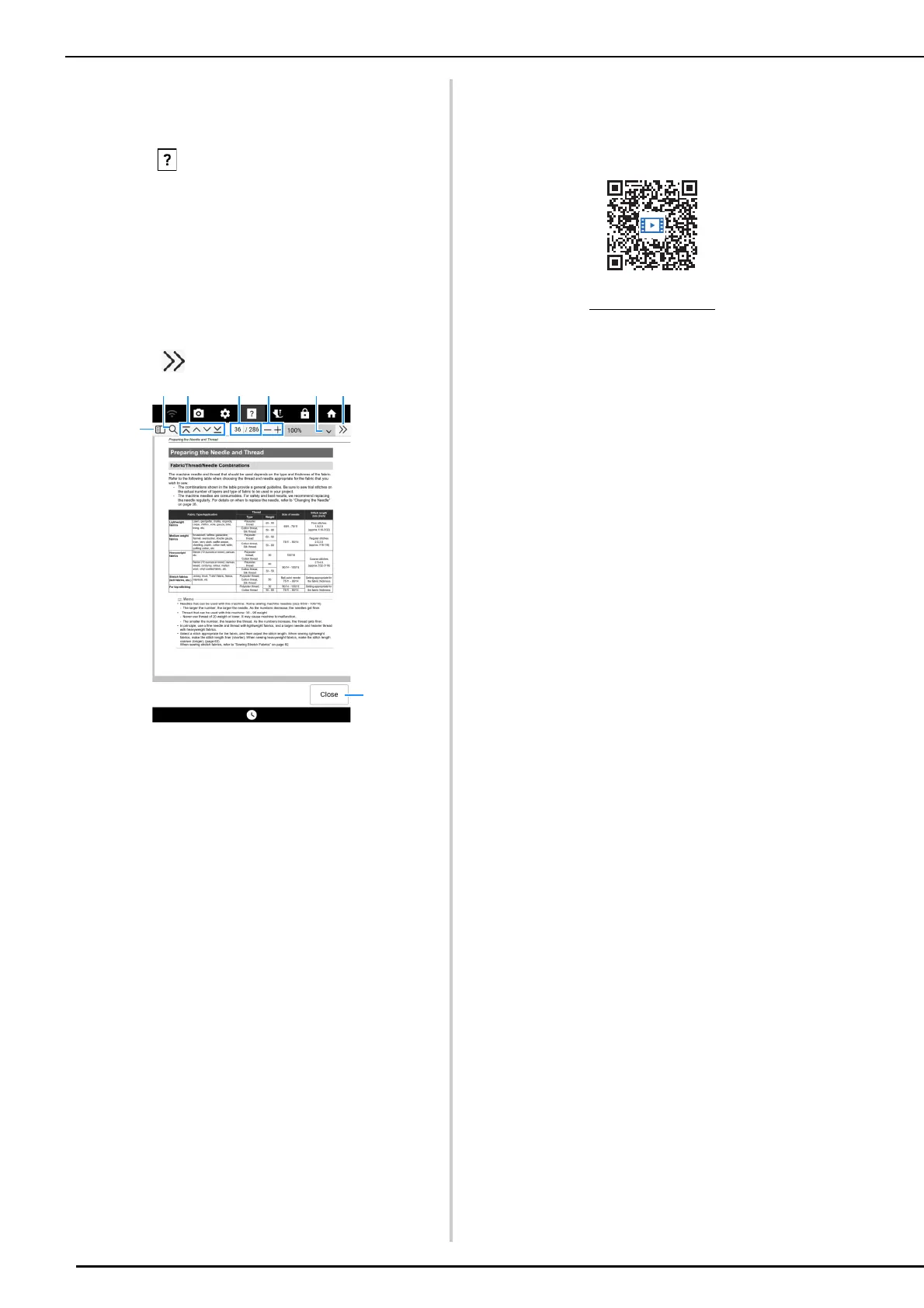
a Touch to display a thumbnail of each page.
b Touch to use the search function.
c Touch to display the first page/previous page/next
page/last page.
d Shows the current page/total number of pages. To
display a specific page, enter the page number in
the box.
e Touch to display the page enlarged/reduced.
f Select a page magnification ratio.
g Touch to display other settings.
h Touch to close the screen.
Instructional Videos
The instructional videos are available online and
can be viewed on any mobile device or computer.
You can also access them using the QR code that
appears in the screen. (page 29)
https://s.brother/cvdae/



 To Next Page