Embroidering Quilting
194
Stippling, echo quilting, and decorative fill
patterns can be created around the machine’s
built-in patterns or original embroidery data
without using My Design Center.
1 Select the pattern that stippling will be
added around.
* To select multiple patterns, refer to “Selecting
Multiple Patterns at the Same Time” on page 148.
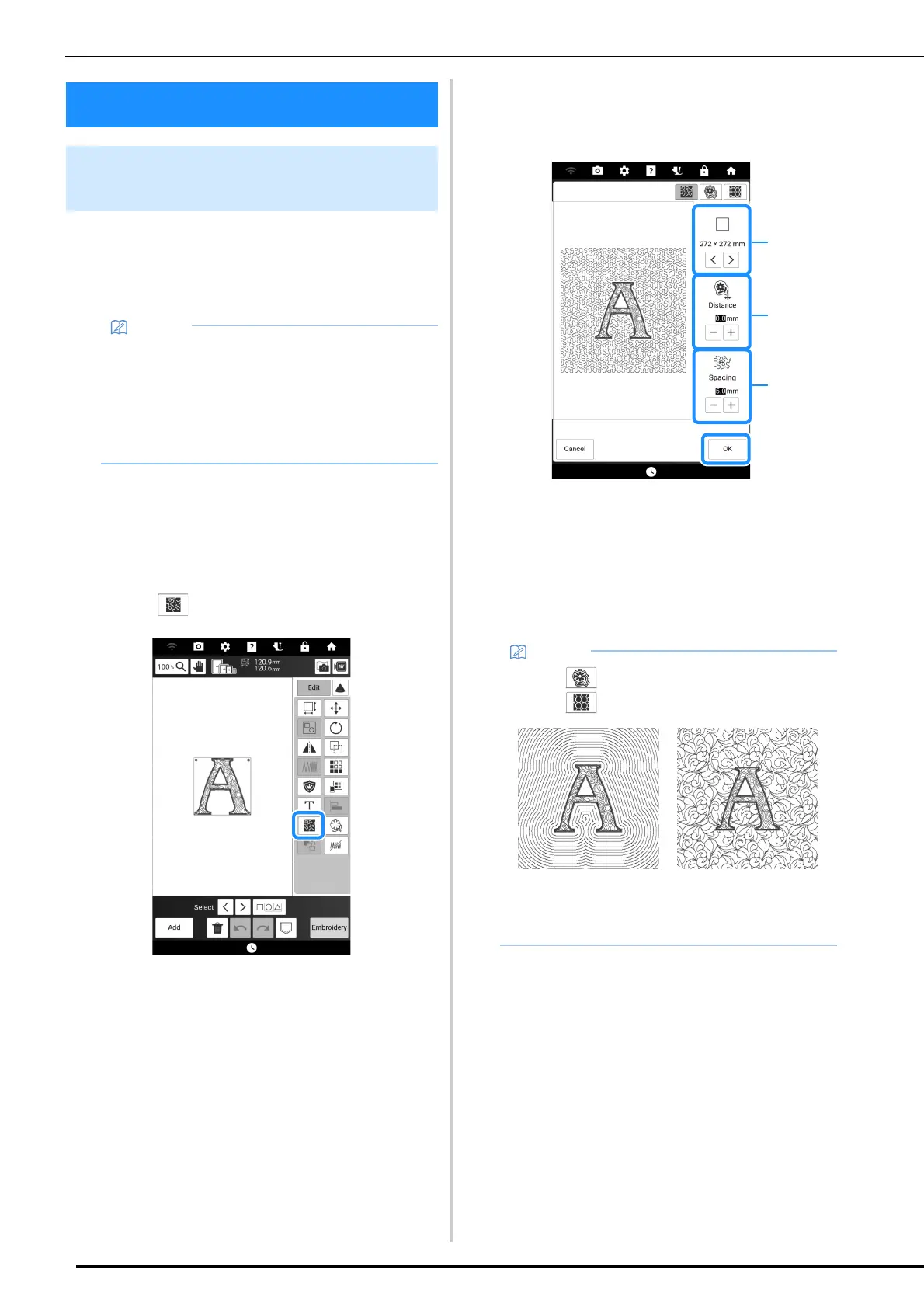
2 Touch in the embroidery edit screen.
Stippling is automatically applied around the
selected pattern.
3 After specifying the stitch settings for the
stippling, touch [OK].
a The stippling is added within the area of the
selected embroidery frame size. If the pattern is
larger than the selected embroidery frame size, the
area indicating the embroidery frame size will
appear in gray, and stippling will not be added.
b Specify the distance from the outline of the pattern
to the stippling.
c Specify the spacing for the stippling.
Embroidering Quilting
Creating Quilting Patterns around
a Design
• If this function is used with batting sandwiched
between two layers of fabric, the embroidery
pattern and stippling may become misaligned.
Stippling can be added in My Design Center
after the pattern is embroidered. For details,
refer to “Decorative Stitching Around a
Pattern” on page 249.
• Touch to create an echo quilting pattern.
Touch to create a decorative fill pattern.
*1
Echo quilting pattern
*2
Decorative fill pattern



 To Next Page