Sewing
56
After selecting a stitch motif, turn on the
automatic reinforcement stitching function before
sewing, and the machine will automatically sew
reinforcement stitches (or reverse stitches,
depending on the stitch selected) at the
beginning and end of sewing.
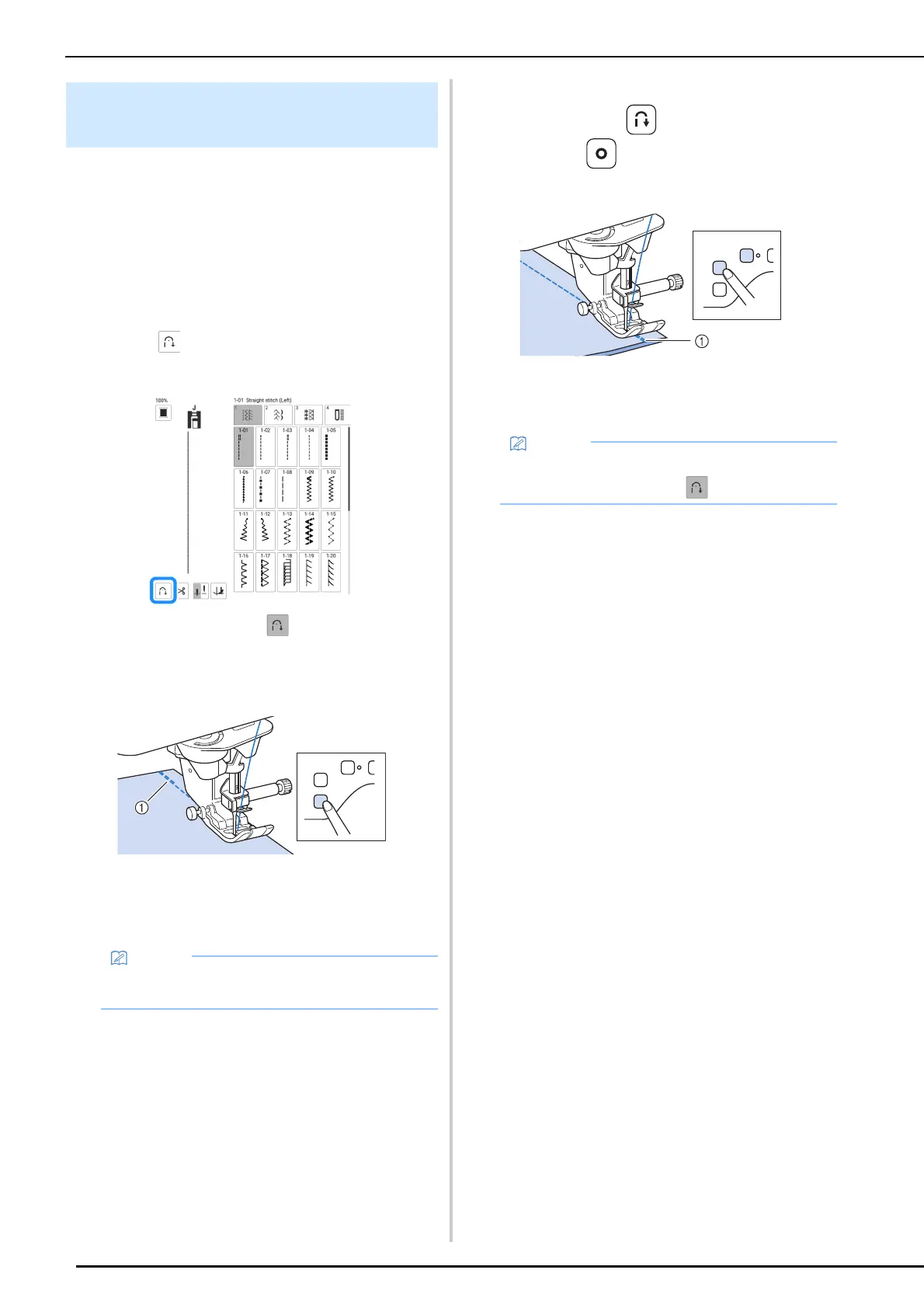
1 Select a stitch pattern.
2 Touch to set the automatic
reinforcement stitching function.
The key will display as .
3 Set the needle into the fabric, and then
press the “Start/Stop” button.
a Reverse stitches (or reinforcement stitches)
The machine will automatically sew reverse
stitches (or reinforcement stitches) and then
continue sewing.
4 When the end of stitching has been
reached, press (Reverse stitch
button) or (Reinforcement stitch
button).
a Reverse stitches (or reinforcement stitches)
The machine will sew reverse stitches (or
reinforcement stitches) and stop.
Automatic Reverse/Reinforcement
Stitching
• Pressing the “Start/Stop” button while the
machine is sewing pauses or restarts sewing.
• To turn off the automatic reinforcement
stitching function, touch .



 To Next Page