Create the Pattern Using Scanned Images or Image Data Files
241
My Design Center
6
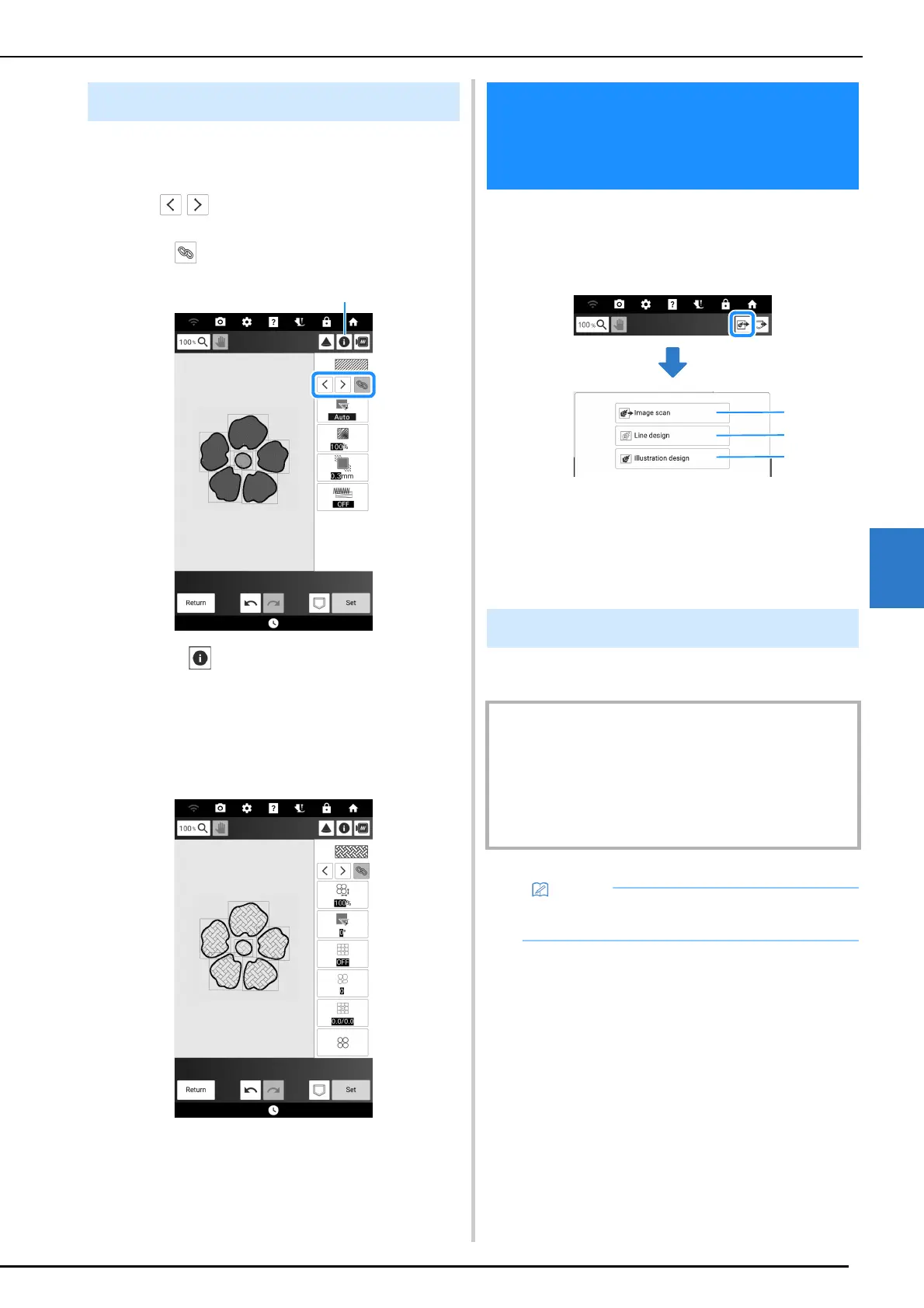
The same stitch settings can be changed at the
same time for multiple patterns of the same type.
1
Use
to select the stitch whose
settings are to be changed, and then
touch .
a Touch to check various information such as
the thread colors.
The same stitch type areas will be selected at the
same time.
2 Change the settings and convert work
into embroidery pattern. (page 238)
In addition to using built-in shapes and drawing
tools, you can create patterns using scanned
images of fabric, line drawings, illustrations, and
data files of images.
a Touch this key to use the image as a background
image. (page 243, page 244)
b Touch this key to convert a line drawing to
embroidery data. (page 245)
c Touch this key to convert an illustration to
embroidery data. (page 247)
1 Prepare the desired drawing/illustration.
Specifying Global Stitch Settings
Create the Pattern Using
Scanned Images or Image
Data Files
Using the Scanning Frame
IMPORTANT
• If, during scanning, the embroidery foot comes into
contact with the material to be scanned (illustration,
etc.), the material to be scanned or embroidery foot may
be damaged. Do not scan materials that may come into
contact with the embroidery foot, such as thick materials
or materials with wrinkles or creases.
• Only one sheet of paper can be placed in the
scanning frame per scan.



 To Next Page