Embroidering Patterns
Basic Embroidery
135
4
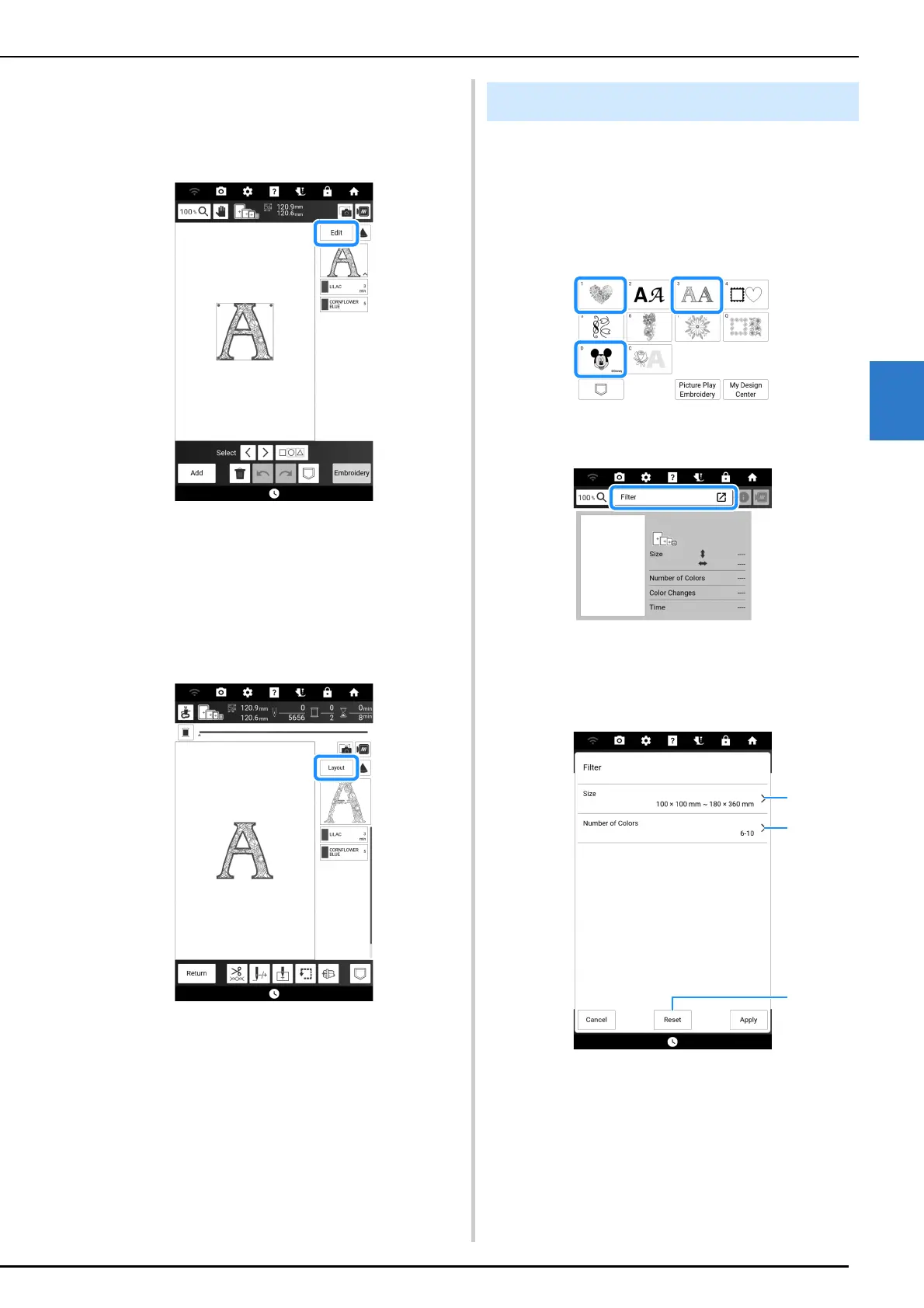
4 If necessary, touch [Edit] to edit the
selected pattern.
* Refer to “Embroidery Edit Screen” on page 142
about the “Edit” display.
5 Touch [Embroidery].
The embroidery screen is displayed.
6 If necessary, touch [Layout] to reposition
the pattern.
* Refer to “Embroidery Screen” on page 145.
7 Start embroidering. (page 140)
The embroidery patterns can be filtered based on
size or number of thread colors.
1 Select the category of embroidery
patterns to be filtered.
* The following categories can be filtered.
2 Touch [Filter].
3 Specify the upper and lower limits of the
embroidery pattern size or the number of
thread colors.
a Specify the upper and lower limits of the
embroidery pattern size.
b Specify the number of thread colors. Touch the
check boxes for the desired number of thread
colors so that the check mark appears.
c Reset the specified settings.
Filtering the Embroidery Patterns



 To Next Page