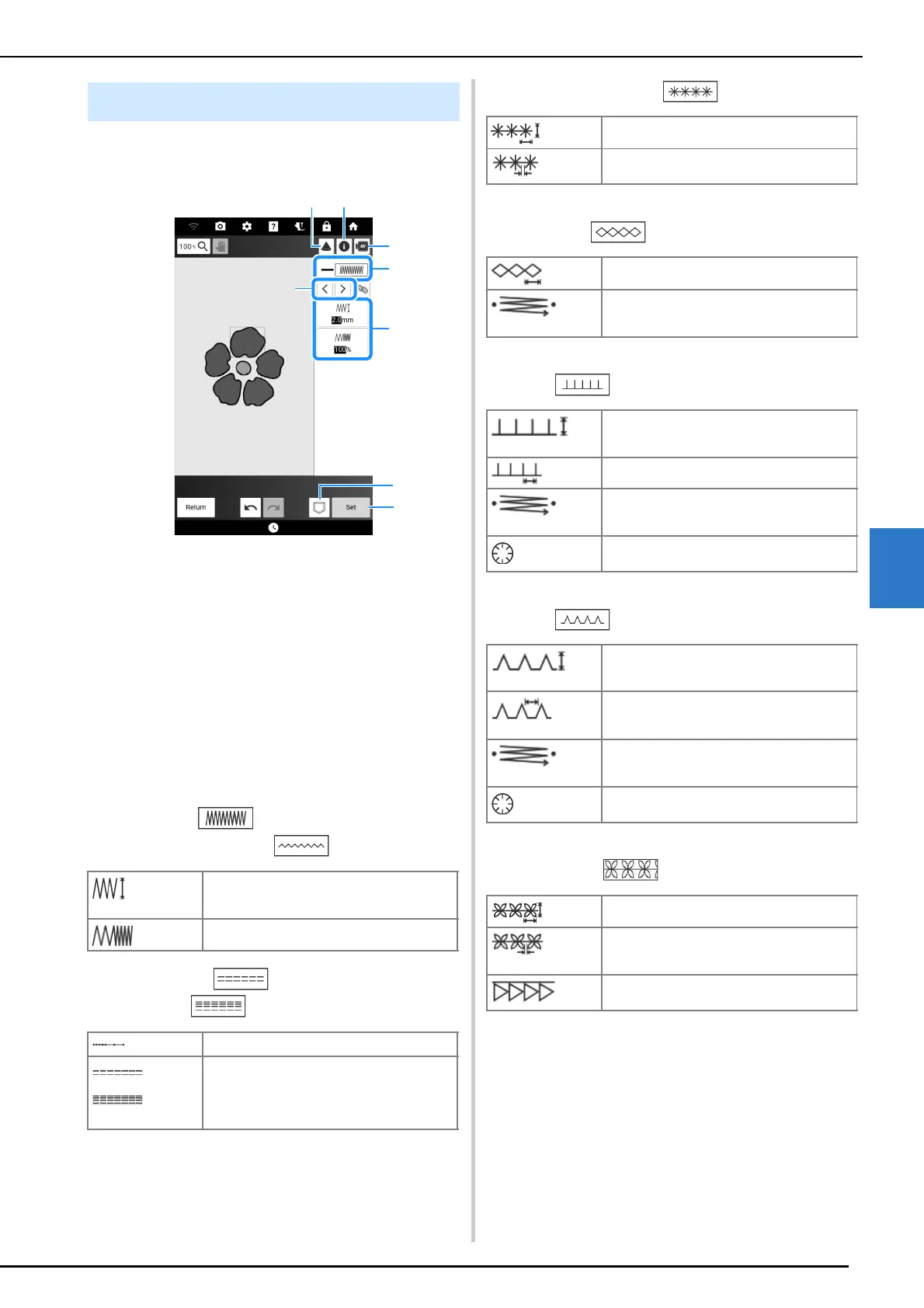
Stitch Settings Screen
239
My Design Center
6
Line Settings
a Shows/Changes the stitch type and color for the
selected line.
b Select the line to be changed.
c Shows/Changes the stitch settings for the selected
line.
d Save the pattern drawing data and embroidery
data.
e Proceed to embroidery edit screen.
f Use the projector to project the pattern. (page 154)
g See detailed information about the pattern.
h Preview the pattern.
Line stitch settings
Zigzag stitch /
Appliqué zigzag stitch
Running stitch /
Triple stitch
Candlewicking stitch
Chain stitch
E stitch
V stitch
Motif stitches
Line and Region Settings
[Zigzag width]
Specifies the width of the stitch.
[Density]
Specifies the density of the stitch.
[Run Pitch]
Specifies the length of the stitch.
[Under sewing]
Select if you need or do not need the under
sewing for the stabilized fabric.
[Size]
Increases/reduces the size of the pattern.
[Spacing]
Specifies the spacing of the candlewicking
stitch.
[Size]
Increases/reduces the size of the pattern.
[Thickness]
Sets repeated embroidering at the same part.
[Stitch Width]
Increases/reduces the size of the pattern.
[Spacing]
Specifies the spacing of the E stitch.
[Thickness]
Sets repeated embroidering at the same part.
[Flip]
Specifies if the decorative line shows up
inside or outside.
[Stitch Width]
Increases/reduces the size of the pattern.
[Spacing]
Specifies the spacing of the V stitch.
[Thickness]
Sets repeated embroidering at the same part.
[Flip]
Specifies if the decorative line shows up
inside or outside.
[Size]
Increases/reduces the size of the pattern.
[Spacing]
Specifies the spacing of the motif stitch.
[Flip]
Specifies if the decorative line shows up
inside or outside.



 To Next Page