Adjustments during the Embroidery Process
162
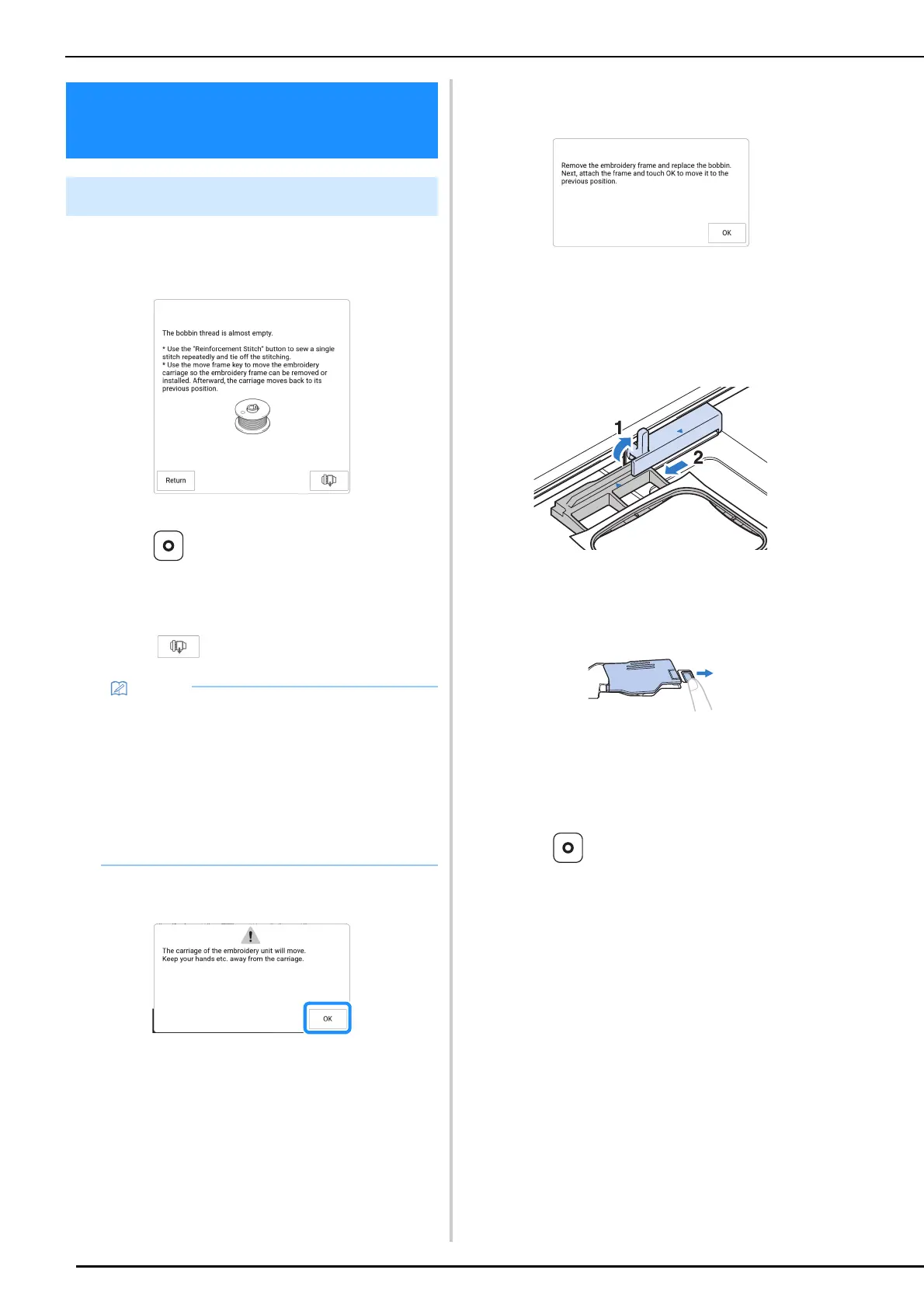
When the bobbin begins to run out of thread
during embroidering, the machine will stop and
the message below will appear.
1 Leave the message displayed and then
press (Reinforcement stitch button)
to sew reinforcement stitches to prevent
stitches from unraveling.
2 Touch .
3 Touch [OK].
After the thread is automatically cut, the carriage
will move.
4 Leave the message displayed and then
continue with the next step.
5 Unlock the frame-securing lever and
remove the embroidery frame.
* Be careful not to apply strong force to the fabric at
this time. Otherwise, the fabric may loosen in the
embroidery frame.
6 Insert a wound bobbin into the machine.
(Refer to “Setting the Bobbin” on
page 40.)
7 Attach the embroidery frame.
8 Touch [OK].
The carriage will move to its previous position.
9 Press (Reinforcement stitch button)
to sew reinforcement stitches at the
beginning of sewing, and then press the
“Start/Stop” button to continue
embroidering.
Adjustments during the
Embroidery Process
If the Bobbin Runs out of Thread
• If the message appears when only a few more
stitches are necessary to complete
embroidering, simply press the “Start/Stop”
button, allowing about 10 more stitches to be
embroidered.
• If [Upper and Bobbin Thread Sensor] in the
settings screen is set to off, the message
shown above does not appear.
• Touch [Return] to close the message.



 To Next Page