Key Functions (My Design Center)
234
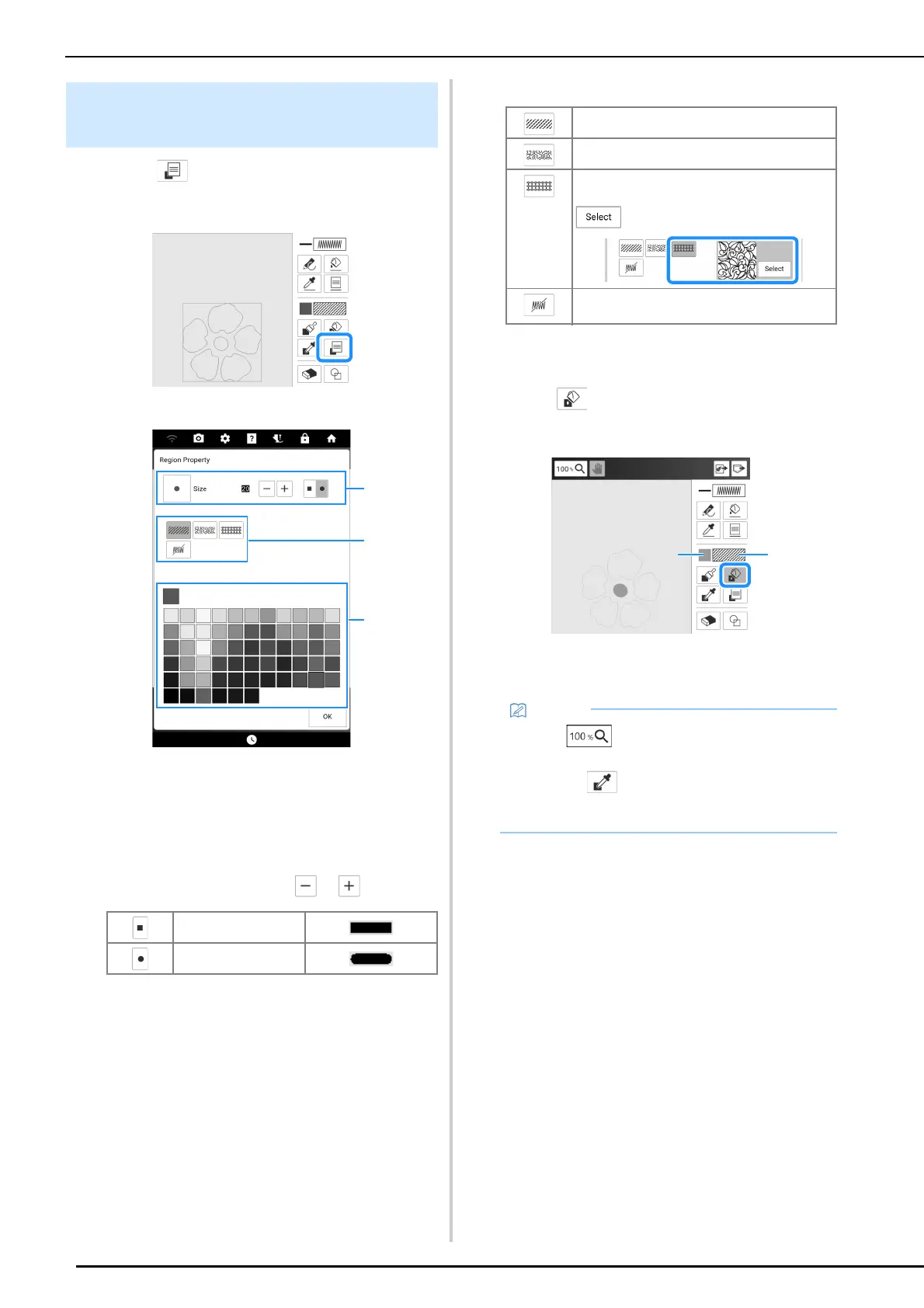
1 Touch to set the brush types, fill
stitch types and fill colors.
The [Region Property] screen appears.
a Brush types
b Fill stitch types
c Fill color selection: touch the color palette to
activate the paint brush color.
• Brush shapes
To select the brush size, touch or .
• Fill stitch types
2 Touch [OK] to return to the pattern
drawing screen.
3 Touch and touch on the regions to
change fill color and fill stitch types.
a Color
b Stitch type
Setting the Brush Types, Fill Stitch
Types and Fill Colors
Square brush
Round brush
Fill stitch pattern
Stippling pattern
Select decorative fill patterns
Displays a fill pattern selection screen, where
can be touched to select a pattern.
Select this key when you do not want fill
stitches.
• Touch to magnify the image when you
cannot touch on the fill correctly.
• Touching , then touching a region reflects
the settings for that region in the [Region
Property] screen.



 To Next Page