Utility Stitches
Various Stitches
91
3
You can sew any desired length for the
buttonhole when using 4-step buttonholes.
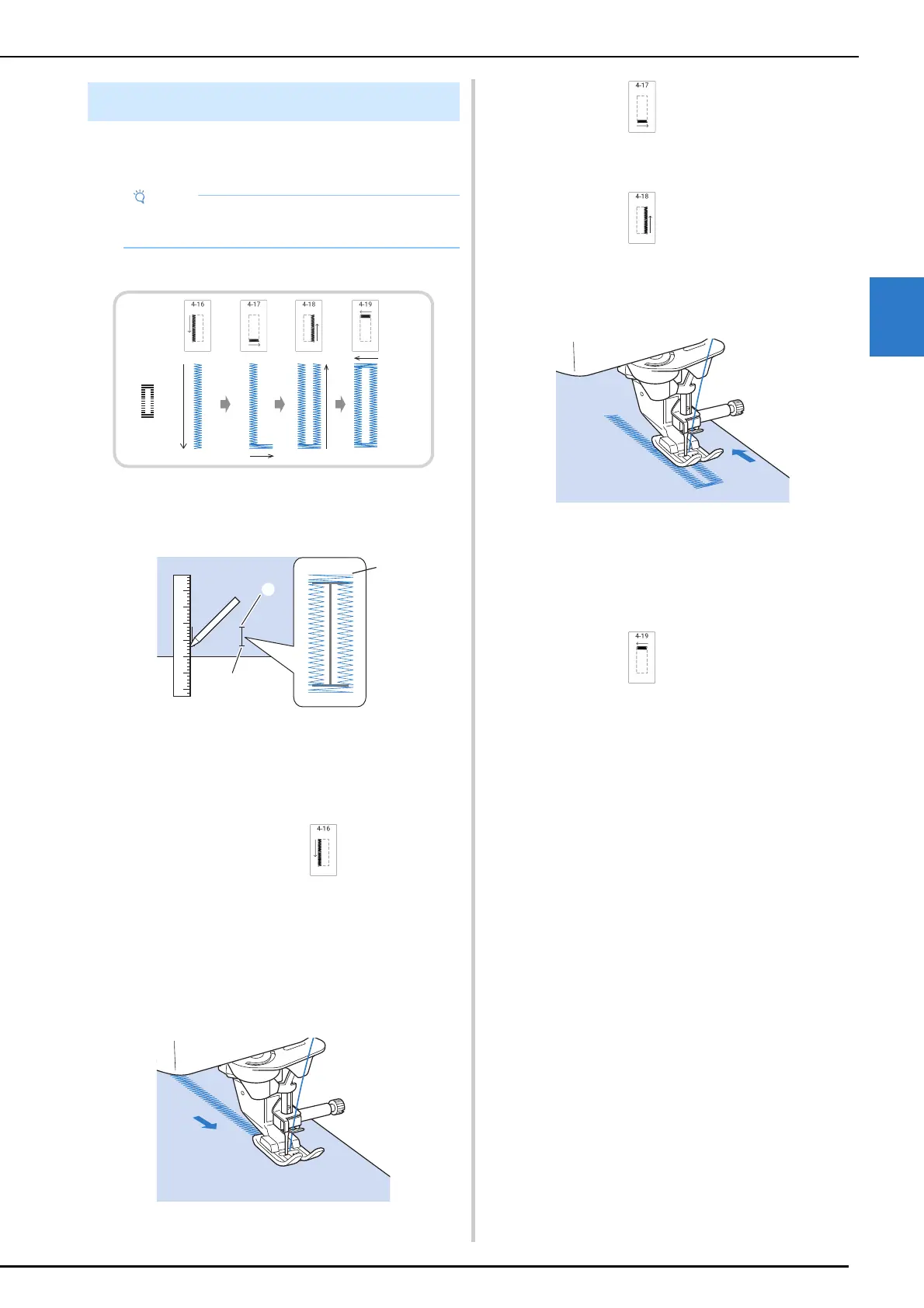
Four-step buttonholes are sewn as shown below.
1 Mark the position and length of the
buttonhole on the fabric.
a Starting point
b End point
c Buttonhole sewing
2 Attach advanced monogramming foot
“N+”, and select stitch to sew the left
side of the buttonhole.
3 Press the “Start/Stop” button to start
sewing.
4 Sew the desired length for the buttonhole
and press the “Start/Stop” button again.
5 Select stitch to sew the bar tack and
press the “Start/Stop” button.
The machine will automatically stop after sewing
the bar tack.
6 Select stitch to sew the right side of
the buttonhole, and press the “Start/
Stop” button to begin sewing.
7 Sew the right side of the buttonhole and
press the “Start/Stop” button again.
* Sew the right side of the buttonhole the same
length as the left.
8 Select stitch to sew the bar tack and
then press the “Start/Stop” button.
The machine will automatically sew off the bar tack
tie and stop when the bar tack is complete.
9 Raise the presser foot and remove the
fabric.
10 Follow step 7 of “One-Step Buttonholes”
on page 87 to open the buttonhole.
Four-Step Buttonholes
• When changing the stitch settings, make sure
that all stitch settings are changed to match.



 To Next Page