Wireless Network Connection Functions
32
The machine can be connected to your wireless
network. For the requirements for a wireless
network connection, refer to “Specifications” on
page 271.
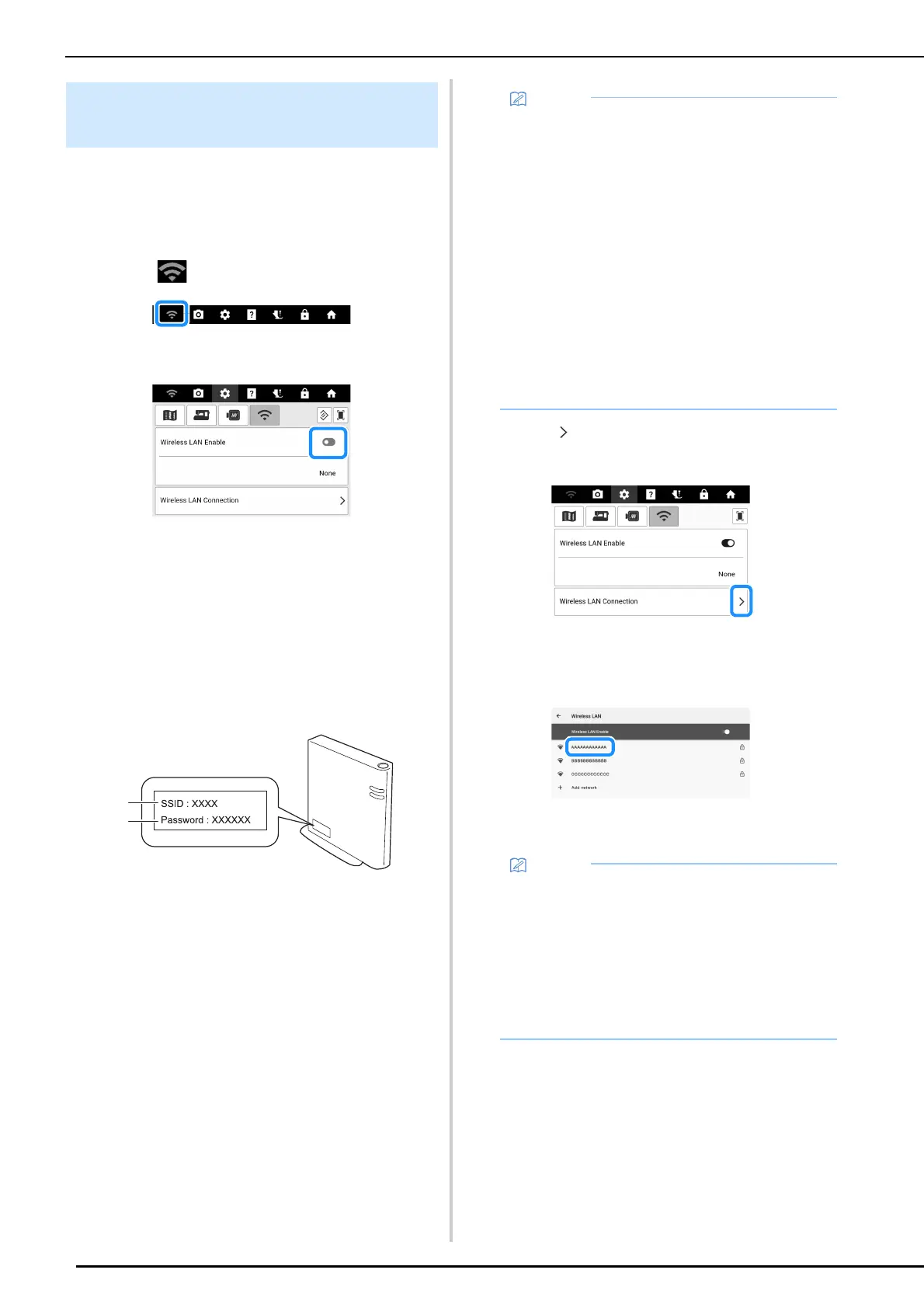
1 Touch .
2 Set [Wireless LAN Enable] to on.
The machine will begin to emit the wireless
network signal.
3 In order to connect your machine to a
wireless network, the security
information (SSID and password) for
your home network will be required. The
password may also be called a network
key, security key or encryption key. First,
find your security information and note it.
a SSID
b Password (network key)
4 Touch beside [Wireless LAN
Connection].
A list of available SSIDs appears.
5 Select the SSID that was noted in step 3.
The screen for entering the password (network
key) appears.
Set Up the Wireless Network
Connection
• The wireless network connection cannot be
set up if you do not have the security
information.
• How to find the security information
- Check the manual provided with your home
network.
- The default SSID may be the manufacturer's
name or the model name.
- If you cannot find the security information,
contact the manufacturer of the router, your
network administrator or your Internet
provider.
- Some SSIDs and password (network key)
are case (upper case and lower case)
sensitive. Please properly record your
information.
• If the wireless access point/router is not
broadcasting the SSID, the SSID will not
automatically be detected. In this case, touch
[Add network], and then type in the necessary
information.
• If the machine had already been connected to
the home network, touch [Saved networks].
Select the saved SSID and then touch
[CONNECT].



 To Next Page