Appliqué and Couching
187
Advanced Embroidery
5
7 Use to select the frame pattern,
and then touch and [OK].
The frame pattern is deleted.
8 Touch [Embroidery].
9 Continue with step 5 of “Creating an
Appliqué Piece” on page 184 to complete
the appliqué piece.
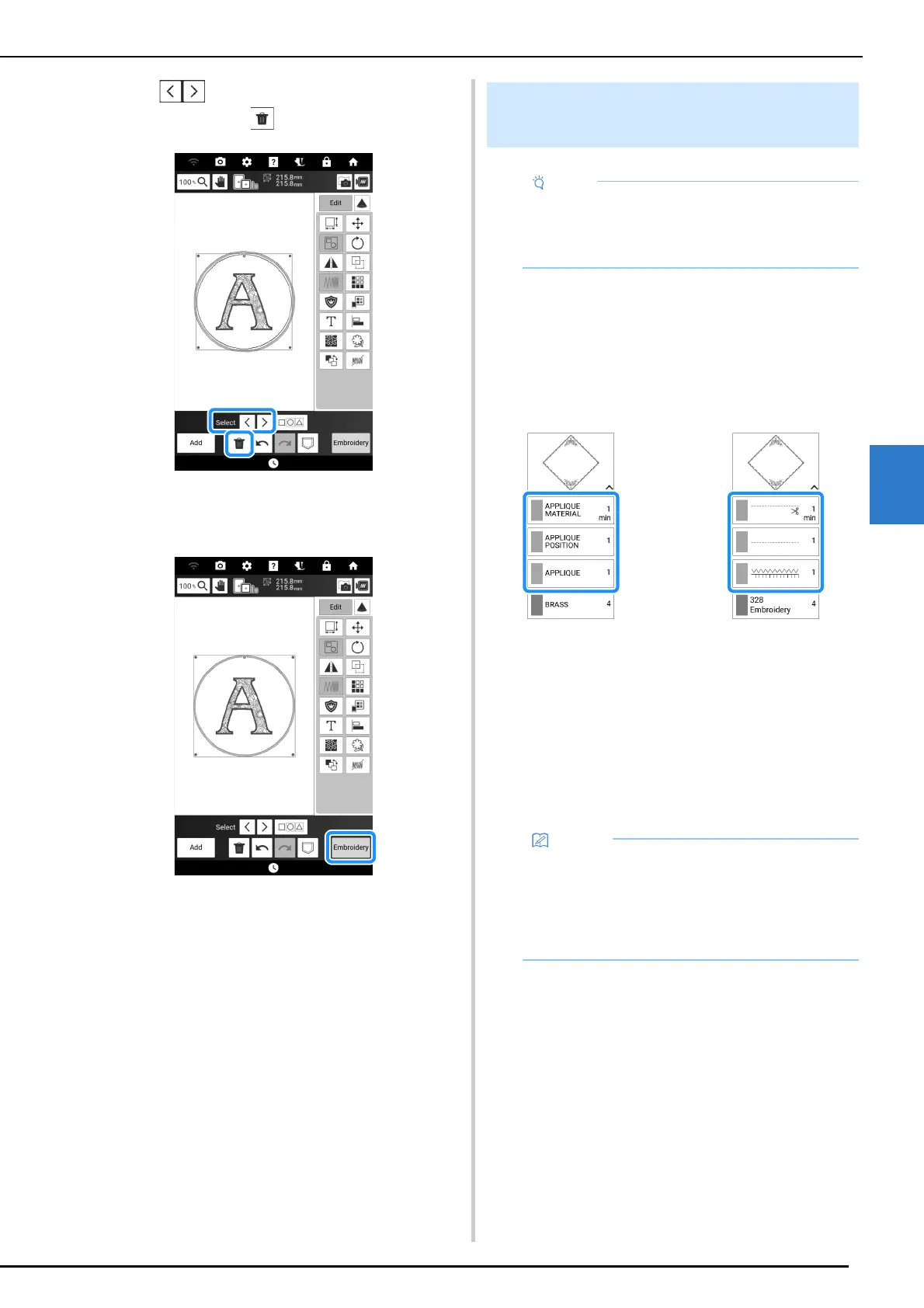
This machine can embroider patterns that
contain an appliqué. If selecting an embroidery
pattern that contains an appliqué, the steps for
appliqué appear in embroidery color order
display. The display will change depending on
the [Thread color] setting. (page 25)
a When [Name of Color] is selected.
b When [#123] (thread number) is selected.
Required materials
• Fabric for the appliqué piece
• Fabric for the appliqué base
• Stabilizer material
• Craft glue
• Embroidery thread
Embroidering the Appliqué
Patterns
• Refer to “Embroidery Design Guide” to review
the recommended method for built-in appliqué
patterns. Some appliqué patterns differ from
the procedure described in this manual.
12
• The specific names and numbers of the thread
colors to be used when creating and attaching
the appliqué piece will not appear in the
embroidery color order display. Use thread
colors that coordinate with the appliqué
pattern and fabrics.



 To Next Page