Editing Patterns
Basic Embroidery
147
4
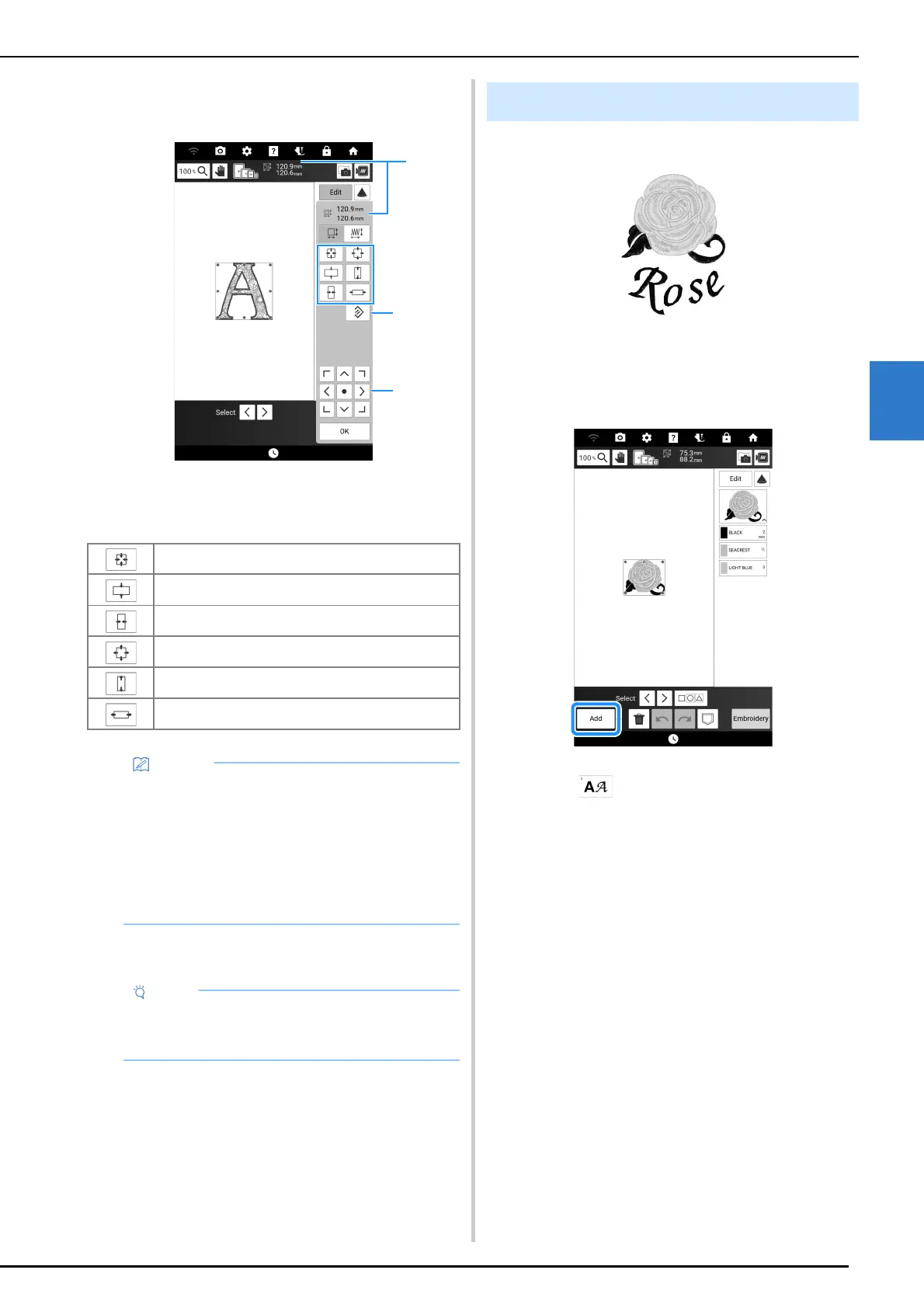
3 Select the direction in which to change
the size.
a Size of the pattern
b Touch to return the pattern to its original size.
c Touch to move patterns.
4 Touch [OK].
Example:
1 Select a pattern and then touch [Set].
2 Touch [Add].
3 Touch .
4 Touch the key of the font and then type in
the text. (page 137)
The characters you enter will be displayed in the
center of the display.
Decrease the pattern proportionately.
Decrease the pattern vertically.
Decrease the pattern horizontally.
Enlarge the pattern proportionately.
Stretch the pattern vertically.
Stretch the pattern horizontally.
• Each pattern’s range of size adjustment
depends upon the original size of the design
and the maximum embroidery area.
• Some patterns or characters can be enlarged
to a greater degree if they are rotated 90
degrees.
• You can also change the pattern size by
dragging the red point on the pattern image.
• Be sure to do trial embroidery using same
fabric and threads as project in order to check
the embroidering results.
Combining Patterns



 To Next Page