Using the Memory Function (Sewing)
64
You can save often-used stitch patterns in the
machine’s memory or USB media.
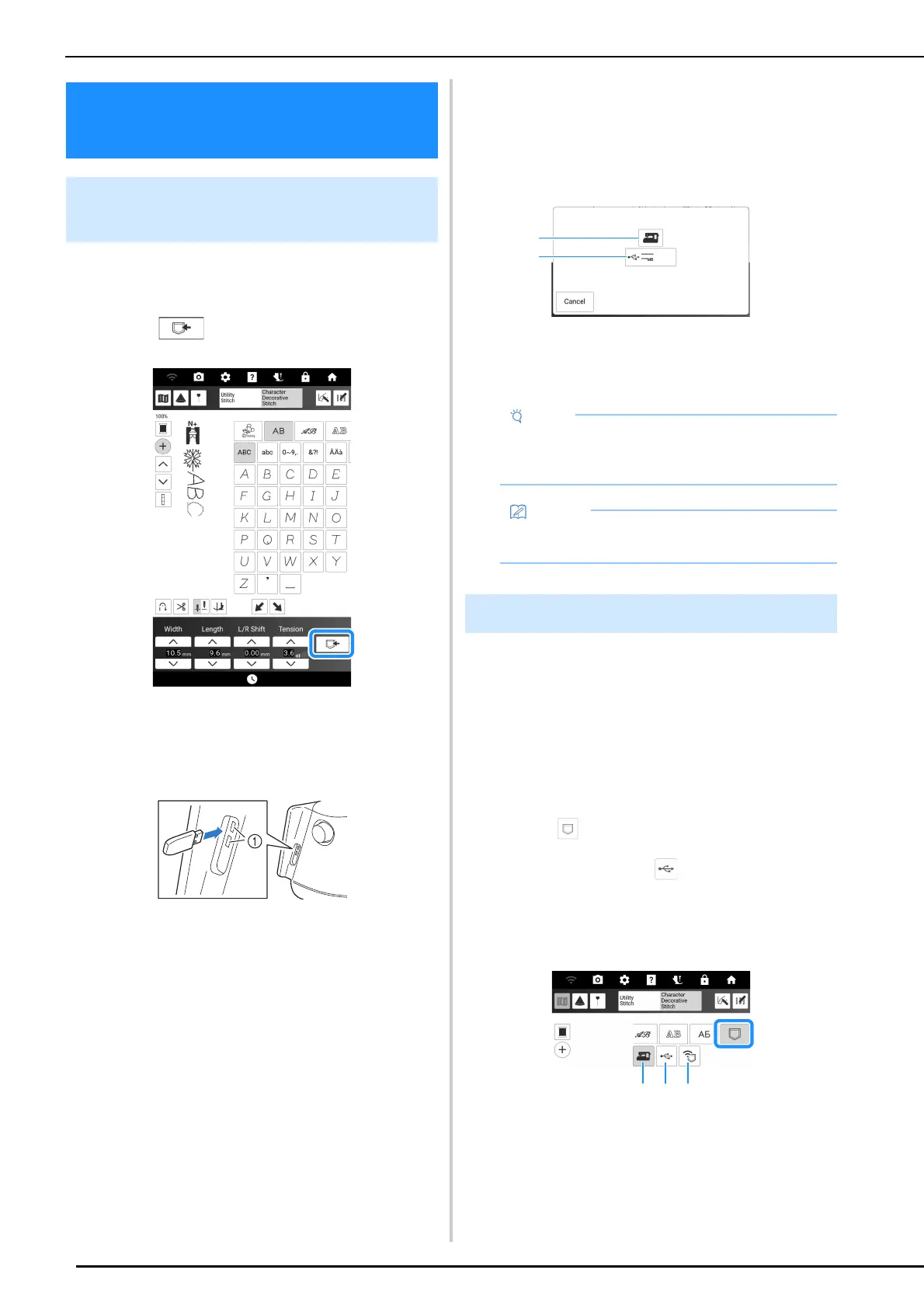
1 Touch .
2 When saving the stitch pattern in a USB
media, insert the USB media into the USB
port on the machine.
a USB ports
3 Touch the desired destination to start
saving.
* If two USB media are connected to the machine,
check the USB media names that are displayed,
and then touch the name of the USB media that
you wish to use.
a Save to the machine’s memory.
b Save to the USB media.
The stitch pattern is saved in a folder labeled
[bPocket].
Retrieve stitch patterns saved in the machine's
memory or USB media.
1 When retrieving stitch patterns from a
USB media, insert the USB media into the
USB port on the machine.
* For details on supported file extensions, refer to
“Specifications” on page 271.
2 Touch and touch the desired
destination.
In this case, touch .
* If two USB media are connected to the machine,
check the USB media names that are displayed,
and then touch the name of the USB media that
you wish to use.
a Retrieve from the machine’s memory.
b Retrieve from a USB media.
c Retrieve stitch patterns via the wireless network.
For detailed procedures, refer to PE-DESIGN
manual (Version 11 or later).
Using the Memory
Function (Sewing)
Saving Character/Decorative
Stitch Patterns
• Do not turn the main power to OFF while the
[Saving…] screen is displayed. You will lose
the stitch pattern you are saving.
• For more information about the memory
function, refer to “Specifications” on page 271.
Retrieving Stitch Patterns



 To Next Page