Utility Stitches
90
Fabric Cannot Be Correctly Fed
If the fabric does not feed (for example, because it
is too thick), first increase the stitch length setting.
If the fabric still does not feed correctly, such as
when sewing thick fabrics or stretch fabrics, install
the buttonhole foot stabilizer, and then feed the
fabric between the buttonhole foot stabilizer and
buttonhole foot “A+”. Attach the buttonhole foot
stabilizer to buttonhole foot “A+” before attaching
buttonhole foot “A+” to the presser foot holder.
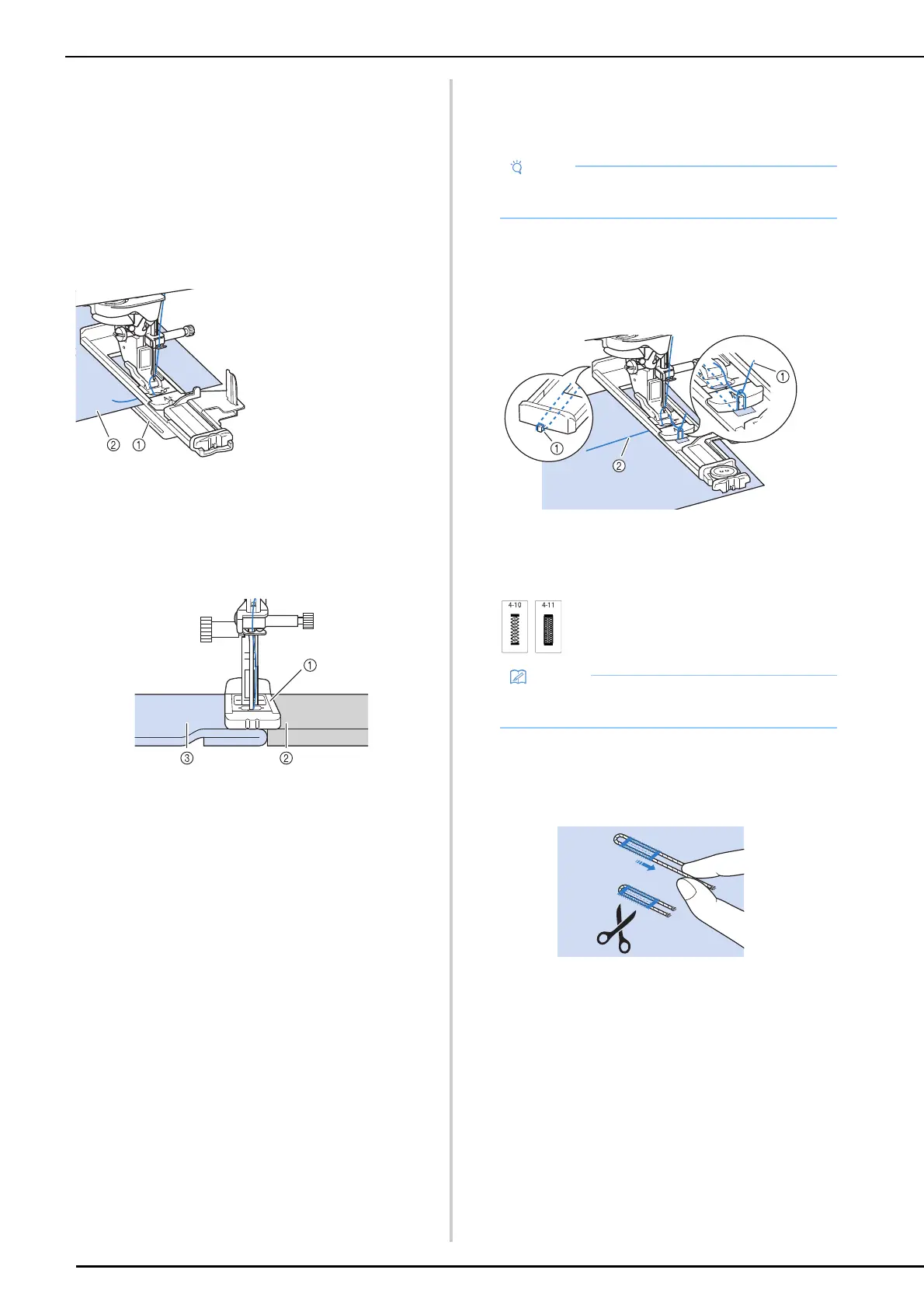
Sewing Thick Fabrics
Place a piece of folded fabric or cardboard beside
the fabric being sewn to level the buttonhole foot
and allow for easier and even feeding.
a Presser foot
b Thick paper
c Fabric
Sewing Stretch Fabrics
When sewing on stretch fabric, sew the buttonhole
stitches over a gimp thread.
1 Hook the gimp thread onto the back of
presser foot “A+”. Insert the ends into
the grooves of the presser foot, and then
temporarily tie them there.
a Gimp thread
b Upper thread
2 Select a stitch and start sewing.
3 Once sewing is completed, gently pull
the gimp thread to remove any slack, and
trim off any excess.
a Buttonhole foot
stabilizer
b Fabric
• Attach stabilizer material to the back of stretch
fabrics to prevent them from stretching.
• Adjust the stitch width to the thickness of the
gimp thread.



 To Next Page