Care and Maintenance
257
Maintenance and Troubleshooting
7
Cleaning the Cutter in the Bobbin
Case Area
If dust or lint accumulate on the cutter, it will be
difficult to cut the thread when (Thread cutter
button) is pressed or the automatic thread cutting
function is used. Clean the cutter when the thread
is not easily cut.
1 Follow steps 1 through 7 of “Cleaning
the Race” on page 255 to remove the
needle plate and bobbin case.
2 Use the cleaning brush or a vacuum
cleaner to remove any lint and dust from
the cutter in the bobbin case area.
a Cutter
3 Attach the needle plate.
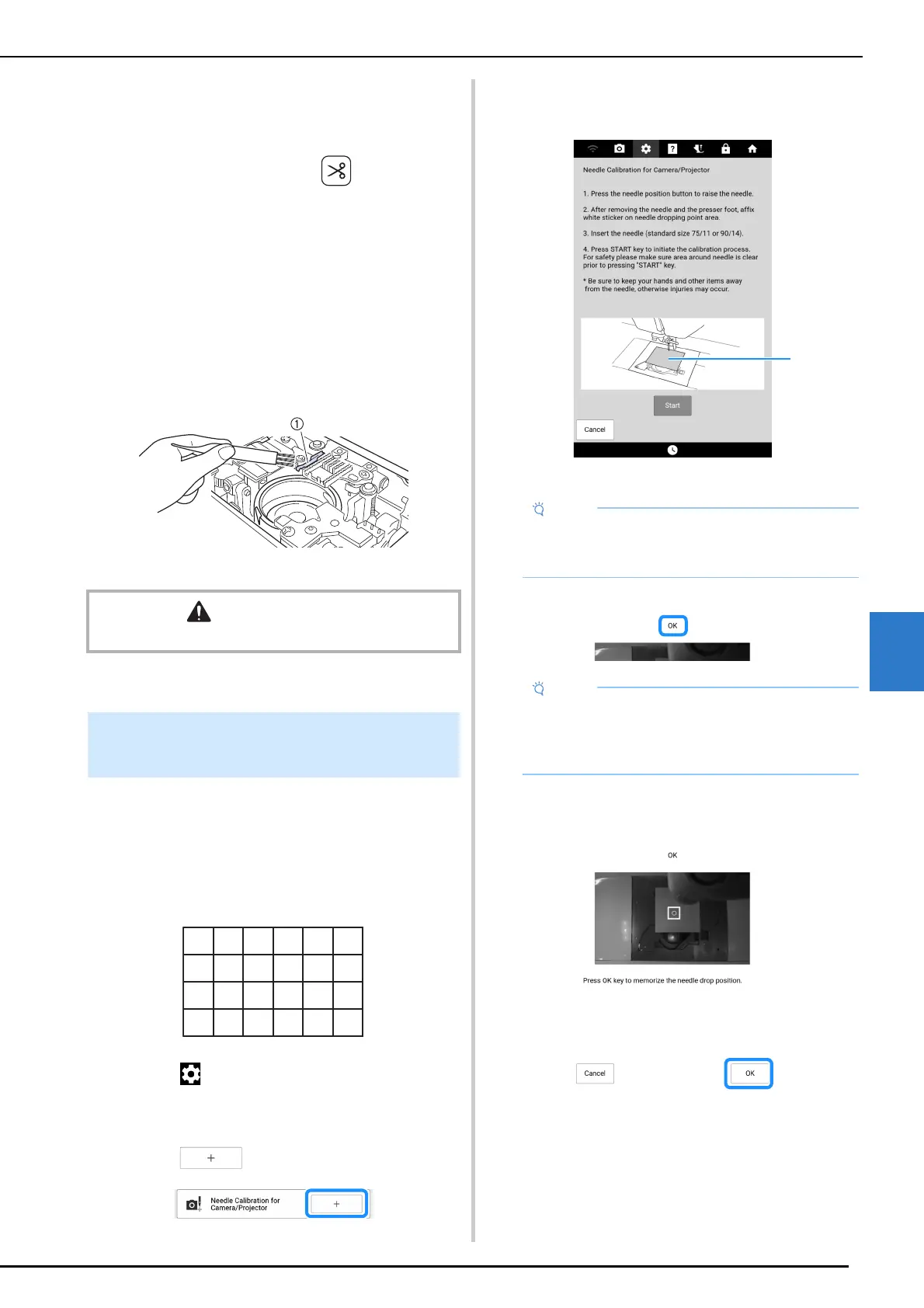
Setting the camera needle position is essential
when you use camera or projector function. It is
not necessary to perform this operation each
time, but we recommend performing it when the
needle is changed. Use the white calibration
stickers (solid) included with the machine.
1 Touch to display [Needle Calibration
for Camera/Projector] of the settings
screen.
2 Touch .
3 Follow the on-screen instructions to
complete the procedure.
a White calibration sticker
The operation is finished when [OK] appears.
4 Touch [OK] to memorize the calibration
data.
5 Remove the sticker.
CAUTION
• Do not touch the cutter, otherwise injuries may result.
Needle Calibration for Camera/
Projector
• Use a new sticker. The camera needle
position cannot be set correctly if there is a
hole in sticker or if it is dirty.
• If [NG] appears, affix a new white sticker, and
then touch [Retry]. If multiple attempts to set
the position are not successful, contact your
nearest authorized Brother dealer.



 To Next Page