Care and Maintenance
256
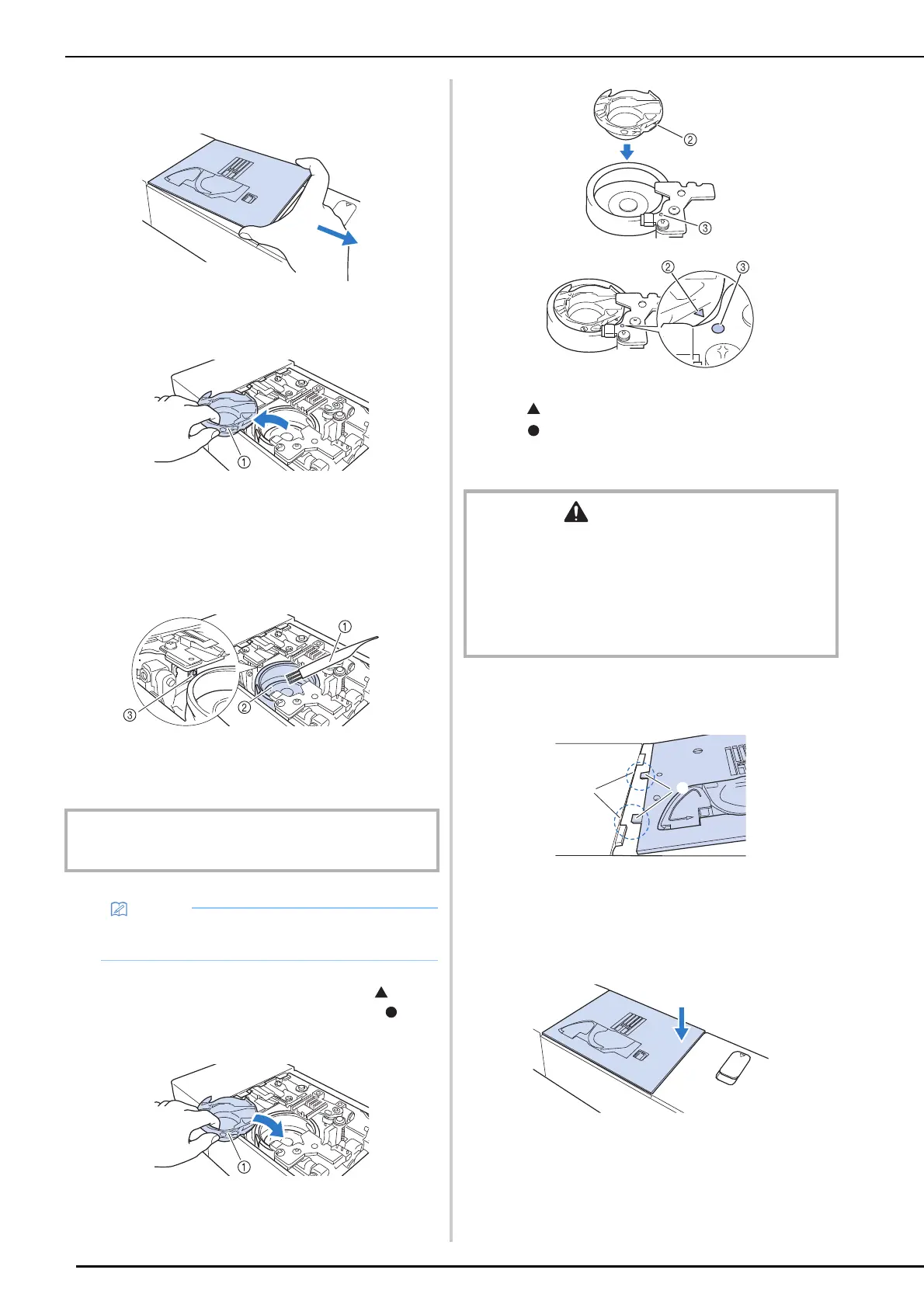
6 Slide out the needle plate with your right
hand to remove it.
7 Grasp the bobbin case, and then gently
lift out.
a Bobbin case
8 Use the cleaning brush or a vacuum
cleaner to remove any lint and dust from
the race and bobbin thread sensor and
the surrounding area.
a Cleaning brush
b Race
c Bobbin thread sensor
9 Insert the bobbin case so that the mark
on the bobbin case aligns with the
mark on the machine.
a Bobbin case
b “ ” mark on the bobbin case
c “ ” mark on the machine
* Make sure that the indicated points are aligned
before installing the bobbin case.
10 Insert the tabs on the needle plate into
the notches in the machine.
a Tabs
b Notches
11 Press down on the right side of the
needle plate to secure it.
IMPORTANT
• Do not apply oil to the bobbin case.
• If lint or dust collects on the bobbin thread
sensor, the sensor may not operate correctly.
CAUTION
• Never use a bobbin case that is scratched or has a burr
on it. Otherwise the upper thread may become tangled,
and the needle may break and cause injury. For a new
bobbin case, contact your nearest Brother authorized
service center.
• Make sure that you fit the bobbin case properly,
otherwise the needle may break and cause injury.
a
b



 To Next Page