Embroidering Patterns
136
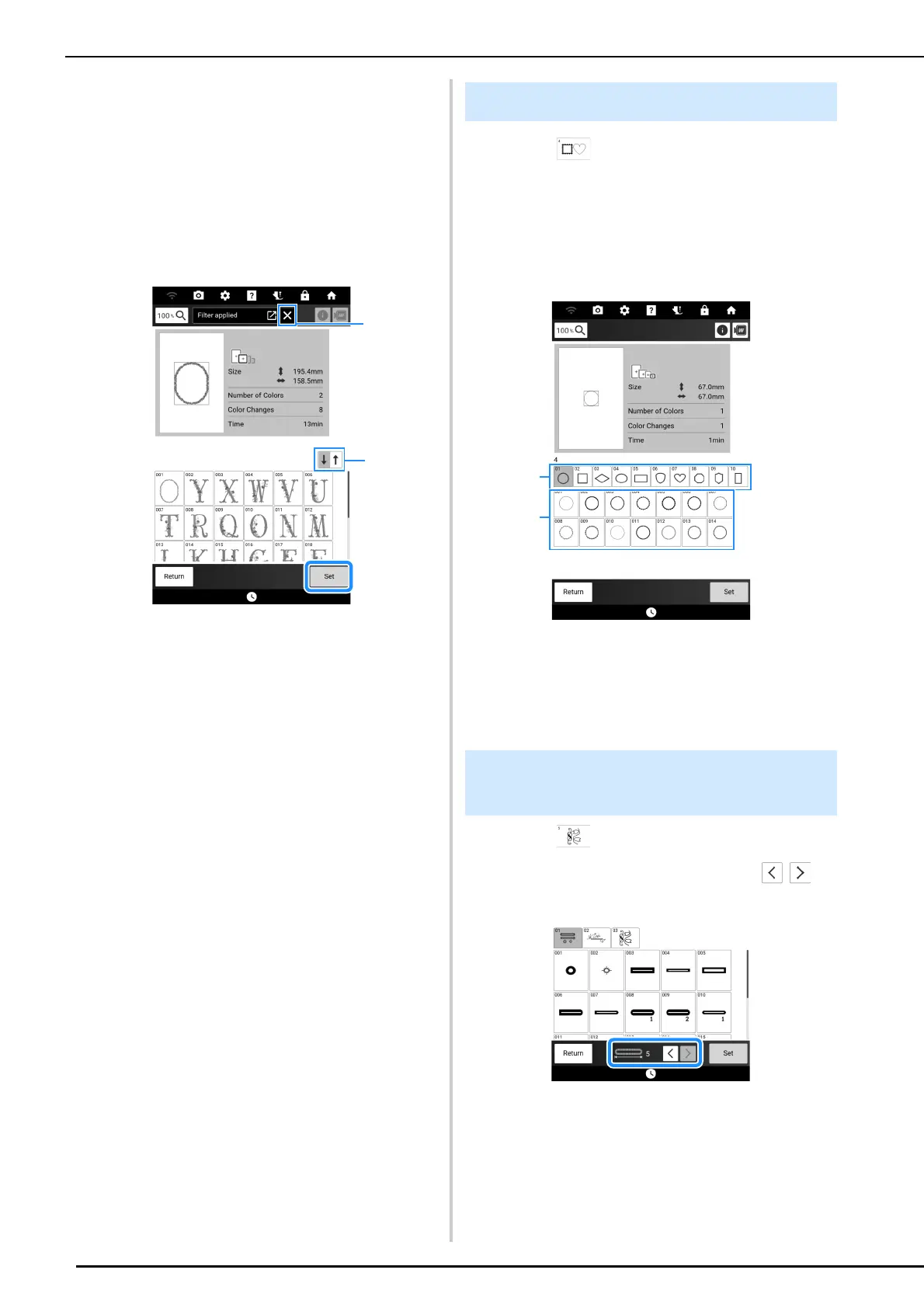
4 Touch [Apply].
The patterns that meet the specified conditions
appear. If a pattern size is specified, the patterns
are sorted by size. If the number of thread colors is
specified, the patterns are sorted by the number of
thread colors. If both pattern size and number of
thread colors are specified, the patterns are sorted
by size.
5 Select a pattern, and then touch [Set].
a Reset the filter.
b Switch between descending and ascending order.
1 Touch .
2 Touch the key of the frame shape you
want to embroider in the top part of the
screen.
And then, touch the key of the frame
pattern you want to embroider.
a Frame shapes
b Frame patterns
3 Follow steps 3 through 7 of “Selecting
Embroidery Patterns” on page 134.
1 Touch .
2 Select a pattern, and then touch to
change the size.
Selecting Frame Patterns
Selecting Buttonhole/Eyelet
Patterns



 To Next Page