Embroidering Patterns
134
Copyright Information
The patterns stored in the machine and patterns
sold separately are intended for private use only.
Any public or commercial use of copyrighted
patterns is an infringement of copyright law and is
strictly prohibited.
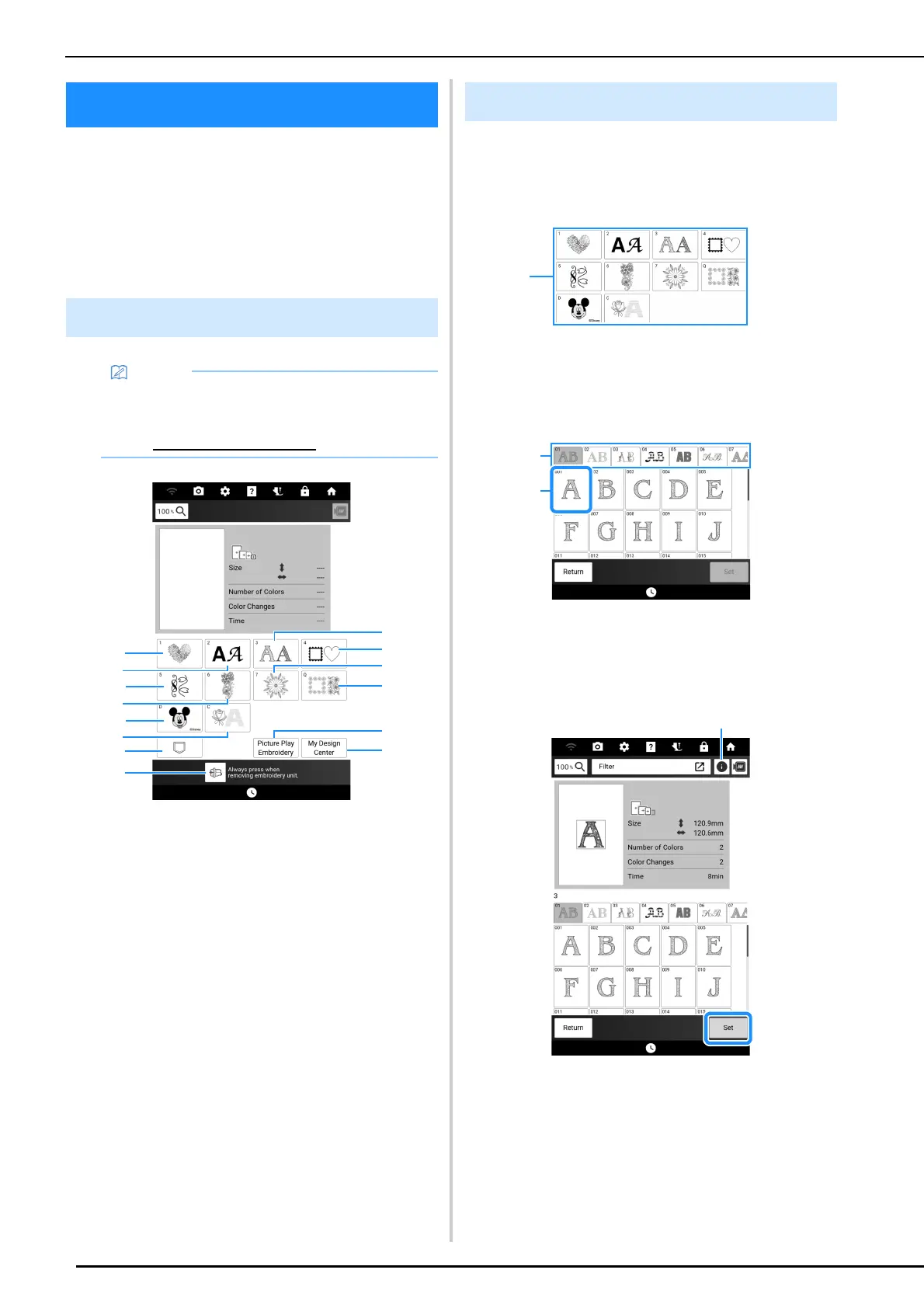
a Embroidery patterns
b Character patterns (page 137)
c Decorative alphabet patterns
d Frame patterns
e Buttonhole/Eyelet patterns/Design Patterns (for
Buttonhole Decoration)/Utility embroidery patterns
f Split embroidery patterns (page 212)
g Long-Stitch embroidery patterns
Before embroidering, refer to the “Embroidery
Design Guide”, which includes precautions for
obtaining best results.
h Quilt sashes and edge-to-edge quilt patterns
(page 195, page 201, page 203, page 208)
i Disney patterns
j Couching patterns (page 191)
k Patterns saved in the machine’s memory, USB
media, etc. (page 168)
l Picture Play embroidery function (page 177)
m My Design Center (page 227)
n Touch this key to position the embroidery unit for
storage (page 127)
1 Touch [Embroidery] in the home page
screen and then the category key you
want to embroider.
a Pattern category keys
2 Select the sub-category, and then select
the pattern that you want to embroider.
a Sub-category
b Embroidery pattern
3 Touch [Set].
a Touch this key to see detailed information about
the selected pattern.
Embroidering Patterns
Embroidery Pattern Categories
• Refer to the “Embroidery Design Guide” for
more information on each category’s
embroidery pattern.
Visit https://s.brother/cmdae/
.
Selecting Embroidery Patterns



 To Next Page