Editing Patterns
Basic Embroidery
151
4
Repeating One Element of a
Repeated Pattern
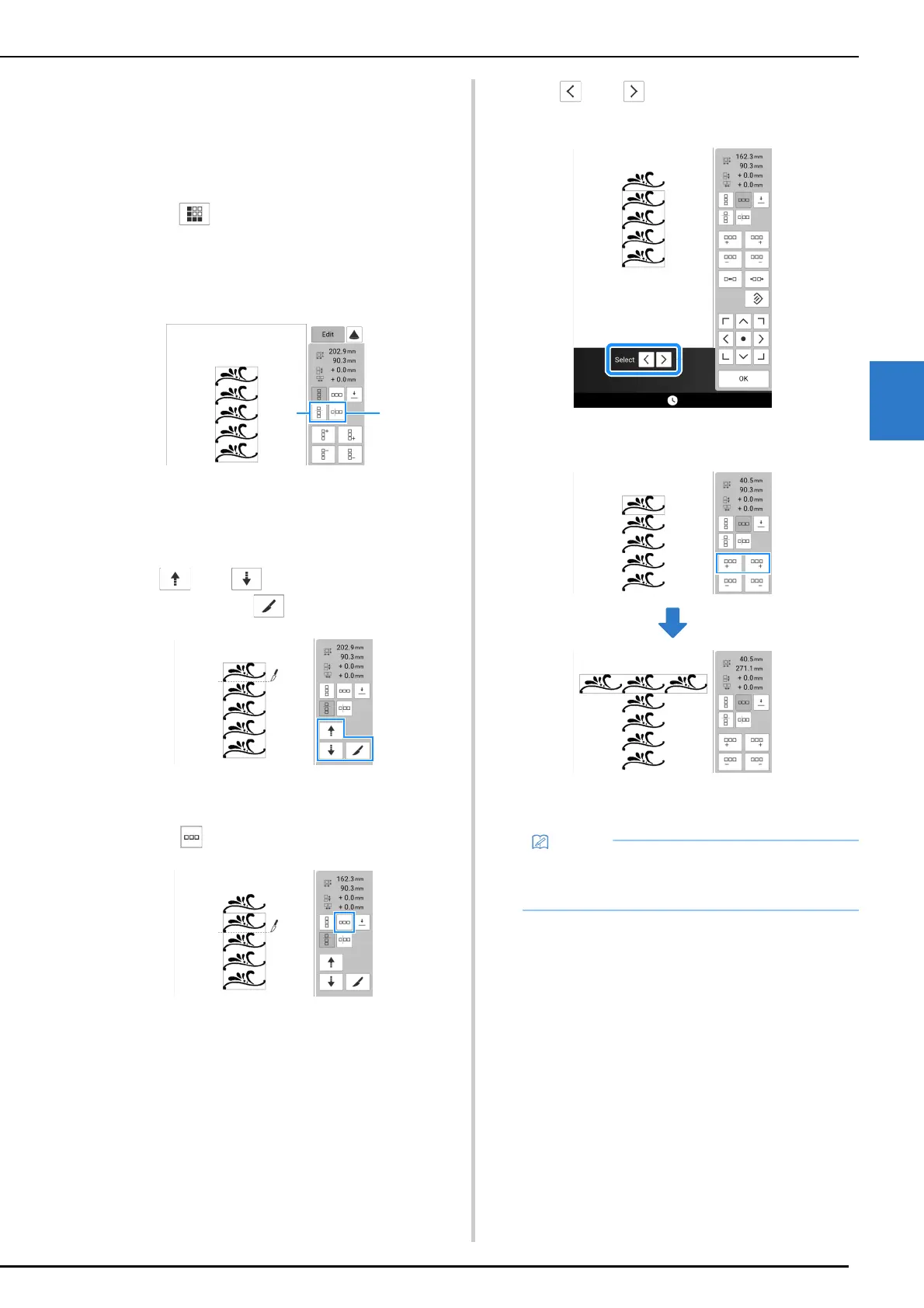
By using the Cut function, you can select one
element of a repeated pattern and repeat only that
single element.
1 Touch and create repeated patterns.
(page 150).
2 Choose the direction in which the
repeated pattern will be cut.
a Touch to cut horizontally.
b Touch to cut vertically.
The pattern direction indicator will change
depending on the direction selected.
3 Use and to select the cut line.
And then touch .
The repeated pattern will be divided into separate
elements.
4 Touch .
5 Use and to select the element to
repeat.
6 Repeat the selected element.
7 Touch [OK].
• Once you have cut a repeated pattern into
separate elements, you cannot return to the
original repeated pattern.



 To Next Page