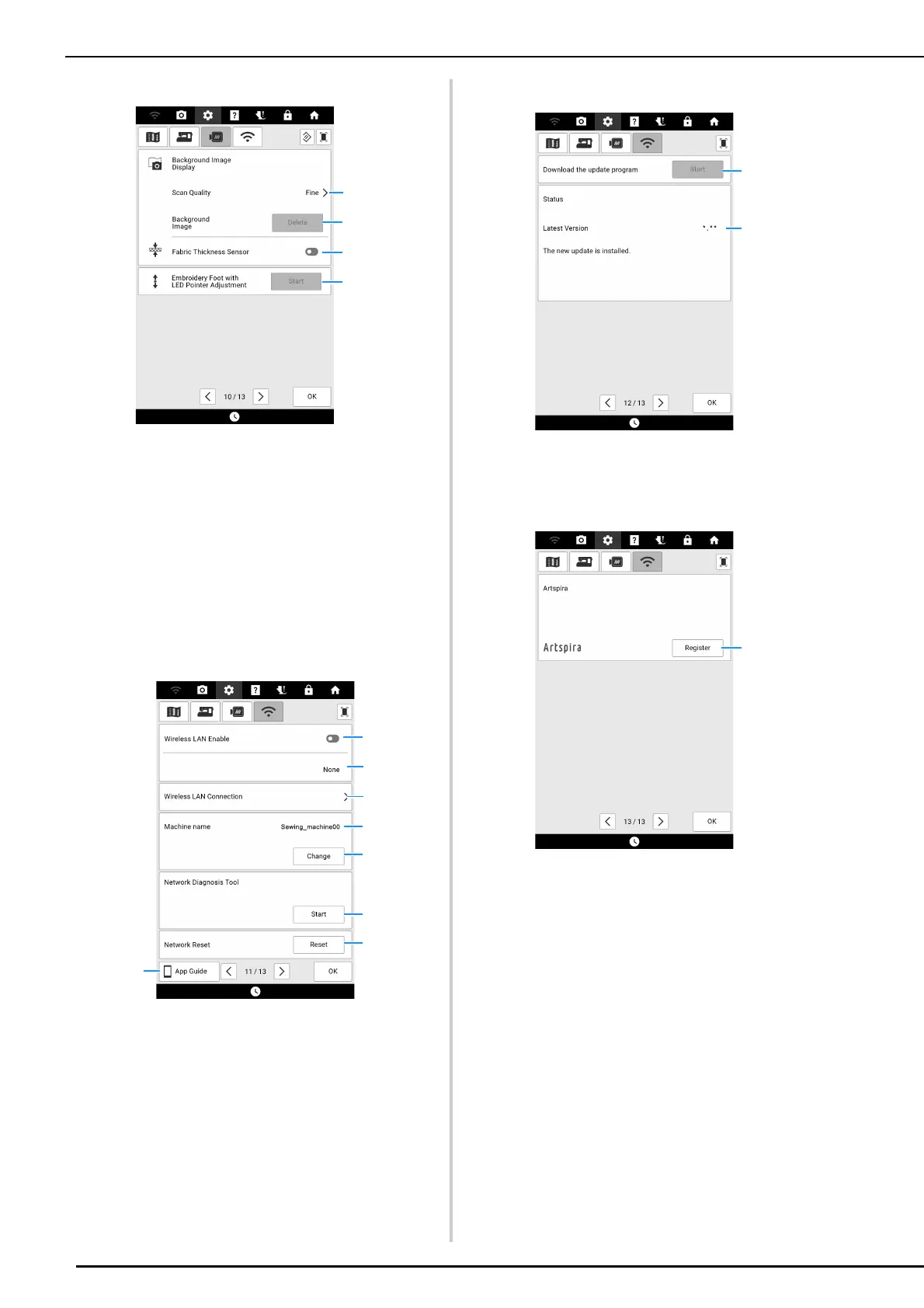
LCD Screen
26
Page 10
a Select the quality for displaying the fabric in the
screen. (page 157)
b Erase the scanned image.
c When set to on, the built-in camera adjusts the
display of the background image according to the
thickness of the fabric. (page 158)
d Adjust the position and brightness of the
embroidery foot “W+” with LED pointer (sold
separately).
Wireless LAN Settings
Page 11
a Enable/disable the wireless LAN function.
(page 32)
b Display the connected SSID.
c Set the machine to connect wireless LAN function.
(page 32)
d Display the machine name of wireless LAN
function.
e Change the machine name of wireless LAN
function.
f Check the wireless LAN status.
g Reset network settings.
h Displays the introduction to the applications.
Page 12
a If there is a new software version, download the
update file. (page 259)
b Display program information. (page 259)
Page 13
a Register the Artspira app. (page 225)



 To Next Page