Utility Stitches
92
Buttons with 2 or 4 holes can be attached, using
the machine.
1 Select .
The feed dogs are lowered automatically.
2 Raise the presser foot.
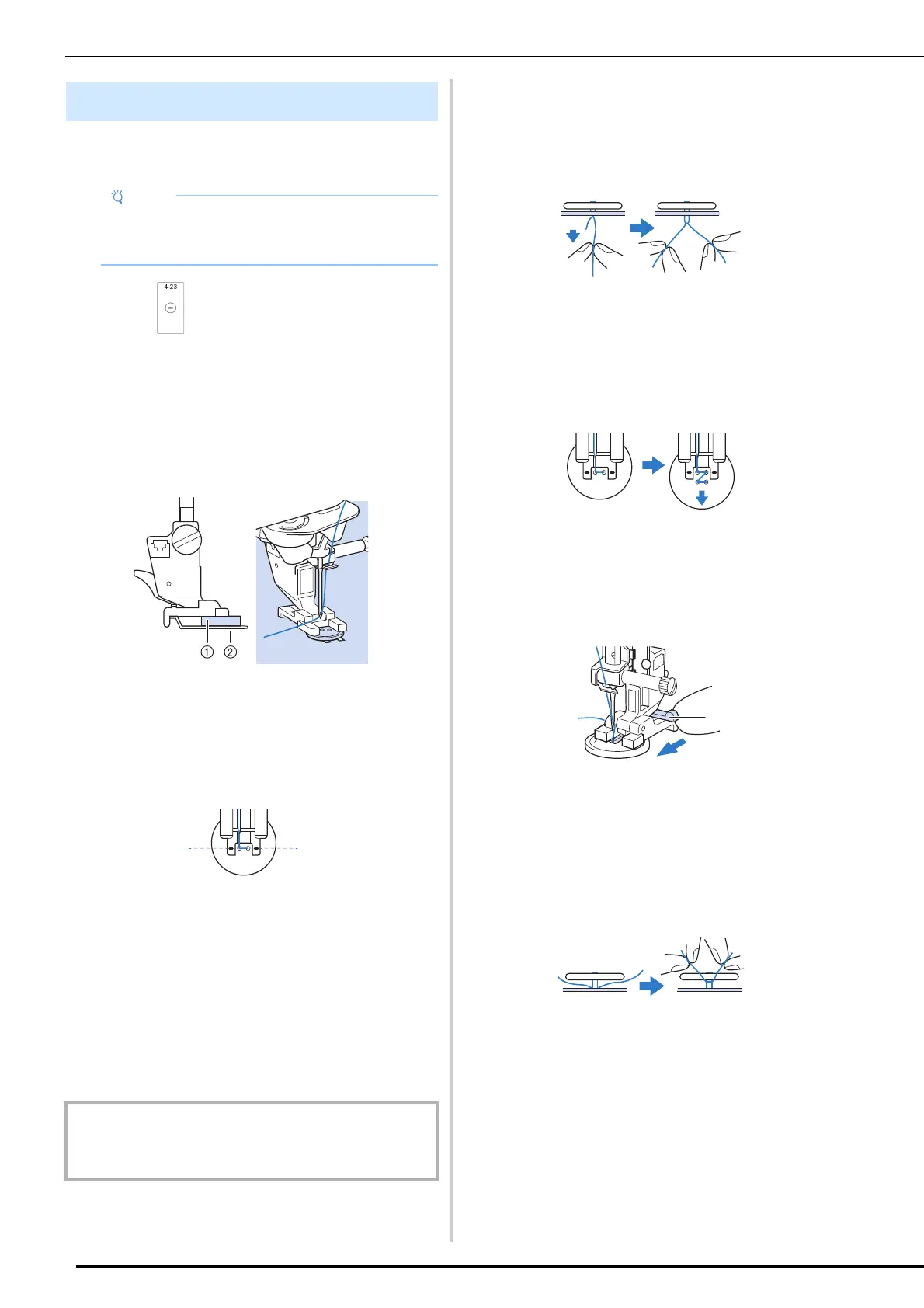
3 Attach button fitting foot “M”, slide the
button along the metal plate and into the
presser foot, and lower the presser foot.
a Button
b Metal plate
4 Rotate the handwheel toward you
(counterclockwise) to check that the
needle goes into each hole correctly.
a Align the holes of the button with the marks on
button fitting foot “M”.
* If the needle does not reach the holes on the left
side, adjust the stitch width.
5 Gently hold the end of the upper thread
and start sewing.
The machine stops automatically when sewing is
finished.
* To attach the button more securely, repeat the
process.
6 From the wrong side of the fabric, pull
the end of the bobbin thread to pull the
upper thread through to the wrong side
of the fabric. Tie the two thread ends
together then cut the threads.
Attaching 4-Hole Buttons
Sew the two holes closest to you. Then raise the
presser foot and move the fabric so that the needle
goes into the next two holes, and sew them in the
same way.
Attaching a Shank to the Button
1
Pull the shank lever toward you before
sewing.
a Shank lever
2 After sewing is finished, cut the upper
thread with plenty of excess, wind it
around the thread between the button
and the fabric, and then tie it to the upper
thread from the beginning of the
stitching.
3 Tie the ends of the bobbin thread from
the beginning and end of sewing together
on the wrong side of the fabric.
4 Cut off any excess thread.
Button Sewing
• Do not use the automatic thread cutting
function when sewing buttons. Otherwise, you
will lose the thread ends.
IMPORTANT
• Make sure the needle does not strike the button during
sewing.
a



 To Next Page