Various Embroidering Functions
173
Advanced Embroidery
5
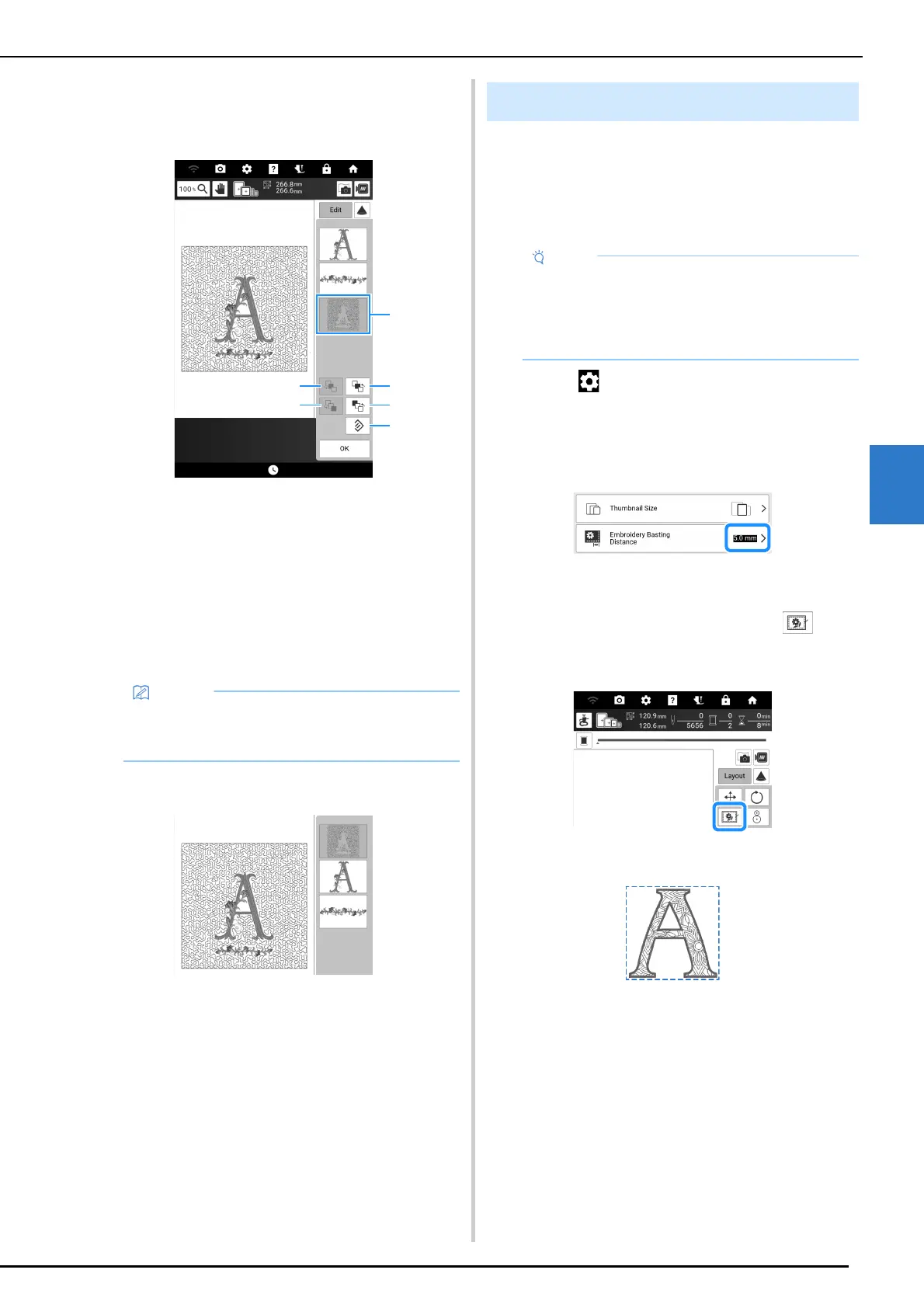
4 Select the pattern whose order is to be
changed, and then touch a key to change
its position in the embroidering order.
a Selected pattern
b Move the selected pattern back one position in the
embroidery order.
c Move the selected pattern ahead one position in
the embroidery order.
d Move the selected pattern to the beginning of the
embroidery order.
e Move the selected pattern to the end of the
embroidery order.
f Revert to the original embroidering order.
5 Touch [OK].
Before embroidering, basting stitches can be
sewn along the outline of the pattern. This is
useful for embroidering fabric that cannot have
stabilizer material affixed with an iron or
adhesive.
1 Touch to display [Embroidery Basting
Distance] of the settings screen.
2 Specify the distance from the pattern to
the basting stitching.
3 Touch [OK].
4 Touch [Layout], and then touch to
select the basting setting.
* Touch the key again to cancel the setting.
Basting is added to the beginning of the
embroidering order.
• The positions of overlapping patterns can be
checked in the preview on the right side of the
screen.
Basting Embroidery
• It is recommended to finish combining and
editing the pattern before selecting the basting
setting. If the pattern is edited after selecting
the basting setting, the basting and pattern
may become misaligned.



 To Next Page