Various Embroidering Functions
171
Advanced Embroidery
5
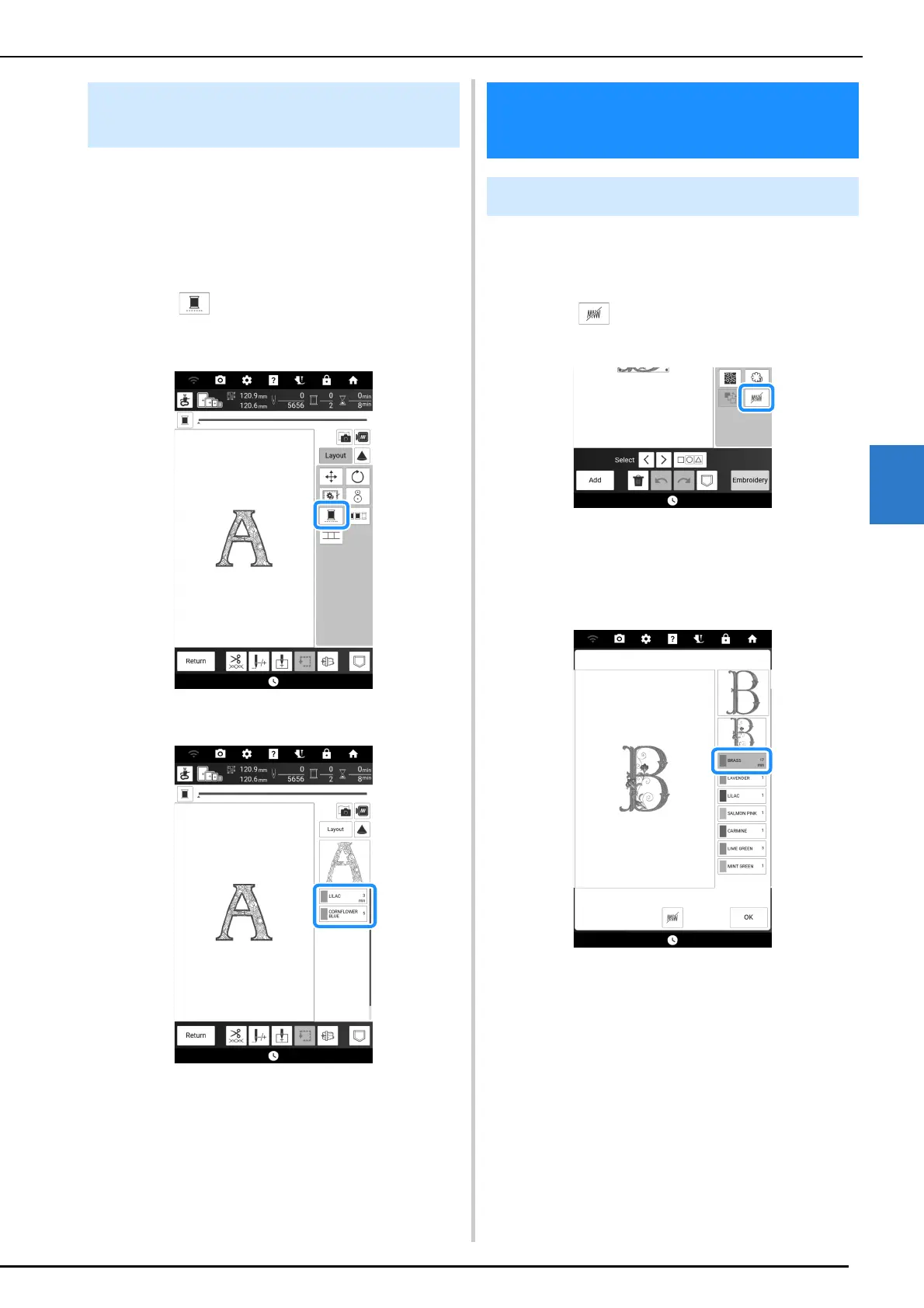
A selected pattern can be stitched out in one
color instead of multicolor. The machine will
continue stitching without stopping for thread
changes until the pattern is completed.
1 In the embroidery screen, touch [Layout].
2 Touch , and then touch [Layout].
* Touch the key again to return to the original
setting.
The thread color displayed on the screen will be
grayed out.
No sew setting (which specifies that a thread
color will not be embroidered) can be applied to a
part of the pattern with a specific color.
1 Touch in the embroidering edit
screen.
2 From the thread color sequence display,
select the thread color that will not be
embroidered.
The selected thread color is highlighted in blue.
Uninterrupted Embroidering
(Using a Single Color)
Various Embroidering
Functions
No Sew Setting



 To Next Page