Sewing
Sewing Basics
59
2
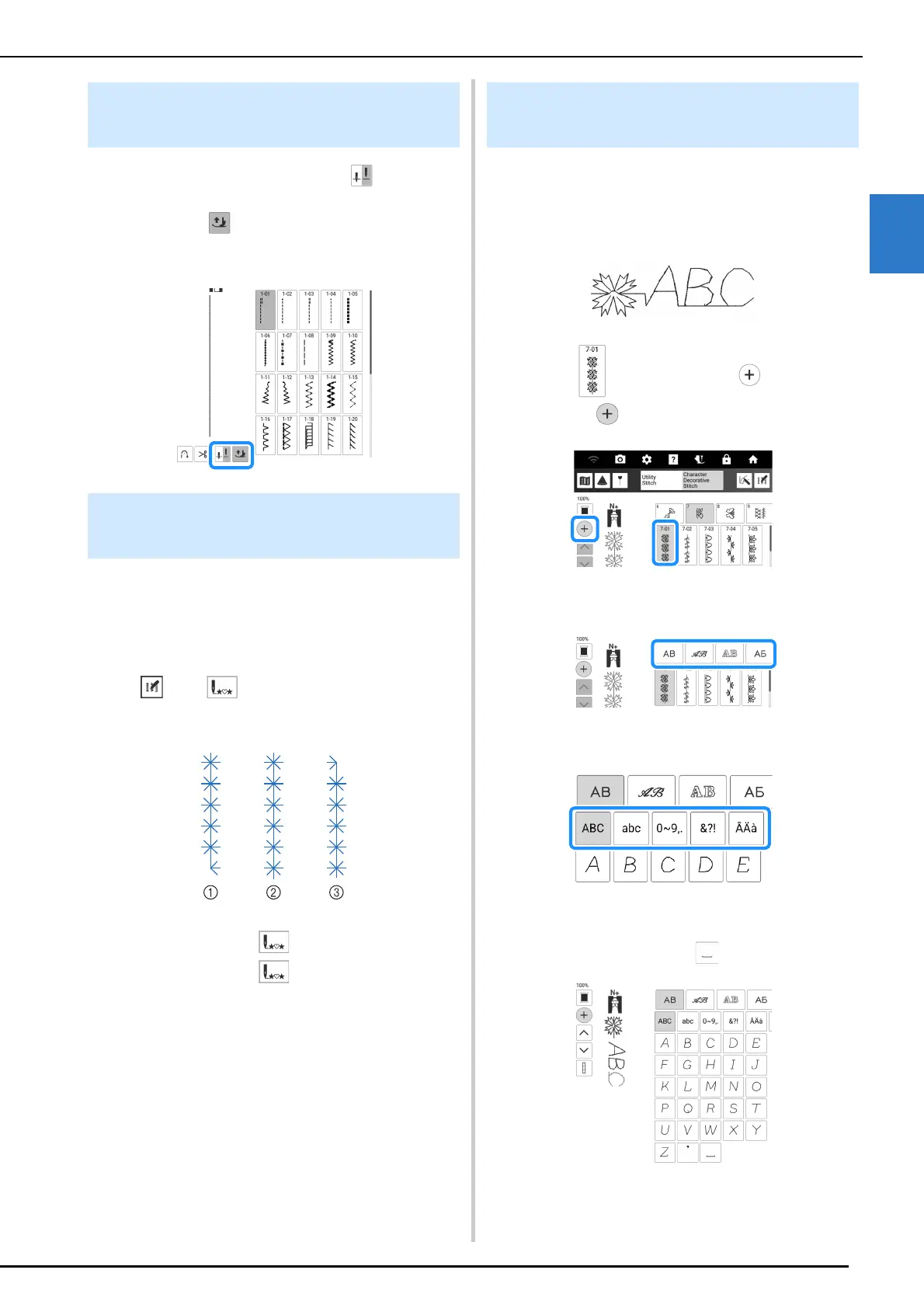
When the needle position is set to , auto up
key appears instead of pivot key. When the auto
up key is set to , the presser foot and needle
are raised automatically if the machine is
stopped.
Even if you stopped stitching while sewing, you
can return to the beginning of the stitch pattern.
This function is useful after trial sewing or when
the stitching is sewn incorrectly.
Touch then before start sewing to return
to the beginning of the stitch.
a Stop stitching
b Re-start stitching ( was touched.)
c Re-start stitching ( was not touched.)
Combining Various Stitch
Patterns
Example:
1 Select and then touch so that it
displays .
2 Select a font.
3 Touch the tab to select a character type.
4 Enter characters.
* To enter a space, touch .
Automatic Presser Foot Raising
Function
Returning to the Beginning of the
Stitch Pattern
Editing Character/Decorative
Stitches



 To Next Page