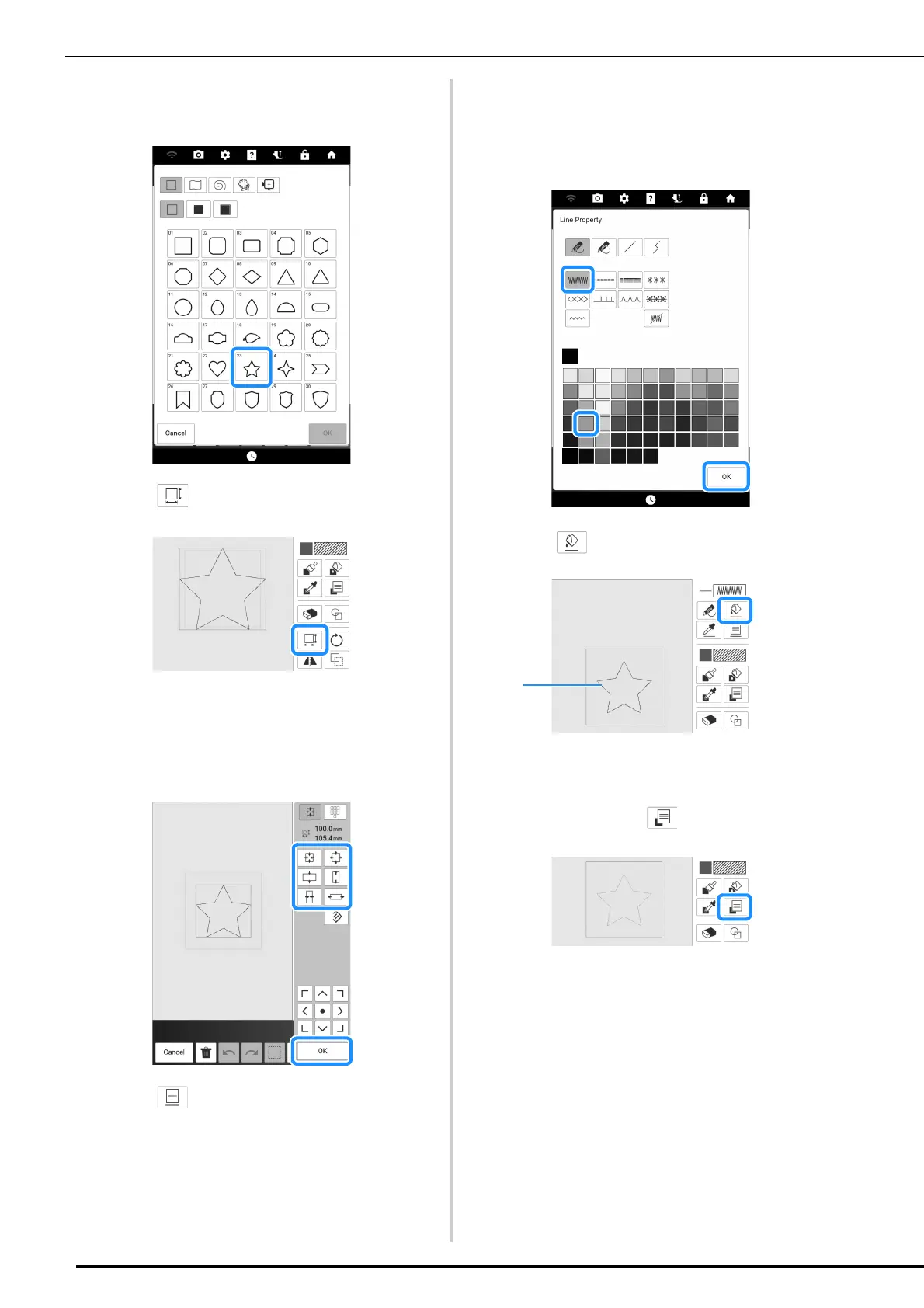
Create a Stippling Design with the Basic Procedure
228
4 Select the desired shape, and then touch
[OK].
5 Touch .
6 Select the direction in which to change
the size, and then touch [OK].
* For details on this, refer to “Using the Size Key” on
page 236.
7 Touch .
8 Select the stitch type and the stitch color,
and then touch [OK].
* For details on this screen, refer to “Setting the Line
Types, Stitch Types and Colors” on page 233.
9 Touch and then touch the shape.
a Shape
10 To set the stippling stitch color and fill
stitch type, touch .


 To Next Page
 Loading...


