Create a Stippling Design with the Basic Procedure
229
My Design Center
6
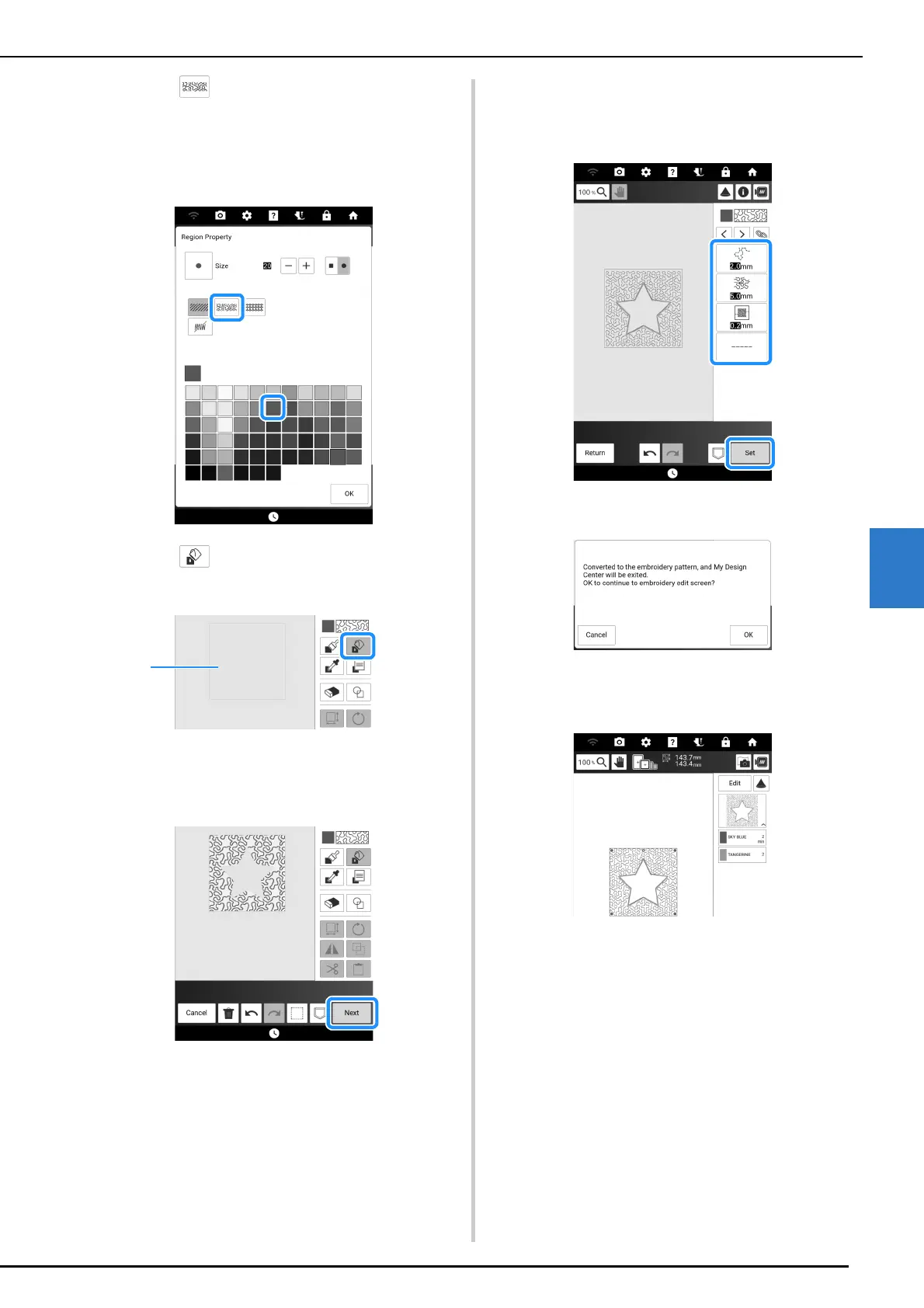
11 Touch , and then select the stitch
color. And then touch [OK].
* For details on this screen, refer to “Setting the
Brush Types, Fill Stitch Types and Fill Colors” on
page 234.
12 Touch and then touch the area you
want to set stippling effect.
a Area where stippling is applied
13 Touch [Next].
14 Adjust the stippling settings, and then
touch [Set].
* For details, refer to “Region Settings” on page 240.
The embroidery edit screen appears after touching
[OK].
15 If necessary, touch [Edit] to edit the
selected pattern. (page 142)
16 Touch [Embroidery]. And then start
embroidering. (page 140)



 To Next Page