Using the Camera to Connect Patterns
218
3 Hoop fabric in the embroidery frame, and
then attach the frame to the machine. For
this example, we will use the 18 cm × 13
cm (approx. 7 inches × 5 inches)
embroidery frame.
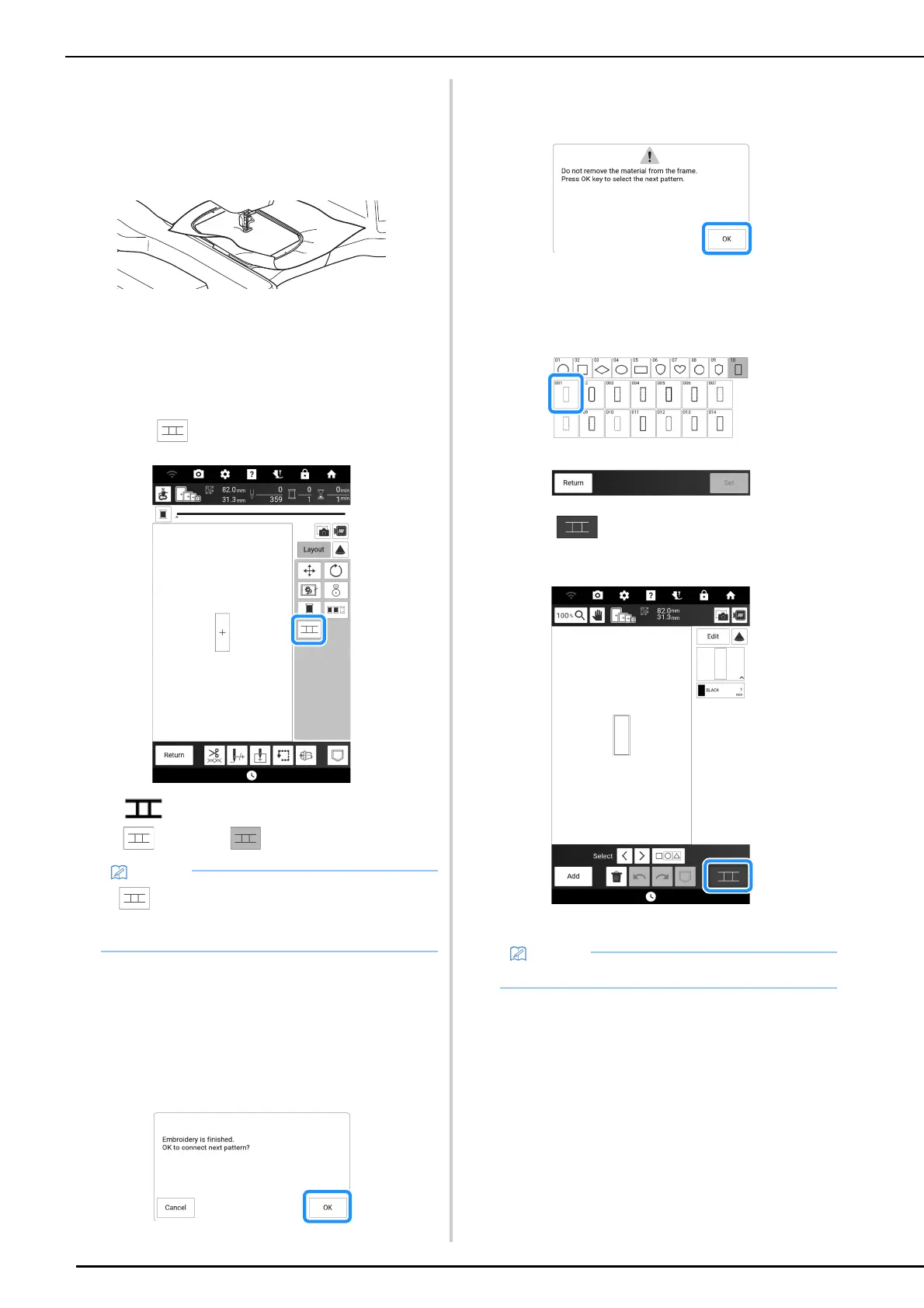
4 Touch [Embroidery] to display the
embroidery screen.
5 Touch [Layout].
6 Touch .
appears above the [Return] key, and then
changes to .
7 Lower the embroidery foot, and then
embroider the first pattern.
8 After embroidering of the first pattern is
finished, the following message appears.
Touch [OK].
9 When the following message appears,
touch [OK].
10 Select the second pattern B, and then
touch [Set].
11 Touch , and then select how the
patterns will be connected.
The pattern connection setting screen appears.
• can be touched while embroidering.
• A pattern cannot be saved in the machine’s
memory while patterns are being connected.
• You can edit the second pattern in this screen.



 To Next Page