Embroidering Patterns
138
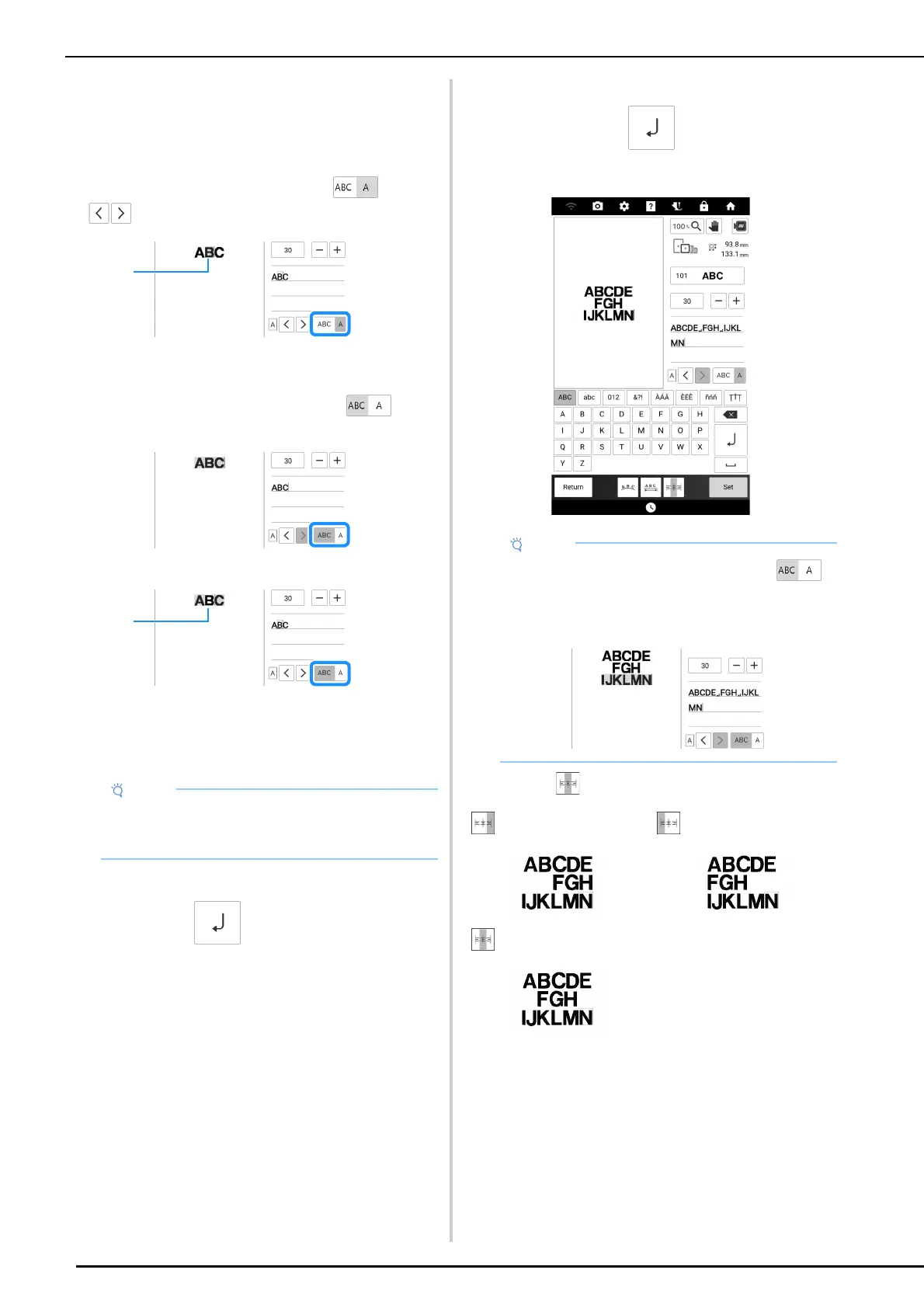
Selecting Entered Characters
In order to change the font or size of entered
characters, those characters must be selected.
Selecting a Single Character
In single character selection mode ( ), touch
to select the character to be changed.
a Selected character
Selecting Multiple Characters
In multiple character selection mode ( ), all
characters will be selected.
To deselect a character, touch it.
a Deselected character
Adding a New Line of Text
1
Type in the first line of characters, and
then touch .
2 Type in the second line of characters,
and then touch . Type in the third
line of characters.
3 Touch to change the text alignment.
• Add new lines and change the arrangement of
the text when entering characters. No changes
can be made after [Set] has been touched.
• In multiple character selection mode ( )
with multiple lines of text, all characters in one
line will be selected. To select characters in a
different line of text, touch that line.
: Right alignment : Left alignment
: Center alignment



 To Next Page