Embroidering Patterns
Basic Embroidery
141
4
5 Repeat the same steps for embroidering
the remaining colors.
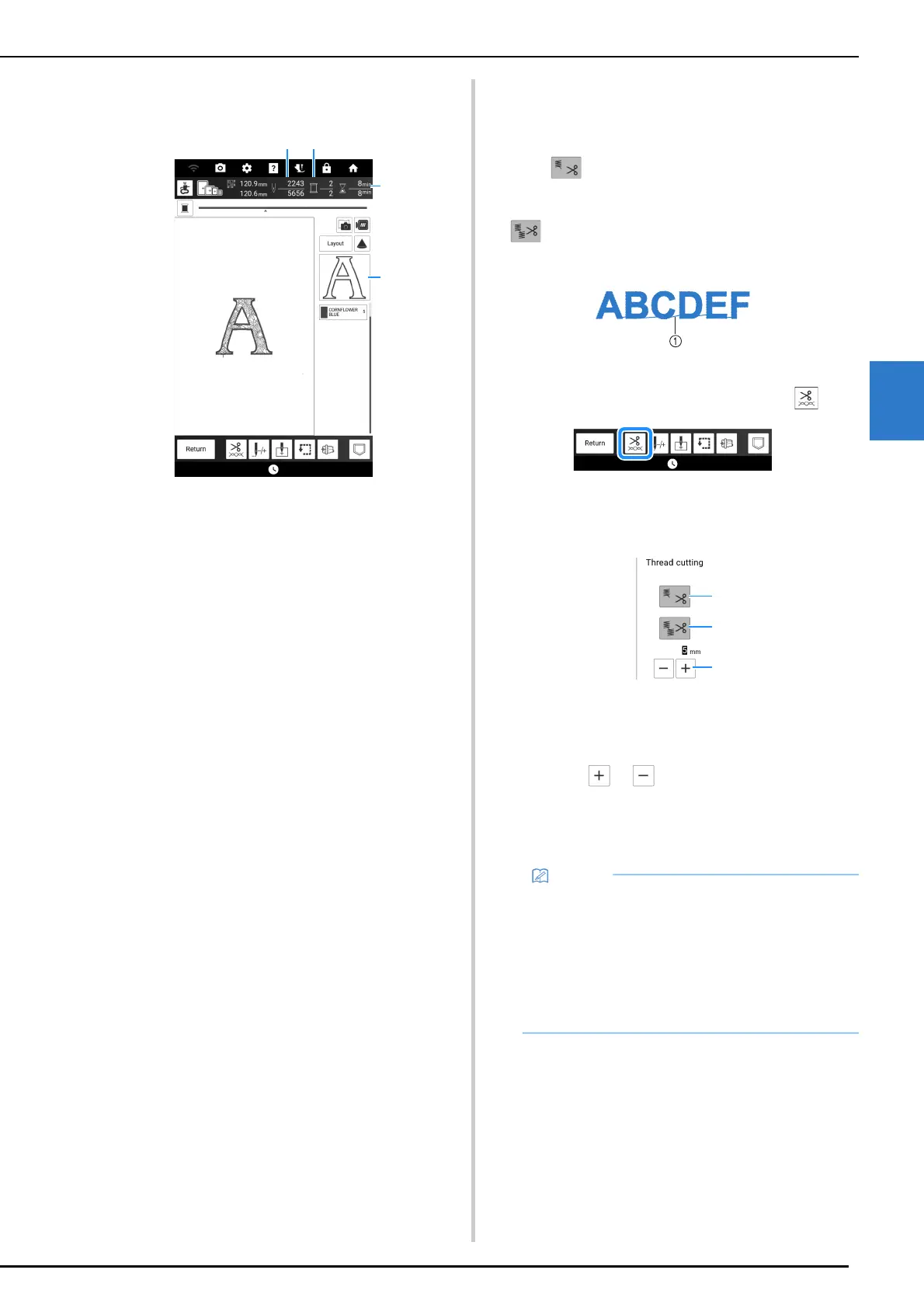
a Current stitch numbers/Total stitch numbers
b Current time/Total time
c The part of pattern to be embroidered next
d Embroidered colors/Total colors
When the last color is embroidered, [Finished
embroidering.] will appear on the display. Touch
[OK], and the display will return to the original
screen.
6 Cut the excess thread jumps within the
color, if necessary.
Thread Cutting/Trimming
Function
The automatic thread cutting function (End Color
Trim) will cut the thread at the end of
embroidering each color.
The thread trimming function (Jump Stitch Trim)
will automatically trim any excess thread
jumps within the color. These functions are initially
turned on.
a Jump stitch
1 On the embroidery screen, touch .
2 Turn on or off the thread cutting/trimming
function.
a Turn on or off the automatic thread cutting function
(End Color Trim).
b Turn on or off the thread trimming function (Jump
Stitch Trim).
c Touch or to select the length of jump
stitch. For example, when the value is set to 25
mm (approx. 1 inch) and the machine will not trim a
jump stitch of 25 mm or less before moving to the
next stitching.
• If design has many trims, it is recommended to
select a higher jump stitch trim setting in order
to reduce the amount of excess tails on
backside of fabric.
• The higher number of the jump stitch length
selected, the fewer number of times the
machine will trim. In this case, more jump
stitches remain on the surface of the fabric.



 To Next Page