Various Embroidering with My Design Center
250
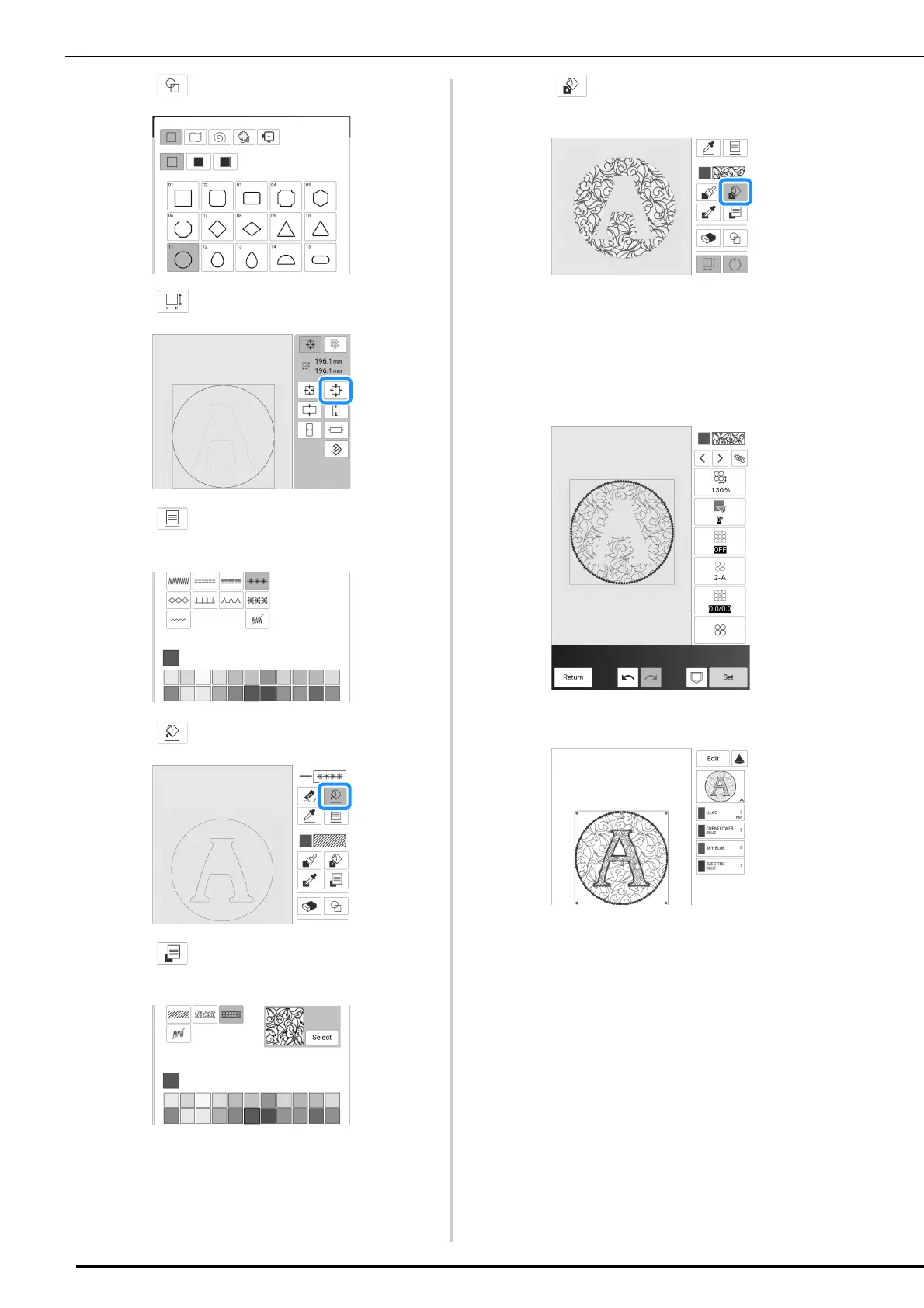
5 Touch and select a stamp shape.
6 Touch and change the size.
7 Touch and select the stitch type and
color of the circle.
8 Touch and touch the circle.
9 Touch and select the fill stitch type
and color of the decorative fill pattern.
10 Touch , and then touch the area you
want to add the decorative fill pattern.
11 Touch [Next].
12 Specify the stitch settings, and then
touch [Set].
* For details, refer to “Specifying Individual Stitch
Settings” on page 238.
The embroidery edit screen appears after touching
[OK].



 To Next Page