LCD Screen
24
d Change the image of the screen saver. (page 27)
e Select the operation of the [Needle Position - Stitch
Placement] to on or off. (page 75)
f Turn both the upper and bobbin thread sensor on
or off. If it is turned off, the machine can be used
without thread.
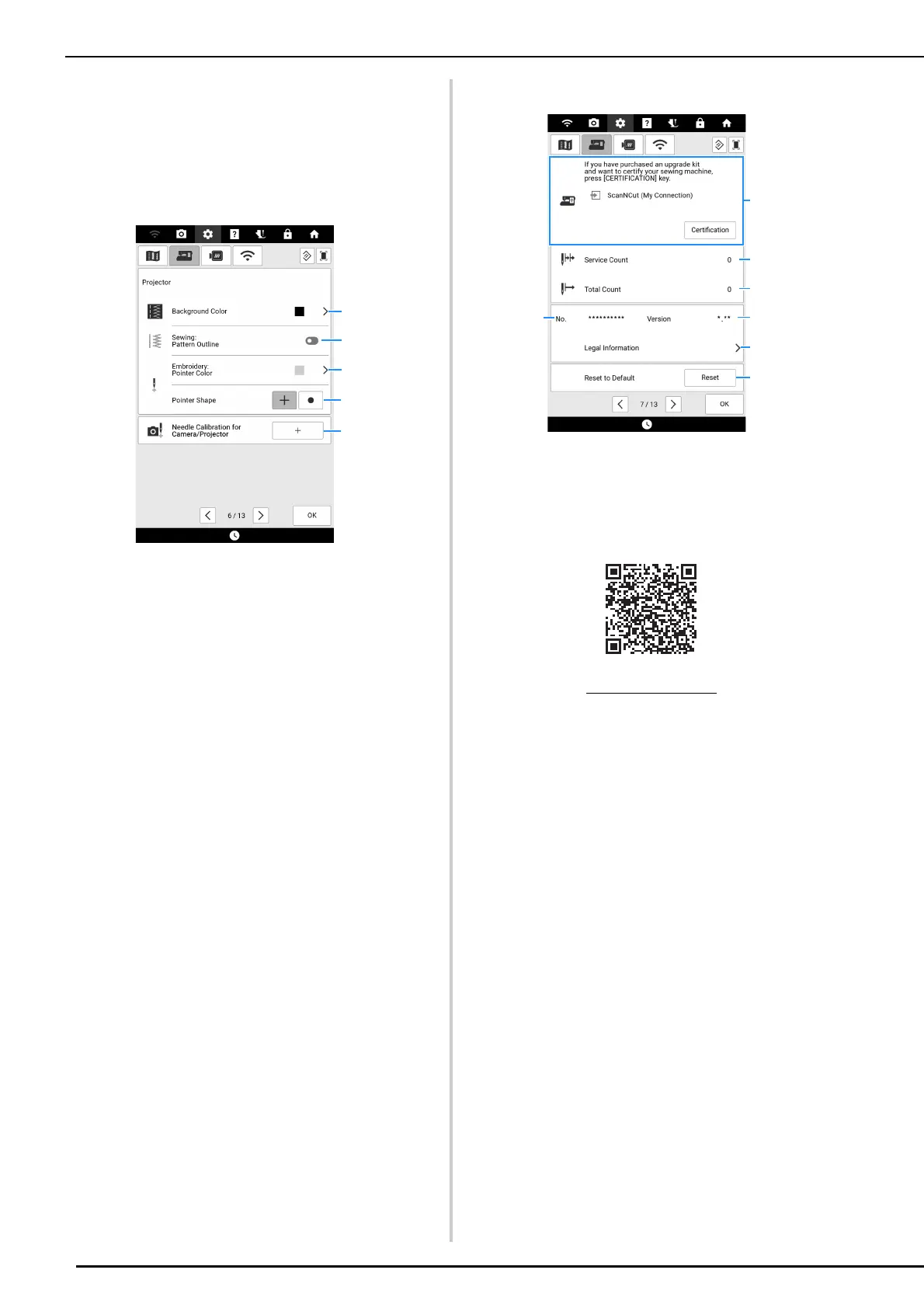
Page 6
a Select which background color will display when
using projector function. (page 70)
b Select whether to display outline of the stitch
pattern. (page 70)
c Select the color of the pointer. (page 139)
d Select a cross shape or a point as the shape for
the pointer. (page 139)
e Gauge the needle drop point to adjust the accuracy
of the camera display area and of the projection
area. (page 257)
Page 7
a Use to certify your machine when you use [My
Connection] function with Brother cutting machine
(sold separately). For details, visit the following
webpage and refer to the “My Connection”
Operation Manual.
b Display the service count which is a reminder to
take your machine in for regular servicing. (Contact
your authorized Brother dealer for details.)
c Display the total number of stitches sewn on this
machine.
d The [No.] is the internal machine number for the
machine.
e Display the program version.
f Display legal information.
g Erase all saved data, customized settings and
network information in the machine. (page 258)
https://s.brother/cmdae/



 To Next Page