Changing the Presser Foot
50
4 Hold the compact dual feed foot in place
with your right hand, then using the
included multi-purpose screwdriver,
securely tighten the screw.
5 Plug the connector of the compact dual
feed foot into the jack on the back of your
machine.
6 Touch to unlock all keys and buttons.
7 Place the fabric under the compact dual
feed foot with the needle at the starting
point of the stitching.
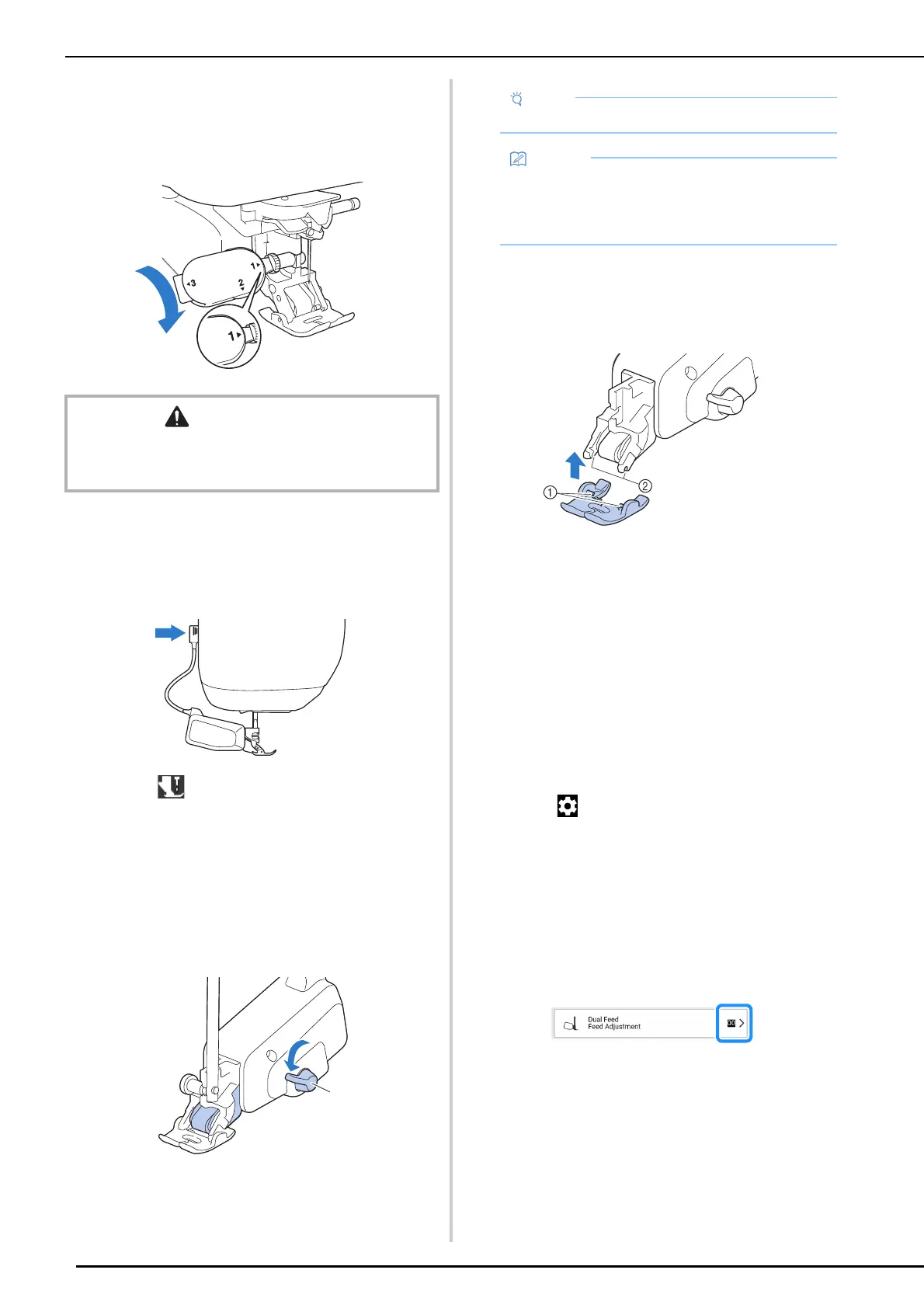
8 Be sure that the feed position lever is
pushed down and the compact dual feed
foot is ready to sew.
a Feed position lever
Attaching/Detaching Foot
Attach the foot by aligning the pins with the
notches and snap it into place.
a Pins
b Notches
To detach, push down on the front and back part of
the foot, the foot will snap off.
Adjusting the Amount of Fabric
Feeding by the Compact Dual
Feed Foot
The dual feed mechanism pulls the top fabric
according to the set stitch length. With troublesome
fabrics, fine tune the set length.
1 Touch to display [Dual Feed Feed
Adjustment] of the settings screen.
2 Touch the number to select the feeding
of the top fabric.
* Select [00] for sewing in most cases.
* Touch a higher number to increase the feed
amount for the top fabric.
Touch a lower number to decrease the feed
amount for the top fabric.
CAUTION
• Use the included screwdriver to firmly tighten the screw.
If the screw is loose, the needle may strike the presser
foot and possibly cause injury.
a
• Do not operate the lever while sewing.
• When the feed position lever is up, dual feed
function is not effective. When the feed
position lever is down, the black roller belt on
the compact dual feed foot is engaged.



 To Next Page