Projecting the Guidelines onto the Fabric
66
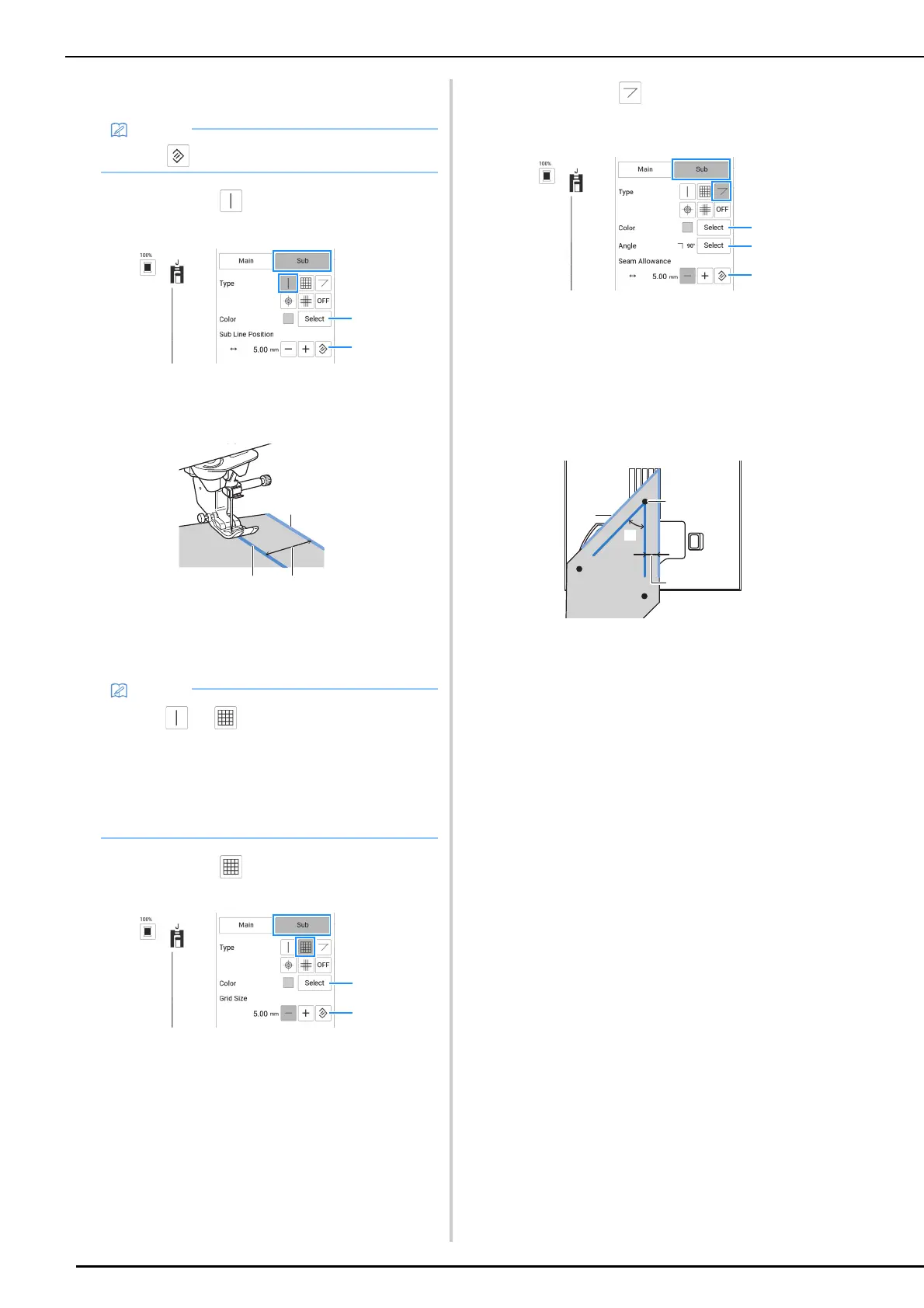
Sub Guidelines
Sub Guideline
A straight-line guideline is displayed.
a Select the color of the sub guideline.
b Specify the sub guideline position (distance from
the main guideline).
*1
Sub guideline
*2
Main guideline
*3
Distance specified with [Sub Line Position] (2)
Sub Guideline
A grid guideline is displayed.
a Select the color of the sub guideline.
b Specify the grid spacing of the sub guideline.
Sub Guideline
Guidelines for sewing angled quilt pieces are
displayed.
a Select the color of the sub guideline.
b Specify the angle of the sub guideline. (*3)
c Specify the seam allowance of the sub guideline.
(*4)
Sewing quilt pieces together with their right sides
together (when the starting point of sewing is at the
intersection of seam lines)
*1
Align the sub guideline with the edge of the
quilt piece.
*2
Start sewing from the intersection with the main
guideline.
*3
Angle specified with [Angle] (2)
*4
Distance specified with [Seam Allowance] (3)
• Touch to return the setting to its default.
• When or is selected, the position of
the sub guideline is based on the position of
the main guideline. In order to move the two
guidelines without changing the spacing
between the main guideline and the sub
guideline, change the position of the main
guideline.
*4
*1
*2
*3



 To Next Page