SV-MAP-270 Navigation Mapping License Purchase and Setup
6-6 SkyView System Installation Guide - Revision AA
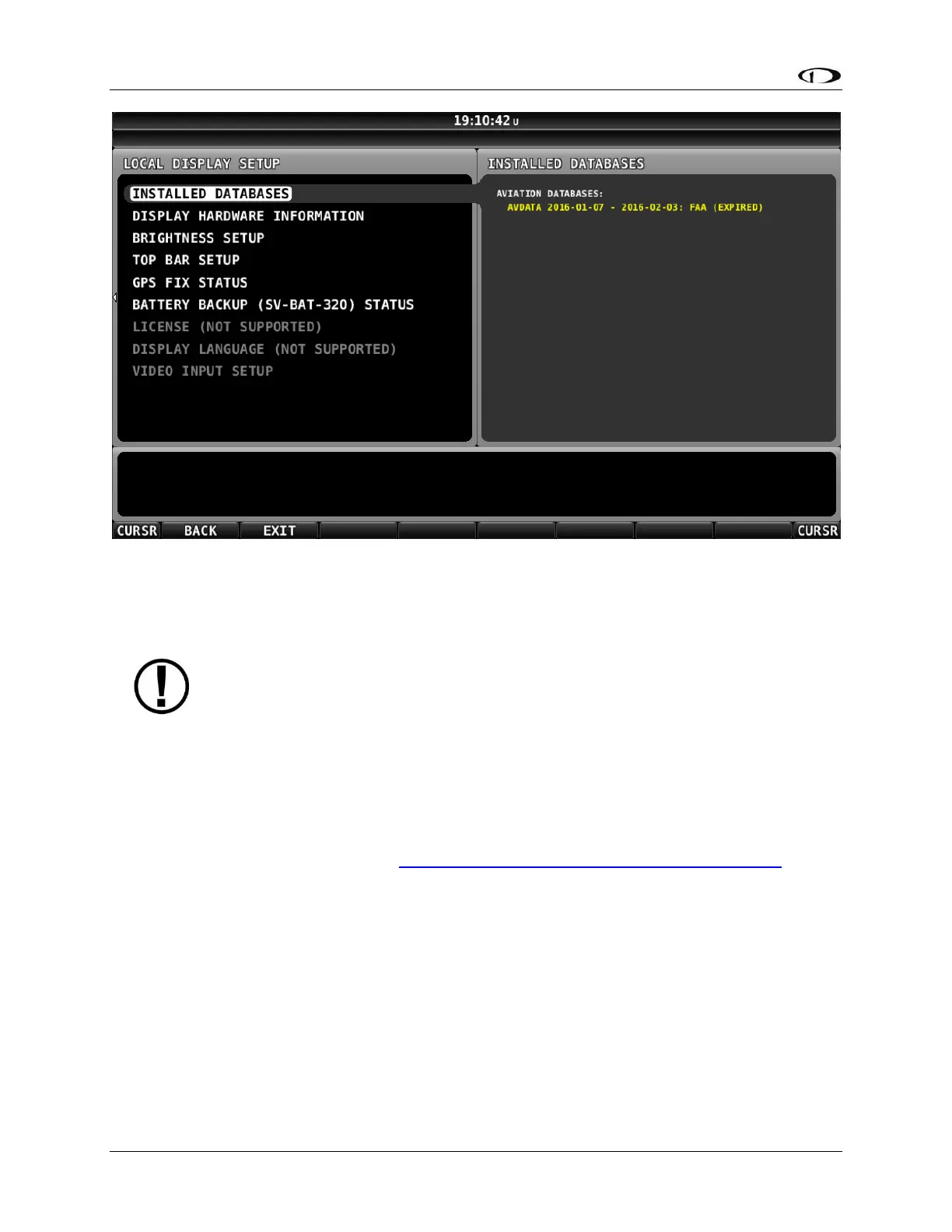
Figure 54 – SkyView SE INSTALLED DATABASES with Expired Database Shown in Yellow
Terrain Database
SkyView uses high resolution terrain databases to display the base topographic map on the
MAP page, as well as to display Synthetic Vision on the PFD page. SV-D700, SV-D1000, and SV-
D1000T displays are shipped with terrain databases for North America (includes the continental
United States, part of Alaska, most of Canada, Mexico, part of Central America, and the West
Indies). Dynon Avionics offers downloadable high resolution terrain database files for other
regions of the world on its website at http://www.dynonavionics.com/docs/terrain.html.
To update the terrain databases in a SkyView display, download the appropriate file onto a USB
flash drive (a 4 GB drive is included with every SkyView display) and then reference the How to
Load and Delete Files Section of this guide for instructions on how to import the file onto a
SkyView display. Because the terrain databases are large, only one can be installed in a SkyView
display at a time. A large USB flash drive can hold multiple terrain databases for different
regions of the world. However, each region’s coverage area is chosen to cover most pilots’
needs without having to ever switch between regions. Loading a new high resolution terrain
database will automatically delete the one previously installed on your SkyView display.
If SkyView detects that it is in an area outside of the boundaries of the high resolution terrain
database currently installed on SkyView, a Caution message will be displayed:










 To Next Page