Basic SkyView Display Operation
SkyView System Installation Guide - Revision AA 3-11
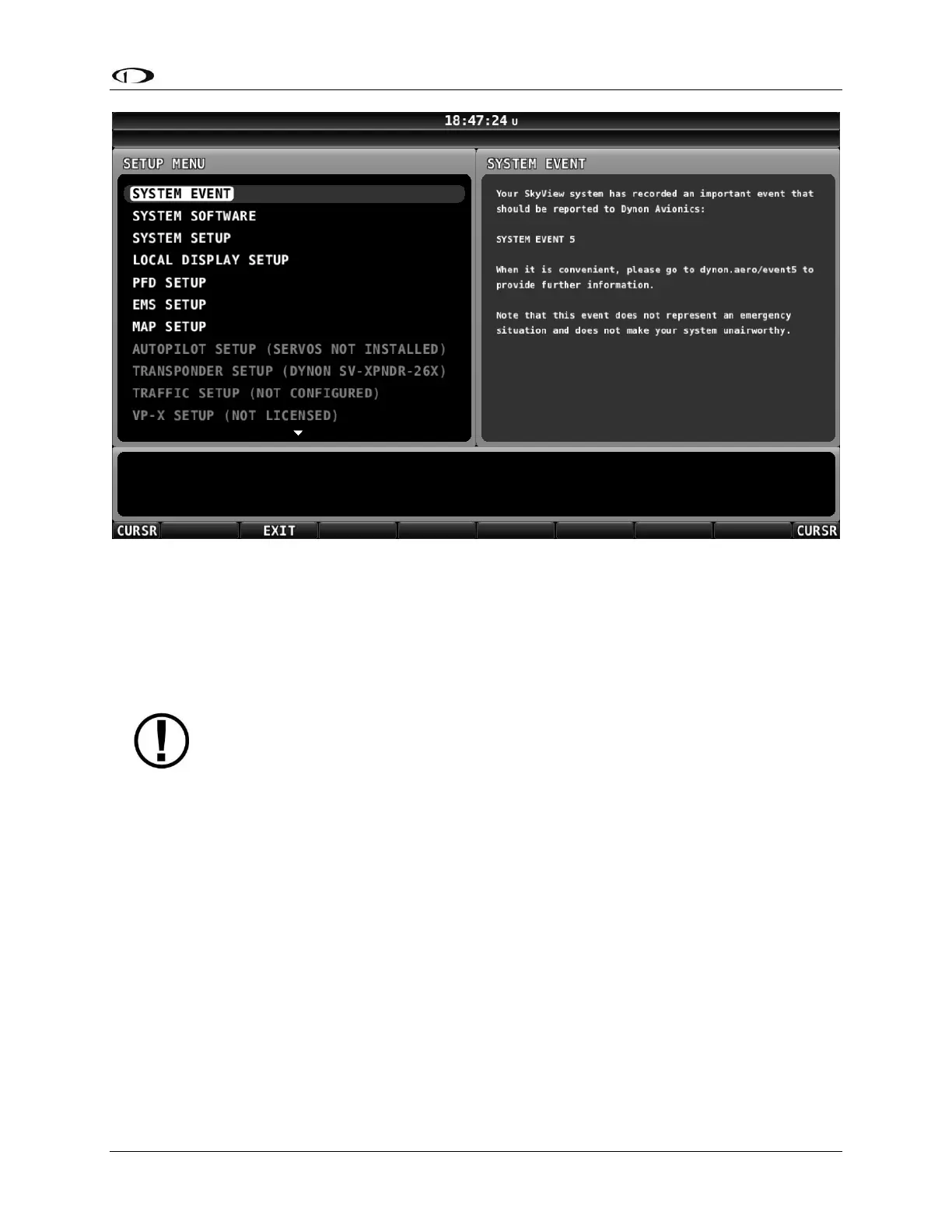
If no critical system events have occurred on your SkyView display, “SYSTEM EVENT” will not
appear as a menu item.
If SYSTEM EVENT does appear, it contains instructions on what to do next.
SYSTEM SOFTWARE Menu
You must have a USB flash drive that is recognizable by the display in one of the
USB slots to open this menu. All of the functions under this menu either write to or
read from the flash drive.
Detailed instructions for all of the menus listed below are included in the Software
Updates and File Operations Section of this guide.
The SYSTEM SOFTWARE Menu contains links to the following wizards:
UPGRADE SYSTEM SOFTWARE... – Use this wizard to update Software on your SkyView
system.
LOAD FILES... – Use this wizard to load files such as settings or configuration files or delete
files from the USB flash drive.
EXPORT SETTINGS... – Use this wizard to export the settings on your SkyView system to a
USB flash drive. Note that (as of V6.0) calibration settings are not exported, including servo
calibrations, fuel tank calibrations, and compass calibrations.
EXPORT USER DATA LOGS… – Use this wizard to export user data logs in human-readable
CSV format. See Appendix F: User Data Logs for further information about user data logs.
EXPORT USER WAYPOINTS… – Use this wizard to export all of the User Waypoints that are
currently stored in your SkyView system.










 To Next Page