SV-GPS-250/2020 GPS Receiver Installation and Configuration
SkyView System Installation Guide - Revision AA 8-11
Thus, if an SV-GPS-250 is currently installed, for “upgrade protection” do not
connect the SV-GPS-250’s serial TX to any device other than the SV-GPS-250. This
guidance is reflected in all wiring diagrams for the SV-GPS-250 and SV-GPS-2020.
If (as is possible in Software versions through v14.0) a serial device other than an
SV-GPS-2020 was connected to the SV-GPS-2020 serial port TX, that other device
will no longer function (communicate), and the SV-GPS-2020 may not function
correctly, after updating your SkyView system to Software v14.0.
To correct this situation, reconnect the SkyView display’s serial port TX that is used
for the SV-GPS-2020 to the SV-GPS-2020’s Gray/Orange wire.
The SV-GPS-250 and SV-GPS-2020 are connected to the SkyView system via “serial
port”, and thus will not appear on the list of SkyView Network Devices during a
SkyView Network configuration.
Part 1 – Basic Serial Port Functionality
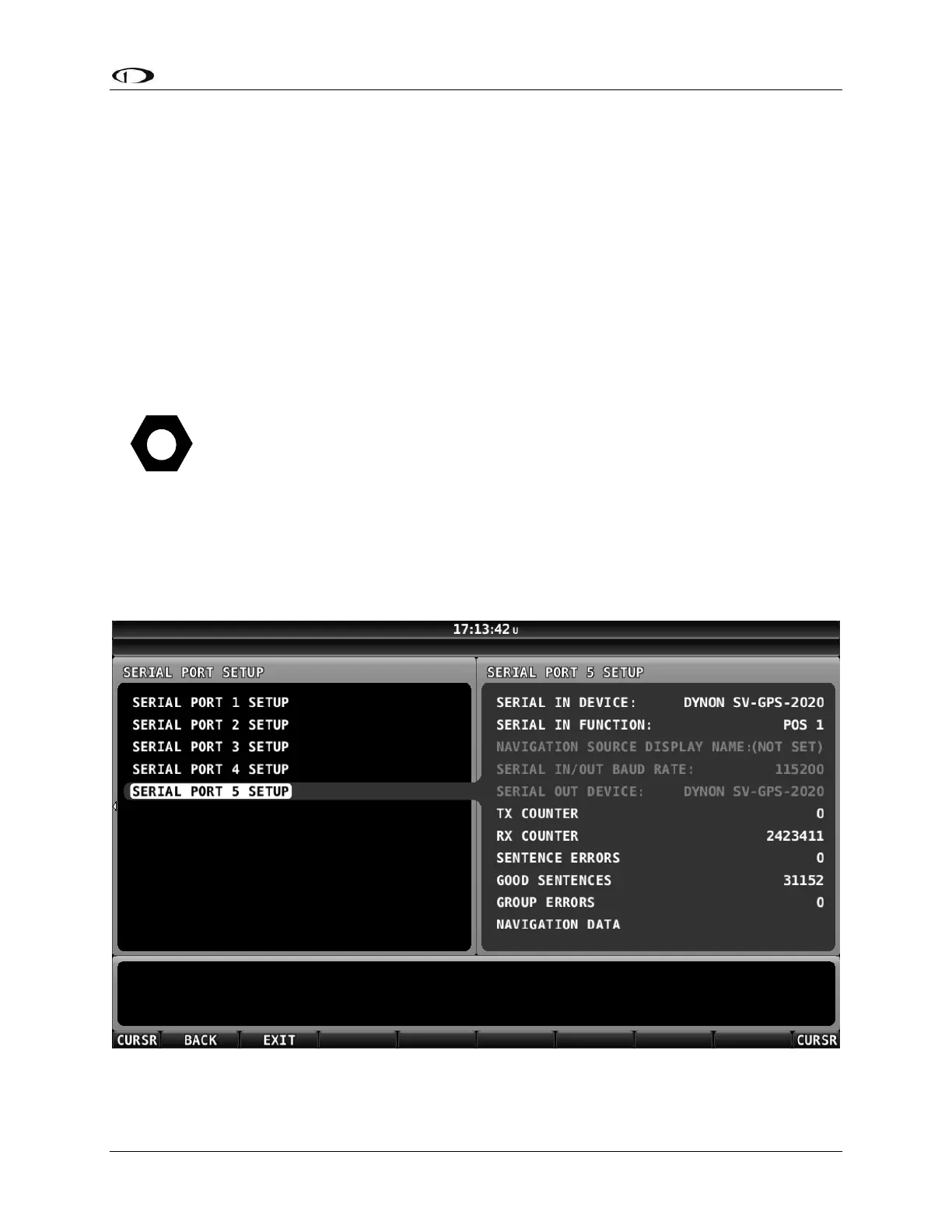
Go to Serial Port Setup for the serial port you chose to use for the SV-GPS-250 or the SV-GPS-
2020 (typically Serial Port 5):
SETUP MENU > SYSTEM SETUP > SERIAL PORT SETUP > SERIAL PORT 5 SETUP
Figure 95 - Serial Port 5 Setup for SV-GPS-2020










 To Next Page