SV-XPNDR-261/262 Installation and Configuration
SkyView System Installation Guide - Revision AA 11-25
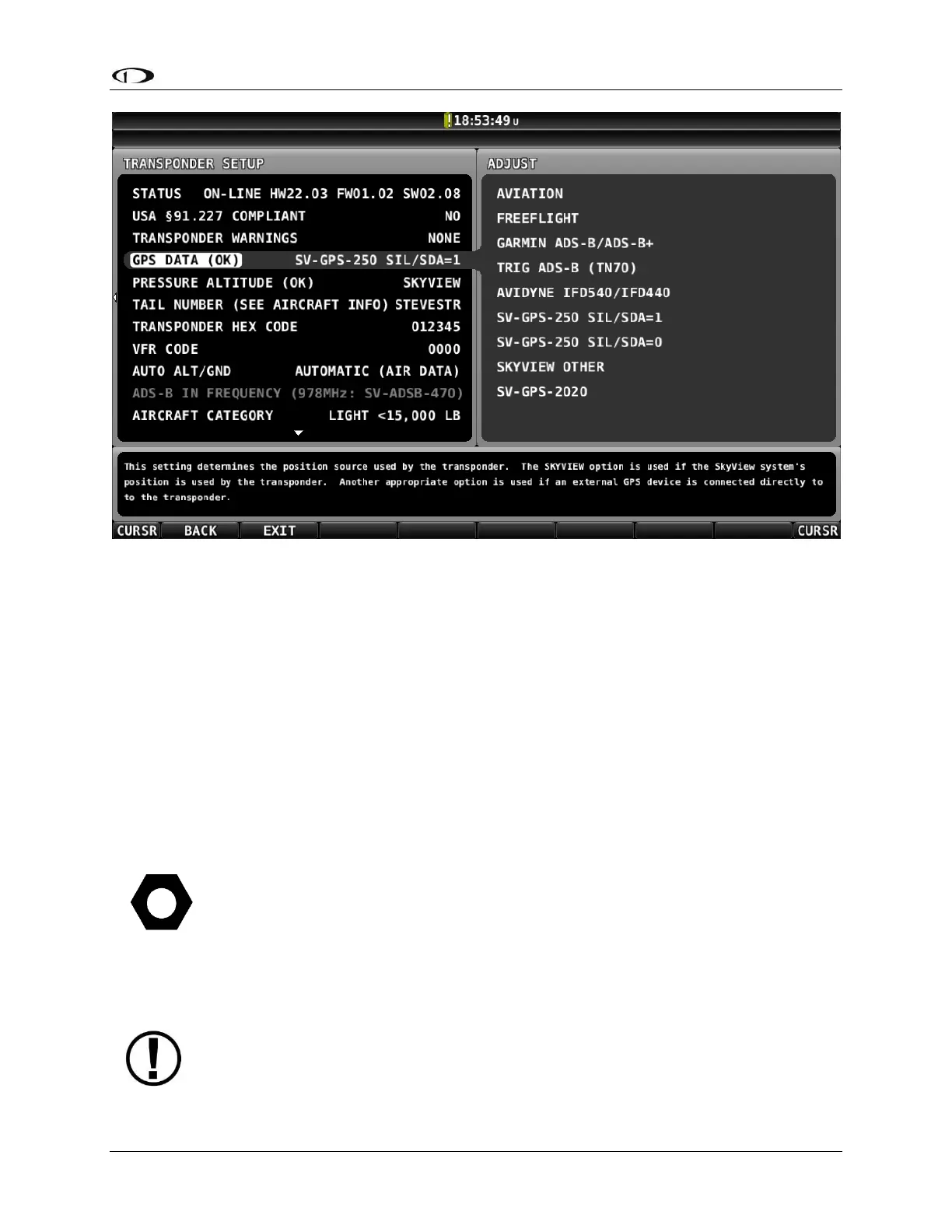
Figure 137 –GPS DATA Setting (for SV-GPS-250) Changed as of v14.0 and later
Note that:
SETUP MENU > TRANSPONDER SETUP > GPS DATA (OK) > SKYVIEW
is changed to:
SETUP MENU > TRANSPONDER SETUP > GPS DATA (OK) > SV-GPS-250 SIL/SDA=1
If you have a SkyView System with an SV-GPS-250 as your primary GPS, an SV-XPNDR-261/262,
do not have a high integrity GPS connected directly to the SV-XPNDR-261/262, and you wish for
your aircraft to transmit SIL/SDA=0 (same as Software versions earlier than v14.0) instead of
SIL/SDA=1:
SETUP MENU > TRANSPONDER SETUP > GPS DATA (OK) > (one more right click)
Change SV-GPS-250 SIL/SDA=1 to SV-GPS-250 SIL/SDA=0 and push the ACCEPT button.
The FAA’s ADS-B rule currently permits class A1, A1S, A2, A3, B1S, or B1
transponder-based 1090ES ADS-B transmissions for compliance once the FAA 2020
ADS-B Out rules mandate goes into effect January 1, 2020. Therefore, only the
higher power class B1S SV-XPNDR-261 will be able to meet the 2020 ADS-B Out










 To Next Page