Appendix A: Maintenance and Troubleshooting
21-10 SkyView System Installation Guide - Revision AA
Autopilot servos – see Autopilot Servo Installation, Configuration, and Calibration section
for details.
Any other issues should be addressed on an as-needed basis.
Annual SV-BAT-320 Test
As with all batteries, the SV-BAT-320 is an electrochemical, rather than a purely electronic
device. Thus, its capacity will gradually diminish over time. The usable lifetime of an SV-BAT-320
is determined by a number of factors, including age, number of discharge/charge cycles,
temperature, etc. An annual test should be performed on each SV-BAT-320 to ensure it remains
capable of powering a SkyView display and devices powered by a SkyView display (see System
Planning, Power for details), for at least 60 minutes if aircraft power is lost.
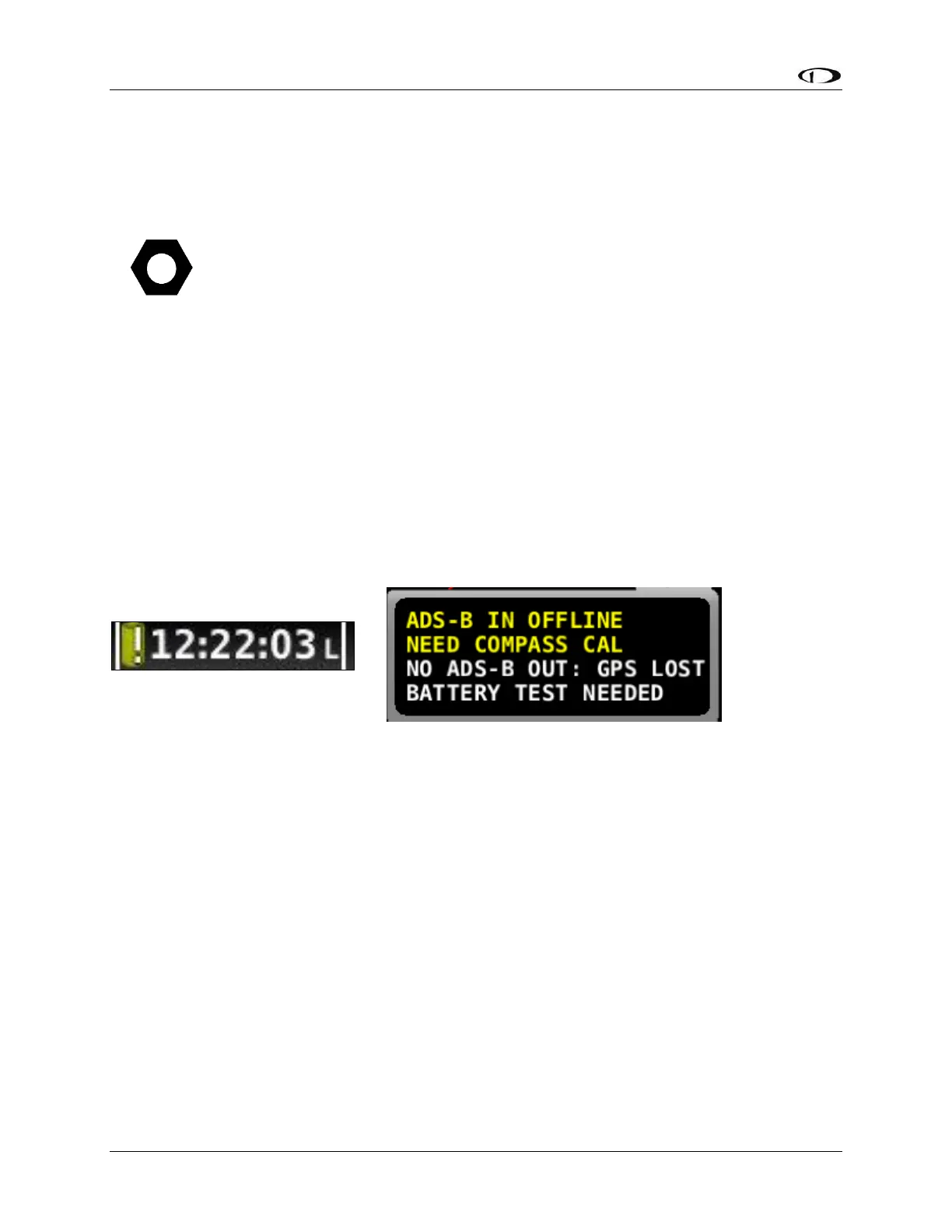
SkyView records the date of successful SV-BAT-320 tests. After one year has passed since a
successful SV-BAT-320 test, SkyView will display a Yellow Battery Alert icon (Figure 211 below).
A BATTERY TEST NEEDED message (Figure 210 below) will also appear in the Alerts section in
the lower right corner of your SkyView display (displayed when you push Button 8 to display
Messages, Alerts, and Cautions).
If your SkyView system has more than one SkyView display with an SV-BAT-320 installed,
perform the following test individually on each SkyView display / SV-BAT-320.
Test Procedure
1. The SV-BAT-320 must be fully charged prior to commencing this test. Reference SV-BAT-
320 Backup Battery Installation, Charging the SV-BAT-320 for information on charging
the SV-BAT-320.
2. Apply power to the SkyView display you will be testing. If all of your SkyView displays
power up from a single switch or circuit breaker, power down any display other than the
unit on which you will perform the SV-BAT-320 test – push and hold Button 1 (HOLD TO
POWER DOWN).
3. Remove power to the SkyView display you will be testing. If all of your SkyView displays
power up (and power down) from a single switch or circuit breaker, push the POWER
OFF button on the SkyView display(s) that are not being tested. That SkyView display
will be powered off.










 To Next Page