EasyManua.ls Logo

Dynon Avionics SkyView Classic - Skyview Display D37 Pinout (SV-HARNESS-D37)

Default Icon
573 pages
Print Icon
To Next Page IconTo Next Page
To Previous Page IconTo Previous Page
Loading...
Appendix C: Wiring and Electrical Connections
SkyView System Installation Guide - Revision AA 23-7
3
Yellow
AP Disengage/Control Wheel Steering
(CWS) Button
4
White/Blue
SkyView Network Data 2B
5
N/A
No connection
6
Blue
SkyView Network Data 1B
7
Red
Power (10 to 30 volts DC)
8
White/Green
SkyView Network Data 2A
9
N/A
No connection
Table 113 SV-NET-SERVO Harness Pinout
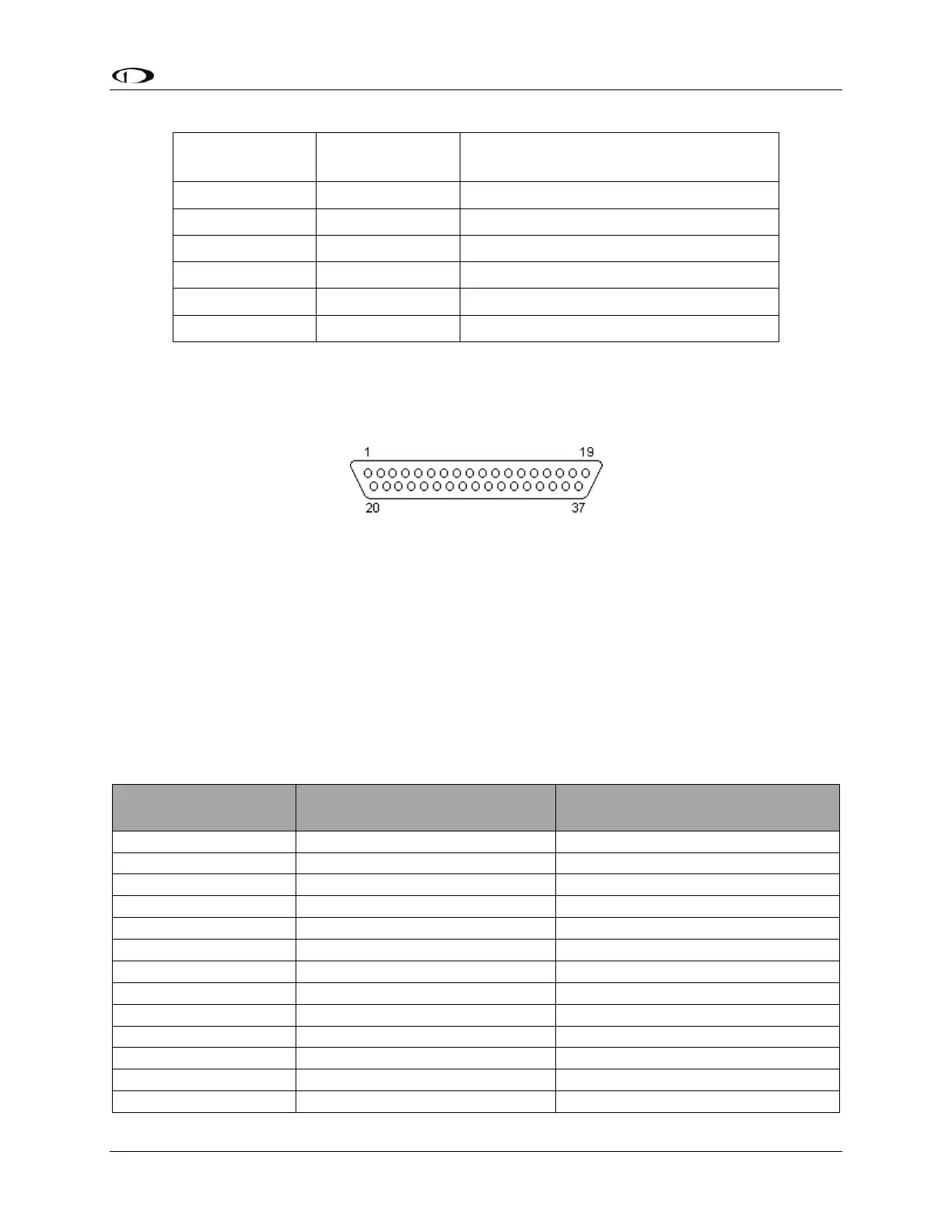
SkyView Display D37 Pinout (SV-HARNESS-D37)
Figure 216 SkyView Display D37F Connector Pin Numbering
Dynon Avionics SkyView and SkyView SE displays use a D37M connector for the majority of its
connections. Figure 216 SkyView Display D37F Connector Pin Numbering above shows the pin
numbering for the mating D37F connector, installed on the cable that plugs into this connector,
from the rear (pin insertion) view. The SV-HARNESS-D37 is normally bundled with a SkyView
display, though the SkyView display can be purchased without an SV-HARNESS-D37, and the SV-
HARNESS-D37 can be purchased separately, for wiring the panel prior to purchasing a SkyView
display.
The D9M connectors are SkyView Network connectors which are detailed in SkyView Network
Pinout below.

SkyView Display
D37M Pin
SV-HARNESS-D37 Wire Color
Description
1
Red
Power Input
2
Red with Yellow stripe
SV-BAT-320 +
3
Brown with Violet stripe
Serial Port 1 RX
4
Brown with Orange stripe
Serial Port 1 TX
5
Yellow with Violet stripe
Serial Port 2 RX
6
Yellow with Orange stripe
Serial Port 2 TX
7
Green with Violet stripe
Serial Port 3 RX
8
Green with Orange stripe
Serial Port 3 TX
9
Blue with Violet stripe
Serial Port 4 RX
10
Blue with Orange stripe
Serial Port 4 TX
11
Gray with Violet stripe
Serial Port 5 RX
12
Gray with Orange stripe
Serial Port 5 TX
13
Brown
Audio Output Left

Table of Contents

Related product manuals