SV-EMS-220/221 Installation and Configuration
7-88 SkyView System Installation Guide - Revision AA
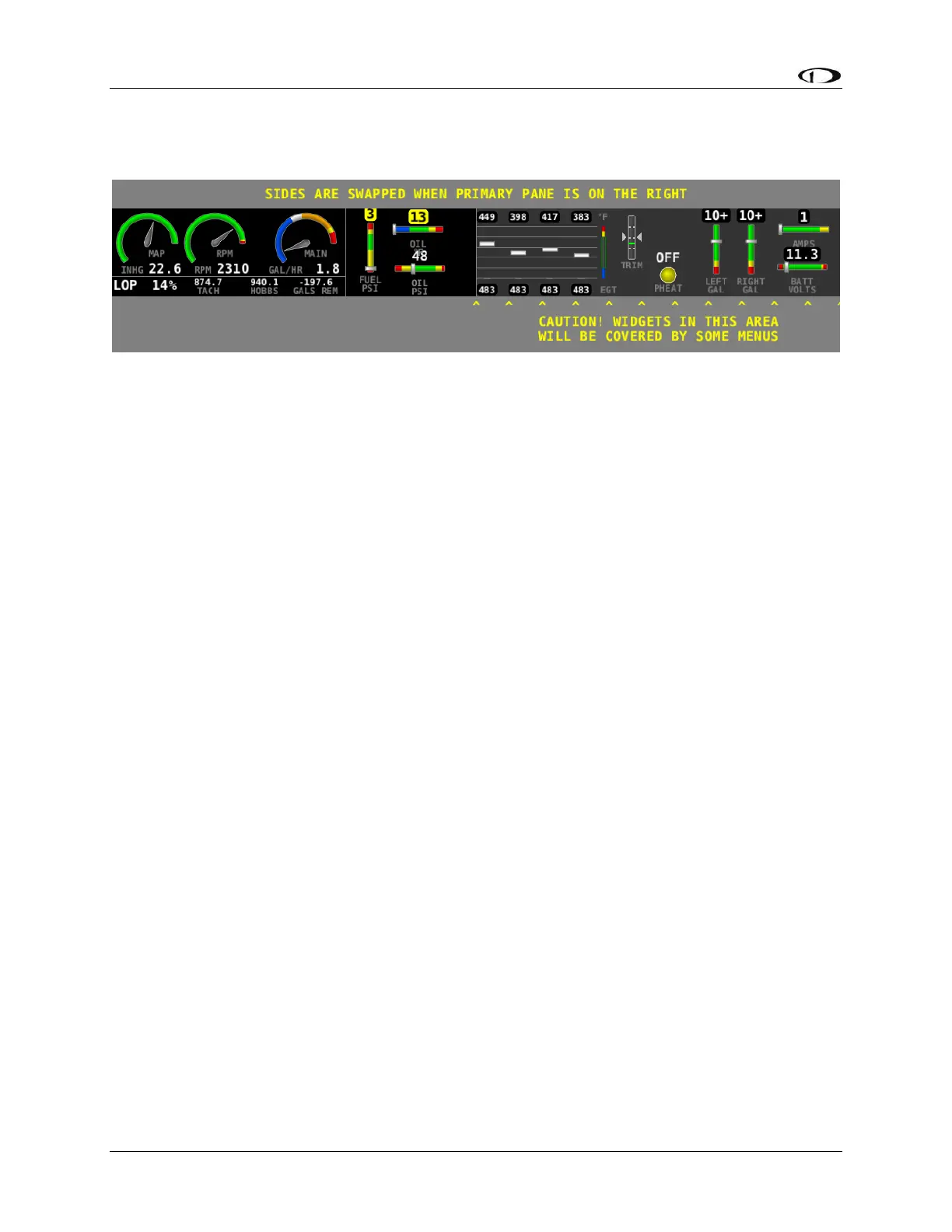
SkyView HDX ENGINE BOTTOM BAND
Figure 88 – SkyView HDX EMS BOTTOM BAND Layout
There are two considerations necessary when laying out the engine sensors on the ENGINE
BOTTOM BAND:
Depending on the layout of your SkyView HDX, the layout seen above (dials on the left
side, bar graphs on the right side) may be swapped (dials on the right side, bar graphs
on the left side).
The “non-Primary” side (the right side outlined by the note CAUTION! WIDGETS IN THIS
AREA WILL BE COVERED BY SOME MENUS) will be temporarily overwritten by some
menus, or permanently overwritten when the 50% ENGINE window is displayed.
Thus, you should plan accordingly to display your most vital engine sensors within the
“Primary” side of the ENGINE BOTTOM BAND.










 To Next Page