Accessory Installation and Configuration
15-28 SkyView System Installation Guide - Revision AA
SV-KNOB-DIMMER
For manual, fine control of brightness of SkyView displays and
SkyView panel units, Dynon Avionics offers the SV-KNOB-
DIMMER; P/N 102801-000) – see Figure 175. The SV-KNOB-
DIMMER is the same width, and similar appearance, as Dynon
Avionics panel units such as SV-AP-PANEL, SV-COM-PANEL,
SV-KNOB-PANEL, and SV-INTERCOM-2S.
Note that on SkyView SE, installation of the SV-KNOB-DIMMER is
the only method to manually control brightness of display and
panel modules.
Installation:
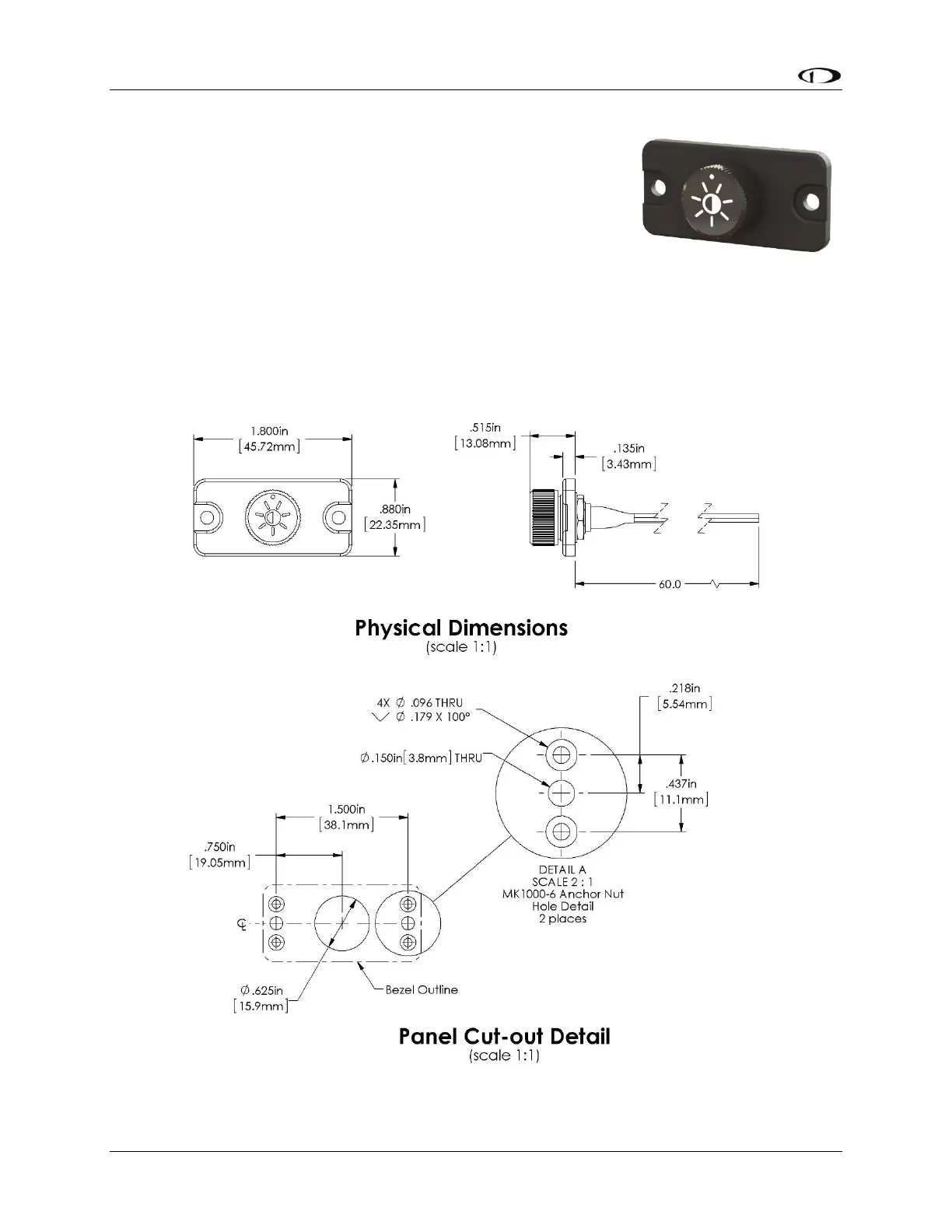
Figure 174 – SV-KNOB-DIMMER Installation Dimensions
Figure 173
SV-KNOB-DIMMER





 To Next Page