Appendix A: Maintenance and Troubleshooting
SkyView System Installation Guide - Revision AA 21-13
SkyView Reports STANDBY NETWORK ERROR
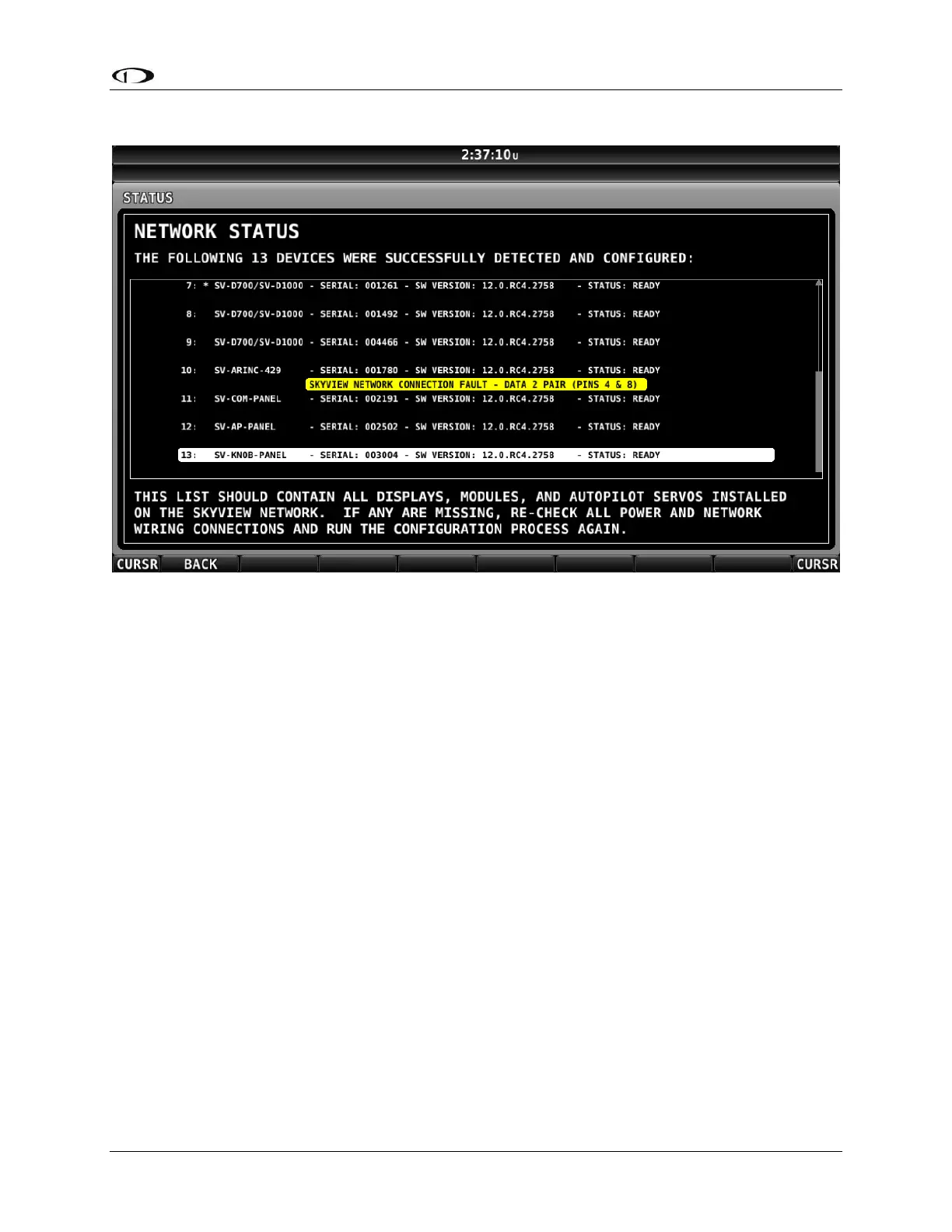
Figure 211 – Troubleshooting STANDBY NETWORK ERROR message
SkyView has detected a problem with the SkyView Network wiring between one or more
modules. Go to SETUP MENU > SYSTEM SETUP > SKYVIEW NETWORK SETUP > NETWORK
STATUS for a description of the problem. Module failures and/or wiring faults will be
annunciated here to aid troubleshooting. The “PINS 4 & 8” or “PINS 1 & 6” references the 9-pin
connector of the SkyView Network cable. The fault will likely be listed below the component(s)
that SkyView can see the fault in. This may help you narrow down the wiring run or connector
that is faulty.
For example, a “SKYVIEW NETWORK CONNECTION FAULT – DATA 2 PAIR (PINS 4 AND 8)” listed
below an SV-ADAHRS-200 listing in the network status page means that pins 4 and 8 on a
SkyView Network harness or connector that goes to that component has a connectivity
problem. This could be a broken wire, swapped wires, bad connection, etc., and should be
analyzed with a multimeter or other direct method.
If the fault were instead listed under a SkyView display listing in the network status page, that
means that the fault is seen on all devices connected to that display, and is likely due to a
connectivity issue at or very near the display in your SkyView Network wiring scheme.
Compass Calibration Fails
If you try to calibrate your compass and it does not work, try the following:
Ensure SkyView is receiving data from the system’s GPS receiver – a
message: VALID GPS SIGNAL REQUIRED TO CALIBRATE COMPASS will appear if GPS data is
not available.










 To Next Page