EasyManua.ls Logo

Dynon SkyView HDX - Page 158

Dynon SkyView HDX
374 pages
Print Icon
To Next Page IconTo Next Page
To Previous Page IconTo Previous Page
Loading...
SV-EMS-220 Engine Monitoring System Installation and Configuration
10-30 SkyView HDX System Installation Manual - Revision E
10.7.4 Example Voltmeter Setup
Assume this sensor was mapped on the Sensor Input Mapping Wizard as:
Table 21: Example Sensor Input Mapping for C37 P1
PIN #
FUNCTION
SENSOR
NAME
C37 P1
VOLTS
VOLTAGE MEASURE
MAIN
Now, we want to configure its alert and graphical properties. Go to the Sensor Setup
Menu and open the MAIN VOLTS Page (SETUP MENU > EMS SETUP > SENSOR
SETUP > MAIN VOLTS).
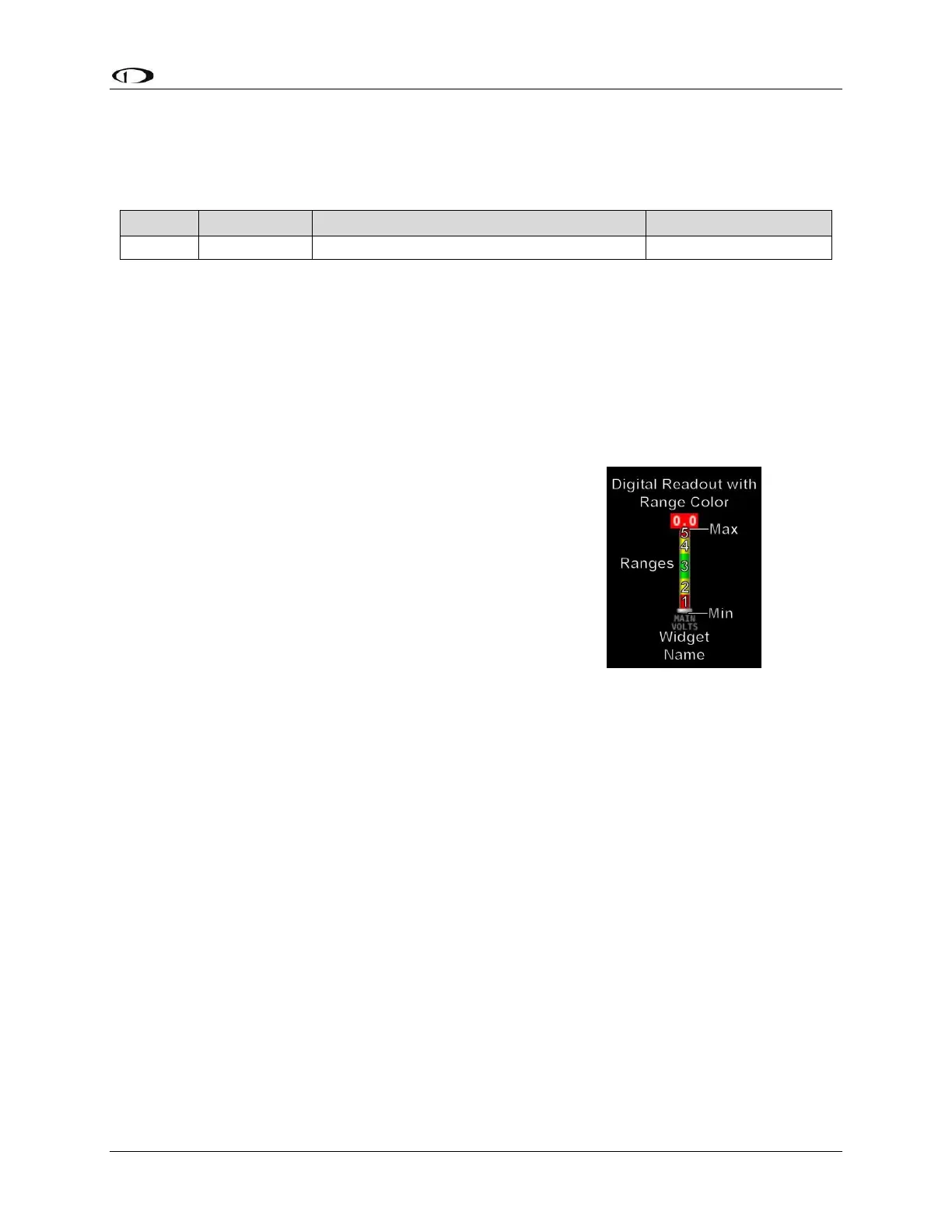
Configure MAIN VOLTS with the following properties:
ALARM: OFF
MAXIMUM GRAPHICAL DISPLAY:15.0 VOLTS
MINIMUM GRAPHICAL DISPLAY:10.0 VOLTS
SHOW SENSOR UNITS YES
RANGE 1
o ENABLE YES
o COLOR RED
o TOP 11.0 VOLTS
o BOTTOM 10.0 VOLTS
RANGE 2
o ENABLE YES
o COLOR YELLOW
o TOP 12.0 VOLTS
o BOTTOM 11.0 VOLTS
RANGE 3
o ENABLE YES
o COLOR GREEN
o TOP 13.6 VOLTS
o BOTTOM 12.0 VOLTS
RANGE 4
o ENABLE YES
o COLOR YELLOW
o TOP 14.6 VOLTS
o BOTTOM 13.6 VOLTS
RANGE 5
Figure 59: Anatomy of a
Widget, Main Volts

Table of Contents

Other manuals for Dynon SkyView HDX

Related product manuals